99-CSS样式案例集锦

布局

两栏布局

1
2
3
4
5
6
7
8
9
10
11
12
13
14
15
16
17
18
19
20
21
22
23
24
25
26
27
28
29
30
31
32
33
<!DOCTYPE html>
<html lang="en">
<head>
<meta charset="UTF-8">
<meta name="viewport" content="width=device-width, initial-scale=1.0">
<title>Document</title>
<style>
*{
margin: 0;
padding: 0;
}
html, body{
height: 100%;
}
.box1{
width: 200px;
height: 100%;
background: red;
float: left;
}
.box2{
width: calc(100% - 200px);
height: 100%;
background: yellow;
float: left;
}
</style>
</head>
<body>
<div class="box1"></div>
<div class="box2"></div>
</body>
</html>

效果:

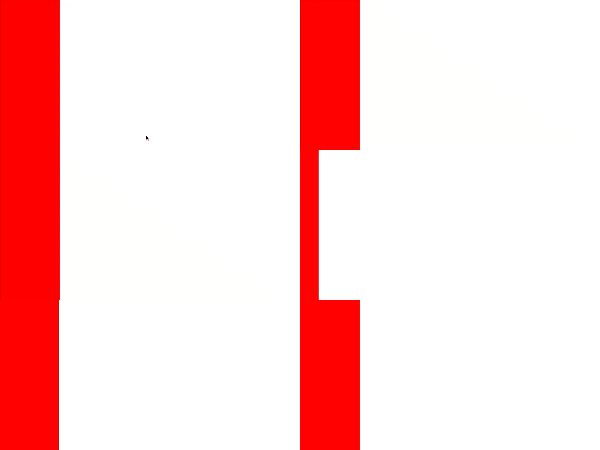
两栏布局

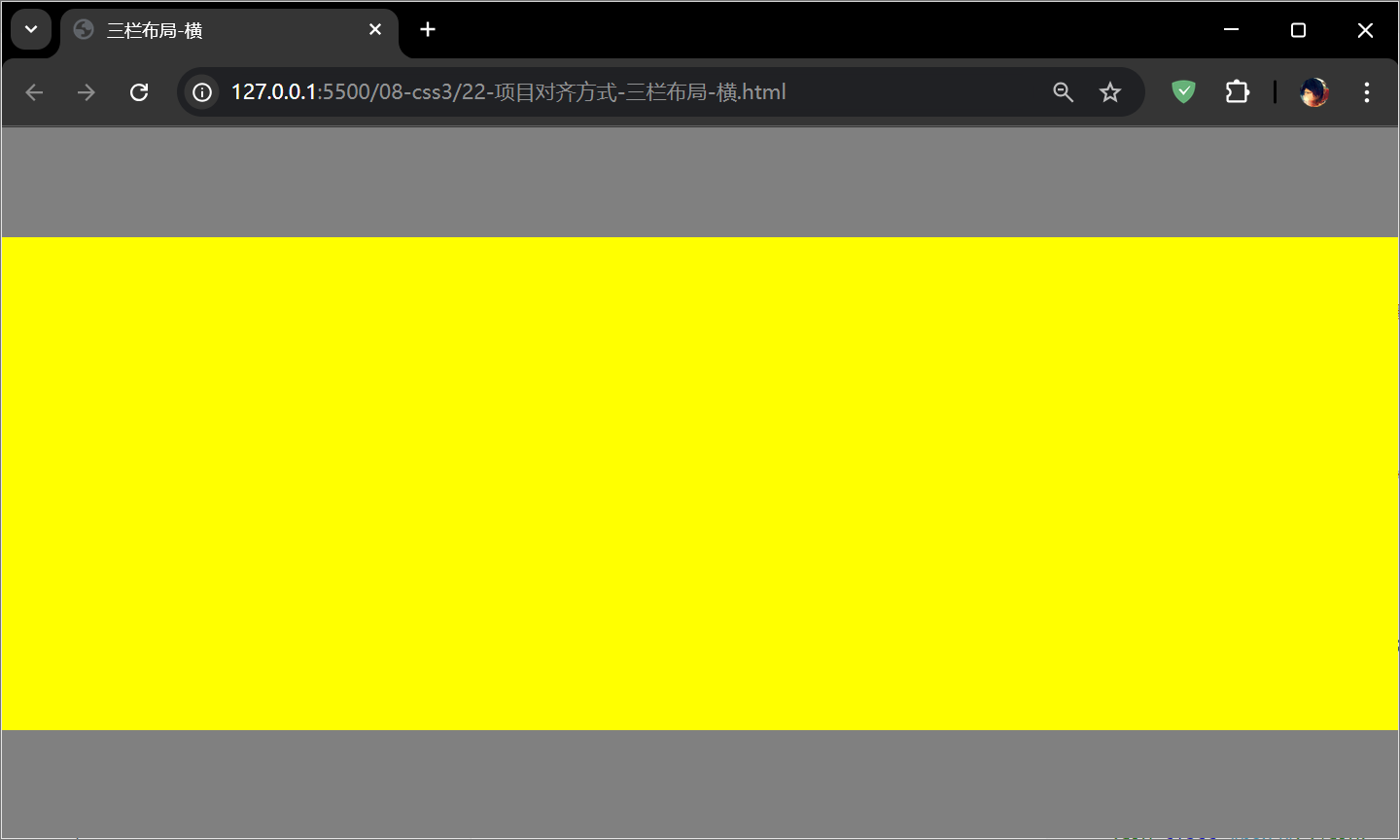
三栏布局-横

1
2
3
4
5
6
7
8
9
10
11
12
13
14
15
16
17
18
19
20
21
22
23
24
25
26
27
28
29
30
31
32
33
34
35
36
<!DOCTYPE html>
<html lang="en">
<head>
<meta charset="UTF-8">
<meta name="viewport" content="width=device-width, initial-scale=1.0">
<title>三栏布局-横</title>
<style>
*{
margin: 0;
padding: 0;
}
html,body{
height: 100%;
}
body{
display: flex;
flex-direction: column; /* 改为纵向 */
}

/* 不设置 align-self 时,在弹性盒子布局时,默认为 stretch 【宽】度会自动拉伸 */
.box1, .box3{
height: 100px; /* 设置上和下的高度 */
background: gray;
}
.box2{
flex: 1;
background: yellow;
}
</style>
</head>
<body>
<div class="box1"></div>
<div class="box2"></div>
<div class="box3"></div>
</body>
</html>

效果:

三栏布局-横

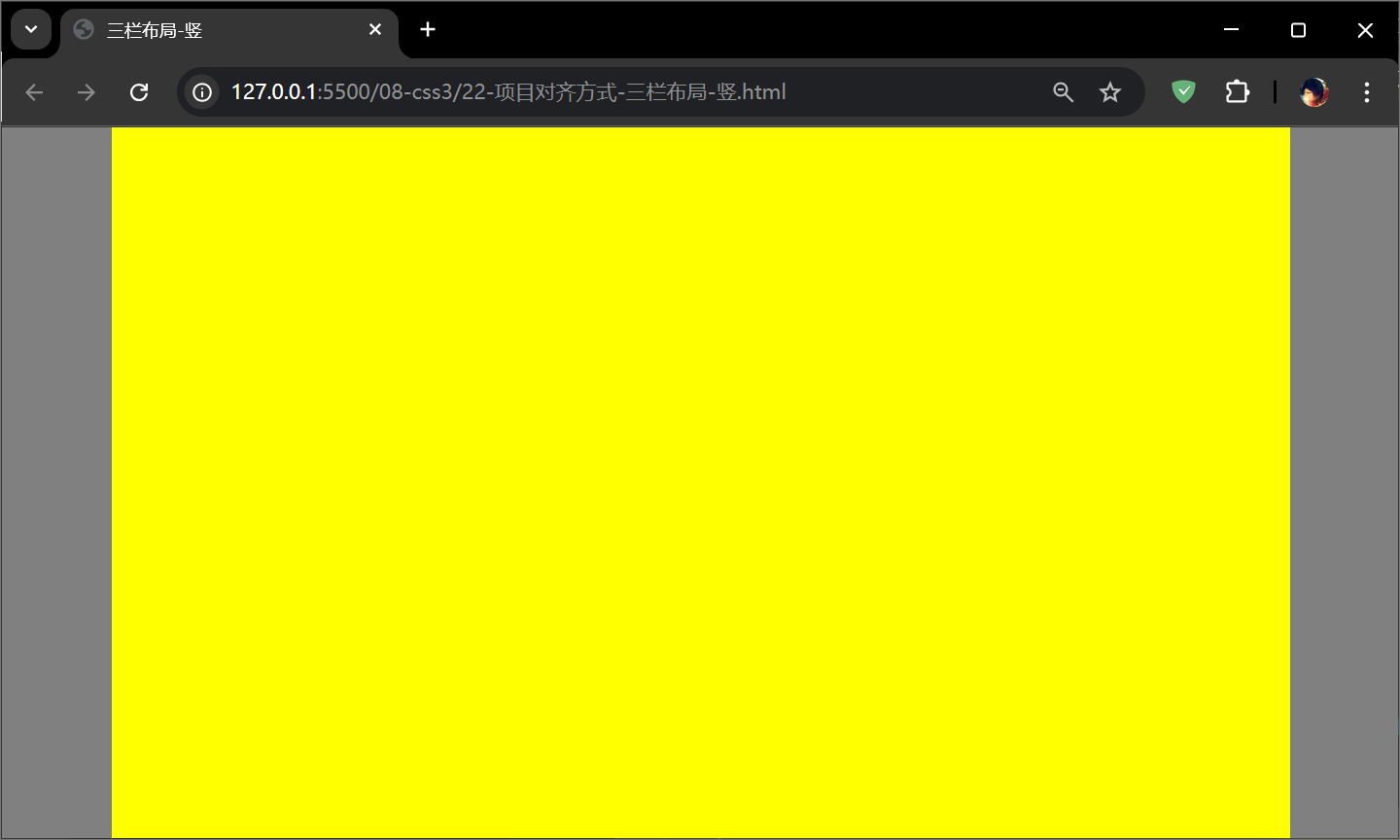
三栏布局-竖

1
2
3
4
5
6
7
8
9
10
11
12
13
14
15
16
17
18
19
20
21
22
23
24
25
26
27
28
29
30
31
32
33
34
35
<!DOCTYPE html>
<html lang="en">
<head>
<meta charset="UTF-8">
<meta name="viewport" content="width=device-width, initial-scale=1.0">
<title>三栏布局-竖</title>
<style>
*{
margin: 0;
padding: 0;
}
html,body{
height: 100%;
}
body{
display: flex; /* 默认横向 */
}

/* 不设置 align-self 时,在弹性盒子布局时,默认为 stretch 【高】度会自动拉伸 */
.box1, .box3{
width: 100px; /* 设置左和右的宽度 */
background: gray;
}
.box2{
flex: 1;
background: yellow;
}
</style>
</head>
<body>
<div class="box1"></div>
<div class="box2"></div>
<div class="box3"></div>
</body>
</html>

效果:

三栏布局-竖

多栏布局

1
2
3
4
5
6
7
8
9
10
11
12
13
14
15
16
17
18
19
20
21
22
23
24
25
26
27
28
29
30
31
32
33
34
35
36
37
38
39
40
41
42
43
44
45
46
47
<!DOCTYPE html>
<html lang="en">
<head>
<meta charset="UTF-8">
<meta name="viewport" content="width=device-width, initial-scale=1.0">
<title>Document</title>
<style>
*{
margin: 0;
padding: 0;
}
html,body{
height: 100%;
}
.top, .bottom{
width: 100%;
height: 50px;
background: #ccc;
}
.middle{
height: calc(100% - 100px);
background: yellow; /* 中间盒子高度自适应背景:黄色 */
}
.left, .right{
width: 100px;
height: 200px;
background: red;
float: left;
}
.center{
width: calc(100% - 200px);
height: 100%;
background: green; /* 中间盒子宽度自适应背景:黄色 */
float: left;
}
</style>
</head>
<body>
<div class="top"></div>
<div class="middle">
<div class="left"></div>
<div class="center"></div>
<div class="right"></div>
</div>
<div class="bottom"></div>
</body>
</html>

效果:

多兰布局

多列布局-图片瀑布显示

1
2
3
4
5
6
7
8
9
10
11
12
13
14
15
16
17
18
19
20
21
22
23
24
25
26
27
28
29
30
31
32
33
34
35
36
37
38
39
40
41
42
43
44
45
46
47
48
49
50
51
52
53
54
55
56
57
58
59
60
61
62
63
64
65
66
67
68
69
70
71
72
73
74
75
76
77
78
79
80
81
82
83
84
<!DOCTYPE html>
<html lang="en">
<head>
<meta charset="UTF-8">
<meta name="viewport" content="width=device-width, initial-scale=1.0">
<title>Document</title>
<style>
.box{
column-count: 5;
}
.box img{
width: 100%;
}
.box div{
border: 3px solid green;
padding: 5px;
margin-bottom: 10px;

/* 禁止盒子内部折行 */
break-inside: avoid;
}
.box div p{
font-size: 30px;
text-align: center;
}
</style>
</head>
<body>
<div class="box">
<div>
<img src="./img/mx1.jpg" alt="">
<p>明星大腕</p>
</div>
<div>
<img src="./img/mx2.jpg" alt="">
<p>明星大腕</p>
</div>
<div>
<img src="./img/mx3.jpg" alt="">
<p>明星大腕</p>
</div>
<div>
<img src="./img/mx4.jpg" alt="">
<p>明星大腕</p>
</div>
<div>
<img src="./img/mx5.jpg" alt="">
<p>明星大腕</p>
</div>
<div>
<img src="./img/mx1.jpg" alt="">
<p>明星大腕</p>
</div>
<div>
<img src="./img/mx2.jpg" alt="">
<p>明星大腕</p>
</div>
<div>
<img src="./img/mx3.jpg" alt="">
<p>明星大腕</p>
</div>
<div>
<img src="./img/mx4.jpg" alt="">
<p>明星大腕</p>
</div>
<div>
<img src="./img/mx5.jpg" alt="">
<p>明星大腕</p>
</div>
<div>
<img src="./img/mx1.jpg" alt="">
<p>明星大腕</p>
</div>
<div>
<img src="./img/mx2.jpg" alt="">
<p>明星大腕</p>
</div>
<div>
<img src="./img/mx3.jpg" alt="">
<p>明星大腕</p>
</div>
</div>
</body>
</html>

效果:

多列布局-图片瀑布显示

响应式布局

1
2
3
4
5
6
7
8
9
10
11
12
13
14
15
16
17
18
19
20
21
22
23
24
25
26
27
28
29
30
31
32
33
34
35
36
37
38
39
40
41
42
43
44
45
46
47
48
49
50
51
52
53
54
55
56
57
58
59
60
61
62
63
64
65
66
67
68
69
70
71
72
73
74
75
76
77
78
79
80
81
82
83
84
85
86
87
88
89
90
91
92
93
94
95
96
97
98
99
100
101
102
103
104
105
106
107
108
109
110
111
112
113
114
115
116
117
118
119
120
121
122
123
124
125
126
127
128
129
130
131
132
133
134
135
136
137
138
139
140
141
142
143
144
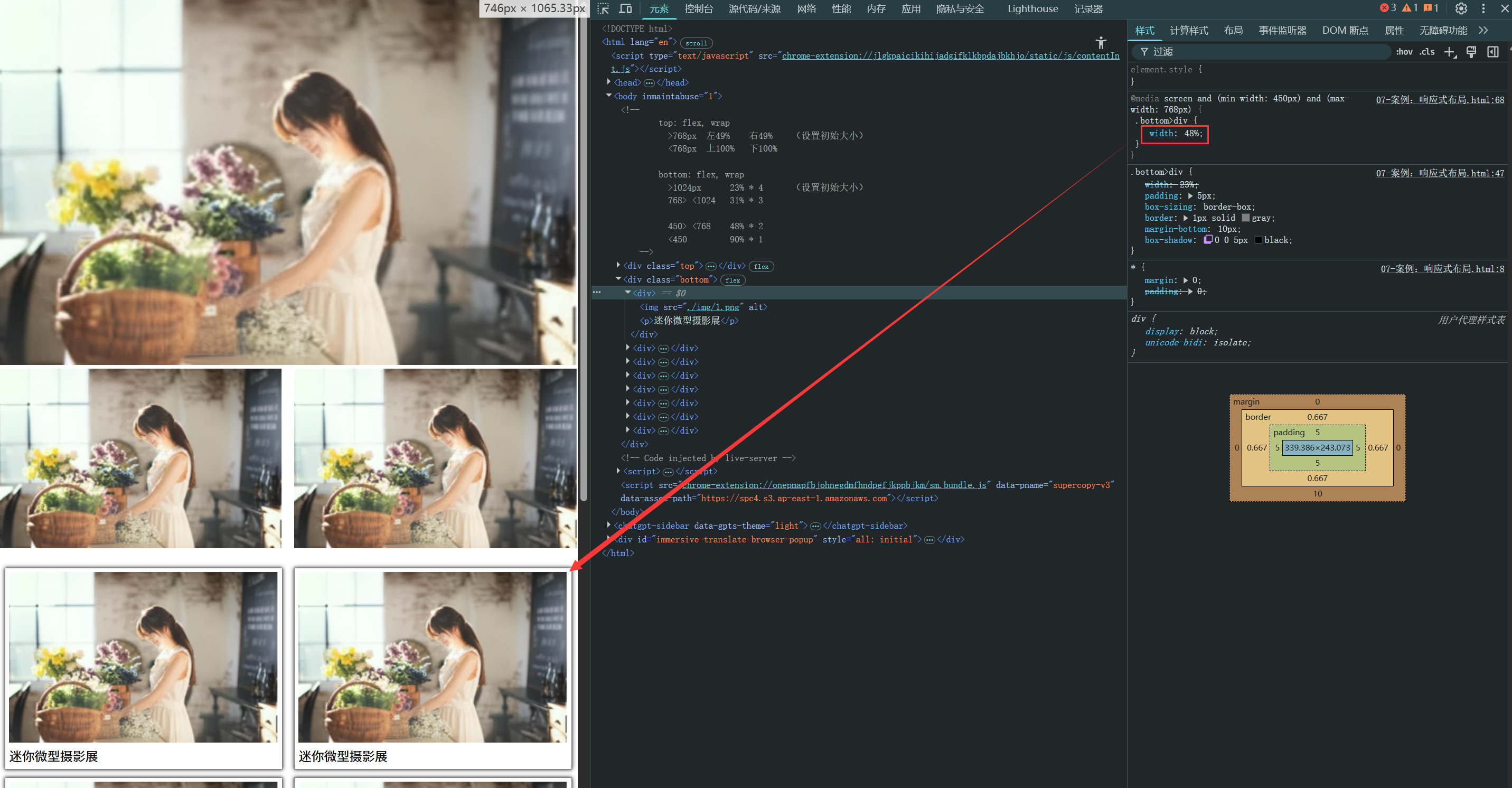
<!DOCTYPE html>
<html lang="en">
<head>
<meta charset="UTF-8">
<meta name="viewport" content="width=device-width, initial-scale=1.0">
<title>Document</title>
<style>
*{
margin: 0;
padding: 0;
}
.top{
display: flex;
flex-wrap: wrap;
justify-content: space-between;
}
/* 默认 >768px,左右两侧大div各占 49% */
.top>div{
width: 49%;
}
.top img{
width: 100%;
}
.top .right{
display: flex;
justify-content: space-between;
}
.top .right>div{
width: 49%;
}

/* 媒体查询 <768px 时,左右两侧的大div各占100%,右侧就会因为 flex-wrap 折行到下一行 */
@media screen and (max-width:768px) {
.top>div{
width: 100%;
}
}

.bottom{
display: flex;
flex-wrap: wrap;
justify-content: space-around;

margin-top: 20px;
}
/* 默认 >1024px,图文的div各占23%,flex-wrap 折行排列,每行显示为4个 */
.bottom>div{
width: 23%;

padding: 5px;
box-sizing: border-box;
border: 1px solid gray;

margin-bottom: 10px;
box-shadow: 0 0 5px black;
}
.bottom img{
width: 100%;
}

/* <1024px and >768px,图文的div各占31%,每行显示为3个 */
@media screen and (min-width:768px) and (max-width:1024px) {
.bottom>div{
width: 31%;
}
}
/* <768px and >1024px,图文的div各占48%,每行显示为2个 */
@media screen and (min-width:450px) and (max-width:768px) {
.bottom>div{
width: 48%;
}
}
/* <450px,图文的div各占90%,每行显示为1个 */
@media screen and (max-width:450px) {
.bottom>div{
width: 90%;
}
}
</style>
</head>
<body>
<!--
top: flex, wrap
>768px 左49% 右49% (设置初始大小)
<768px 上100% 下100%

bottom: flex, wrap
>1024px 23% * 4 (设置初始大小)
768> <1024 31% * 3

450> <768 48% * 2
<450 90% * 1
-->

<div class="top">
<div class="left">
<img src="./img/1.png" alt="">
</div>
<div class="right">
<div>
<img src="./img/1.png" alt="">
</div>
<div>
<img src="./img/1.png" alt="">
</div>
</div>
</div>

<div class="bottom">
<div>
<img src="./img/1.png" alt="">
<p>迷你微型摄影展</p>
</div>
<div>
<img src="./img/1.png" alt="">
<p>迷你微型摄影展</p>
</div>
<div>
<img src="./img/1.png" alt="">
<p>迷你微型摄影展</p>
</div>
<div>
<img src="./img/1.png" alt="">
<p>迷你微型摄影展</p>
</div>
<div>
<img src="./img/1.png" alt="">
<p>迷你微型摄影展</p>
</div>
<div>
<img src="./img/1.png" alt="">
<p>迷你微型摄影展</p>
</div>
<div>
<img src="./img/1.png" alt="">
<p>迷你微型摄影展</p>
</div>
<div>
<img src="./img/1.png" alt="">
<p>迷你微型摄影展</p>
</div>
</div>
</body>
</html>

效果:

响应式布局

自定义网格布局

1
2
3
4
5
6
7
8
9
10
11
12
13
14
15
16
17
18
19
20
21
22
23
24
25
26
27
28
29
30
31
32
33
34
35
36
37
38
39
40
41
42
43
44
45
46
47
48
49
50
51
52
53
54
55
56
57
58
<!DOCTYPE html>
<html lang="en">

<head>
<meta charset="UTF-8">
<meta name="viewport" content="width=device-width, initial-scale=1.0">
<title>Document</title>
<style>
.box {
width: 600px;
height: 300px;
border: 5px solid gray;
display: grid;
grid-template-rows: repeat(3, auto-fill);
grid-template-columns: repeat(6, auto-fill);

grid-template-areas: 'a a a a b b'
'a a a a c c'
'd d e f c c';
gap: 10px 10px;
}
.box div:nth-child(1){
background: red;
grid-area: a;
}
.box div:nth-child(2){
background: orange;
grid-area: b;
}
.box div:nth-child(3){
background: yellow;
grid-area: c;
}
.box div:nth-child(4){
background: green;
grid-area: d;
}
.box div:nth-child(5){
background: cyan;
}
.box div:nth-child(6){
background: purple;
}
</style>
</head>

<body>
<div class="box">
<div>1</div>
<div>2</div>
<div>3</div>
<div>4</div>
<div>5</div>
<div>6</div>
</div>
</body>

</html>

效果:

自定义网格布局

图文混排

1
2
3
4
5
6
7
8
9
10
11
12
13
14
15
16
17
18
19
20
21
22
23
24
25
26
27
28
29
30
31
32
33
34
35
36
37
38
39
40
41
42
43
44
45
46
47
48
49
50
51
52
53
54
55
56
57
58
59
60
61
62
63
64
65
66
67
68
69
70
71
72
73
74
75
76
77
78
79
80
81
82
83
84
85
86
87
88
89
90
91
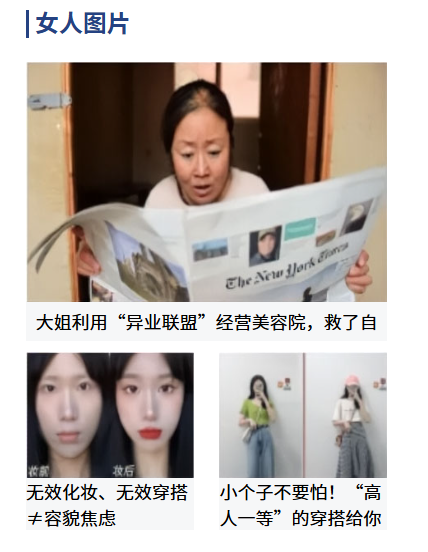
<!DOCTYPE html>
<html lang="en">

<head>
<meta charset="UTF-8">
<meta name="viewport" content="width=device-width, initial-scale=1.0">
<title>盒子案例</title>
<style>
* {
margin: 0;
padding: 0;
}

img{
display: block;
}

#box {
width: 241px;
height: 335px;
margin: 0 auto;
padding: 11px 11px 18px;
}

.title {
width: 235px;
height: 19px;
padding-left: 4px;
border-left: 2px solid #254282;
color: #254282;
line-height: 16px;
font-weight: bold;
margin-bottom: 16px;
}

.bigpic {
width: 241px;
height: 170px;
margin-bottom: 23px;
}

.bigpic p {
width: 241px;
height: 26px;
background-color: #f6f7f8;
font-size: 12px;
text-align: center;
line-height: 26px;
}

.smallpic {
width: 241px;
height: 120px;
}
.smallpic p{
font-size: 12px;
width: 112px;
background-color: #f6f7f8;
}

.left{
float: left;
}
.right{
float: right;
}
</style>
</head>

<body>
<div id="box">
<div class="title">女人图片</div>
<div class="bigpic">
<img src="img/images/cover_03.jpg" style="width: 241px; height: 160px;">
<p>大姐利用“异业联盟”经营美容院,救了自</p>
</div>
<div class="smallpic">
<div class="left">
<img src="img/images/cover_06.jpg" style="width: 112px; height: 84px;">
<p>无效化妆、无效穿搭≠容貌焦虑</p>
</div>
<div class="right">
<img src="img/images/cover_08.jpg" style="width: 112px; height: 84px;">
<p>小个子不要怕!“高人一等”的穿搭给你</p>
</div>

</div>
</div>
</body>

</html>

效果:

图文混排

文字溢出显示省略号

1
2
3
4
5
6
7
8
9
10
11
12
13
14
15
16
17
18
19
20
21
22
23
<!DOCTYPE html>
<html lang="en">
<head>
<meta charset="UTF-8">
<meta name="viewport" content="width=device-width, initial-scale=1.0">
<title>Document</title>
<style>
div{
width: 200px; /* 1.必须有宽度 */
height: 200px;
background-color: yellow;
white-space: nowrap; /* 2.不换行 */
overflow: hidden; /* 3.溢出隐藏 */
text-overflow: ellipsis; /* 4.溢出文本显示省略号 */
}
</style>
</head>
<body>
<div>
Lorem, ipsum dolor sit amet consectetur adipisicing elit. Quae facere totam nulla odio, accusamus sequi aliquid quos quia exercitationem. Fugit sunt enim commodi at ut omnis repellat, repellendus officiis fugiat.
</div>
</body>
</html>

效果:

显示省略号标…

二级菜单

1
2
3
4
5
6
7
8
9
10
11
12
13
14
15
16
17
18
19
20
21
22
23
24
25
26
27
28
29
30
31
32
33
34
35
36
37
38
39
40
41
42
43
44
45
46
47
48
49
50
51
52
53
54
55
56
57
58
59
60
61
62
63
64
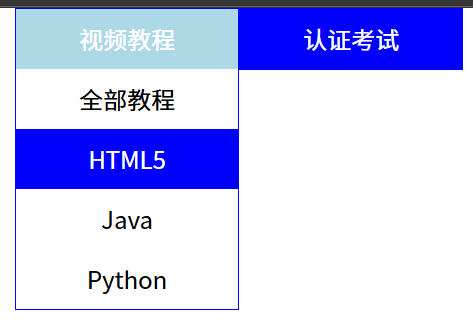
<!DOCTYPE html>
<html lang="en">
<head>
<meta charset="UTF-8">
<meta name="viewport" content="width=device-width, initial-scale=1.0">
<title>Document</title>
<style>
*{
margin: 0;
padding: 0;
}
.box{
width: 300px;
margin: 0 auto;
}
ul{
list-style: none;
}
.box .item{
width: 148px;
float: left;
text-align: center;
border: 1px solid blue;
background-color: blue;
color: white;
line-height: 40px;
}
.box>li:hover{
background-color: lightblue;
}
/* 默认不展示, 其中>符号代表亲儿子,子代选择,不会涉及其他深度; 空格是所有后代选择器 */
.box>li>ul{
display: none;
background-color: white;
color: black;
}
.box>li:hover ul{
display: block;
}
.box>li li:hover{
color: white;
background-color: blue;
}
</style>
</head>
<body>
<ul class="box">
<li class="item">视频教程
<ul>
<li>全部教程</li>
<li>HTML5</li>
<li>Java</li>
<li>Python</li>
</ul>
</li>
<li class="item">认证考试
<ul>
<li>PMP</li>
<li>红帽</li>
</ul>
</li>
</ul>
</body>
</html>

效果:

二级菜单

六图定位展示

1
2
3
4
5
6
7
8
9
10
11
12
13
14
15
16
17
18
19
20
21
22
23
24
25
26
27
28
29
30
31
32
33
34
35
36
37
38
39
40
41
42
43
44
45
46
47
48
49
50
51
52
53
54
55
56
57
58
59
60
61
62
63
64
65
66
67
68
69
70
71
72
73
74
75
76
77
78
79
80
81
82
83
84
85
86
87
88
89
90
91
92
93
94
95
96
97
98
99
100
101
102
103
104
105
106
107
108
109
110
111
112
113
114
115
116
117
118
119
120
<!DOCTYPE html>
<html lang="en">
<head>
<meta charset="UTF-8">
<meta name="viewport" content="width=device-width, initial-scale=1.0">
<title>Document</title>
<style>
*{
margin: 0;
padding: 0;
}
.container{
width: 1033px;
height: 681px;
/* background-color: yellow; */
margin: 0 auto;
}
.box{
width: 300px;
height: 300px;
border: 7px solid #cdccce;
position: relative; /* 父盒子:相对定位(为了子盒子绝对定位) */
float: left;
margin-right: 25px;
margin-bottom: 25px;
}
.box .pic{
width: 100%;
height: 100%;
}
.box .icon, .box .icongreen{
width: 25px;
height: 25px;
position: absolute; /* 子盒子绝对定位,则定位对象是相对于父盒子位置 */
left: 7px;
bottom: 7px;
}
.box .icongreen{
display: none;
}
.box:hover .icongreen, .box:hover .box1{
display: block; /* 鼠标移上去显示出来 */
}
.box:hover .pic{
opacity: 0.7; /* 图片透明度设置范围:0-1 */
}
.box .box1{
position: absolute;
left: 7px;
top: 7px;
display: none;
}
.box .box1 span{
color: blue;
}
/* 将第一行最后一个和第二行最后一个的右边距去掉 */
.picright{
margin-right: 0;
}
</style>
</head>
<body>
<div class="container">
<div class="box">
<img src="img/images/dog_03.jpg" alt="" class="pic">
<img src="img/images/icon_03.jpg" alt="" class="icon">
<img src="img/images/icongreen_03.jpg" alt="" class="icon icongreen">
<div class="box1">
<img src="img/images/icon2_03.jpg" alt="" class="icon2">
<span>好好快写,写会了一会儿好出去玩。好好快写,写会了一会儿好出去玩。</span>
</div>
</div>
<div class="box">
<img src="img/images/dog_03.jpg" alt="" class="pic">
<img src="img/images/icon_03.jpg" alt="" class="icon">
<img src="img/images/icongreen_03.jpg" alt="" class="icon icongreen">
<div class="box1">
<img src="img/images/icon2_03.jpg" alt="" class="icon2">
<span>好好快写,写会了一会儿好出去玩。好好快写,写会了一会儿好出去玩。</span>
</div>
</div>
<div class="box picright">
<img src="img/images/dog_03.jpg" alt="" class="pic">
<img src="img/images/icon_03.jpg" alt="" class="icon">
<img src="img/images/icongreen_03.jpg" alt="" class="icon icongreen">
<div class="box1">
<img src="img/images/icon2_03.jpg" alt="" class="icon2">
<span>好好快写,写会了一会儿好出去玩。好好快写,写会了一会儿好出去玩。</span>
</div>
</div>
<div class="box">
<img src="img/images/dog_03.jpg" alt="" class="pic">
<img src="img/images/icon_03.jpg" alt="" class="icon">
<img src="img/images/icongreen_03.jpg" alt="" class="icon icongreen">
<div class="box1">
<img src="img/images/icon2_03.jpg" alt="" class="icon2">
<span>好好快写,写会了一会儿好出去玩。好好快写,写会了一会儿好出去玩。</span>
</div>
</div>
<div class="box">
<img src="img/images/dog_03.jpg" alt="" class="pic">
<img src="img/images/icon_03.jpg" alt="" class="icon">
<img src="img/images/icongreen_03.jpg" alt="" class="icon icongreen">
<div class="box1">
<img src="img/images/icon2_03.jpg" alt="" class="icon2">
<span>好好快写,写会了一会儿好出去玩。好好快写,写会了一会儿好出去玩。</span>
</div>
</div>
<div class="box picright">
<img src="img/images/dog_03.jpg" alt="" class="pic">
<img src="img/images/icon_03.jpg" alt="" class="icon">
<img src="img/images/icongreen_03.jpg" alt="" class="icon icongreen">
<div class="box1">
<img src="img/images/icon2_03.jpg" alt="" class="icon2">
<span>好好快写,写会了一会儿好出去玩。好好快写,写会了一会儿好出去玩。</span>
</div>
</div>
</div>
</body>
</html>

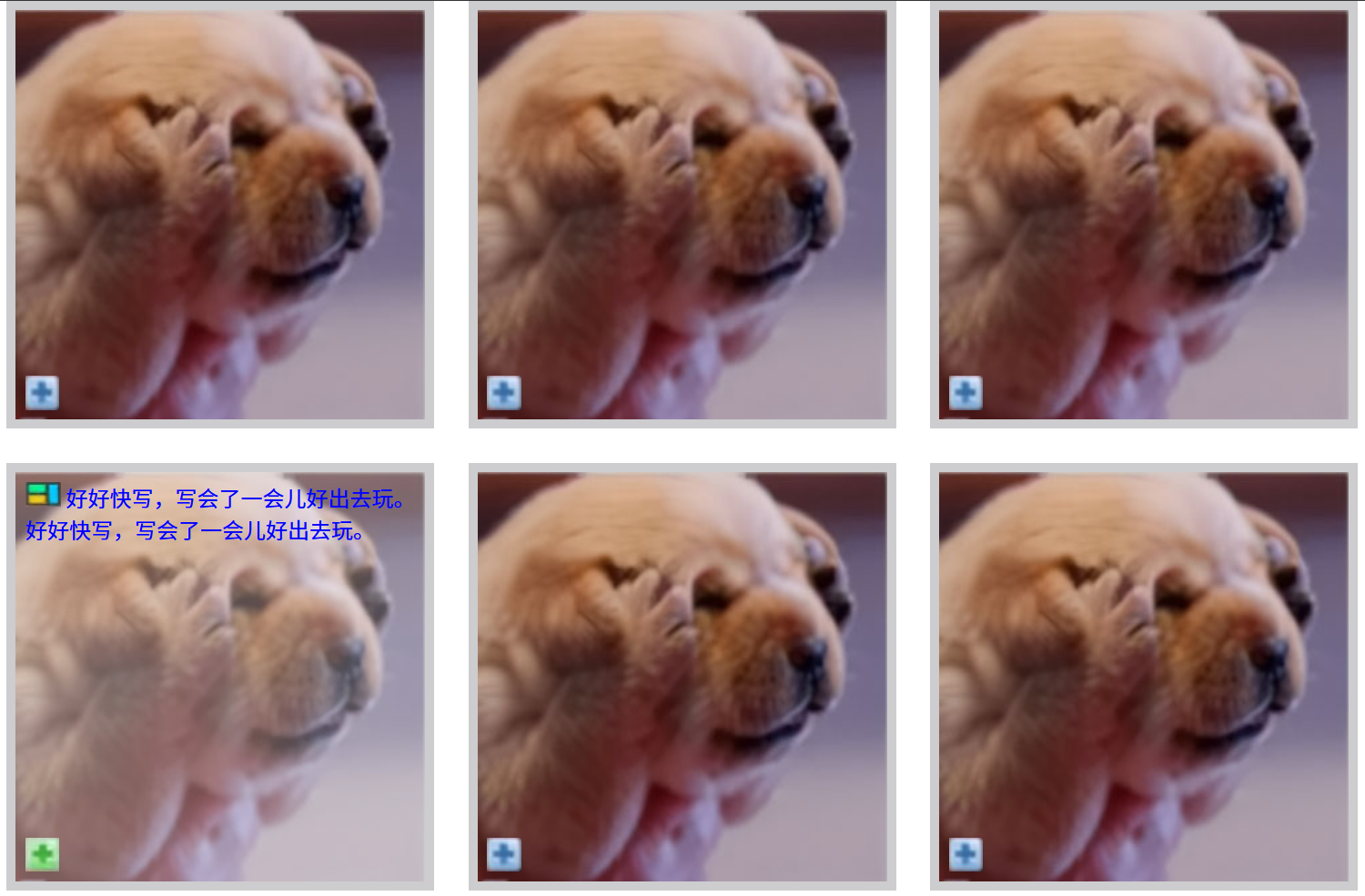
效果:

六图定位展示

菜单中的三角形折叠效果

1
2
3
4
5
6
7
8
9
10
11
12
13
14
15
16
17
18
19
20
21
22
23
24
25
26
27
28
29
30
31
32
33
34
35
36
37
38
39
40
41
42
43
44
45
46
47
<!DOCTYPE html>
<html lang="en">

<head>
<meta charset="UTF-8">
<meta name="viewport" content="width=device-width, initial-scale=1.0">
<title>Document</title>
<style>
.box {
width: 100px;
height: 50px;
line-height: 50px;
text-align: center;
background-color: blue;
color: white;
}

span {
width: 0;
height: 0;
/* 转换成行内块才能让div的宽高生效 */
display: inline-block;
border: 5px solid transparent;
border-top: 5px solid white;
/* 在边框画出三角形的基础上,相对定位到距离top半个边框,即距离2.5px,往下跑了 */
position: relative;
top: 2.5px;
}

.box:hover span {
border: 5px solid transparent;
border-bottom: 5px solid white;
/* 在边框画出三角形的基础上,相对定位到距离top负半个边框,即距离-2.5px,往上跑了 */
position: relative;
top: -2.5px;
}
</style>
</head>

<body>
<div class="box">
导航
<span></span>
</div>
</body>

</html>

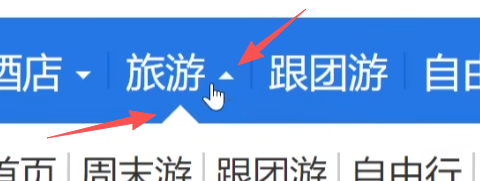
效果:

菜单中的三角形折叠

精灵图/雪碧图

1
2
3
4
5
6
7
8
9
10
11
12
13
14
15
16
17
18
19
20
21
22
23
24
25
26
27
28
29
30
31
<!DOCTYPE html>
<html lang="en">
<head>
<meta charset="UTF-8">
<meta name="viewport" content="width=device-width, initial-scale=1.0">
<title>Document</title>
<style>
div{
width: 103px;
height: 32px;
float: left;
margin: 10px;
background: yellow url(img/jdfooter.png);
}
.box1{
background-position: -205px -111px;
}
.box2{
background-position: -205px -74px;
}
.box3{
background-position: -205px -37px;
}
</style>
</head>
<body>
<div class="box1"></div>
<div class="box2"></div>
<div class="box3"></div>
</body>
</html>

原图

效果:

雪碧图

搜索框

1
2
3
4
5
6
7
8
9
10
11
12
13
14
15
16
17
18
19
20
21
22
23
24
25
26
27
28
29
30
31
32
33
34
35
36
37
38
39
40
41
42
43
44
45
46
47
48
49
50
51
52
<!DOCTYPE html>
<html lang="en">
<head>
<meta charset="UTF-8">
<meta name="viewport" content="width=device-width, initial-scale=1.0">
<title>Document</title>
<style>
*{
margin: 0;
padding: 0;
}
input{
outline: none;
}
div{
width: 935px;
height: 120px;
border: 1px solid #dedede;
margin: 10px auto;
background: #eceaeb;
border-radius: 15px;
box-shadow: 4px 11px 7px #bfbfbf, -4px 11px 7px #bfbfbf;
}
[type=text]{
width: 683px;
height: 86px;
margin: 15px;
border: 3px solid #ccc;
border-radius: 4px;
font-size: 22px;
text-indent: 10px;
color: #555;
}
[type=submit]{
width: 180px;
height: 83px;
background: url(img/1.png);
border-radius: 5px;
border: 1px solid #5ca3b4;
}

</style>
</head>
<body>
<form action="">
<div>
<input type="text" placeholder="Search for html5, css3, jQuery...">
<input type="submit" value="GO">
</div>
</form>
</body>
</html>

效果:

搜索框

移动端金刚区

1
2
3
4
5
6
7
8
9
10
11
12
13
14
15
16
17
18
19
20
21
22
23
24
25
26
27
28
29
30
31
32
33
34
35
36
37
38
39
40
41
42
43
44
45
46
47
48
49
50
51
52
53
54
55
56
57
58
59
60
61
62
63
64
65
66
67
68
69
70
71
72
73
74
75
76
77
78
79
80
81
82
83
84
85
86
87
<!DOCTYPE html>
<html lang="en">
<head>
<meta charset="UTF-8">
<meta name="viewport" content="width=device-width, initial-scale=1.0">
<title>京东手机版顶部金刚区(2行5列共计10个图标)</title>
<style>
.box{
width: 300px;
height: 120px;
border: 1px solid black;
margin: 10px auto;
/* 1.弹性盒子 */
display: flex;
/* 2.折行显示 */
flex-wrap: wrap;
}
.box div{
width: 60px;
height: 60px;
border: 1px dashed red;
/* 3.怪异盒模型,挤压内容 */
box-sizing: border-box;
/* 让div变成弹性盒子,margin:auto 直接水平垂直居中 */
display: flex;

/* 改造加上图标下的文本 */
flex-direction: column;
justify-content: space-around;
align-items: center;
}
.box div img{
width: 35px;
height: 35px;
/* margin: auto; */
}
.box div span{
font-size: 10px;
}
</style>
</head>
<body>
<div class="box">
<div>
<img src="https://img12.360buyimg.com/babel/jfs/t20270715/38278/23/22574/7960/6694edb4F07db03e3/d663cd498321eadc.png" alt="">
<span>京东超市</span>
</div>
<div>
<img src="https://img12.360buyimg.com/babel/jfs/t20270715/38278/23/22574/7960/6694edb4F07db03e3/d663cd498321eadc.png" alt="">
<span>京东超市</span>
</div>
<div>
<img src="https://img12.360buyimg.com/babel/jfs/t20270715/38278/23/22574/7960/6694edb4F07db03e3/d663cd498321eadc.png" alt="">
<span>京东超市</span>
</div>
<div>
<img src="https://img12.360buyimg.com/babel/jfs/t20270715/38278/23/22574/7960/6694edb4F07db03e3/d663cd498321eadc.png" alt="">
<span>京东超市</span>
</div>
<div>
<img src="https://img12.360buyimg.com/babel/jfs/t20270715/38278/23/22574/7960/6694edb4F07db03e3/d663cd498321eadc.png" alt="">
<span>京东超市</span>
</div>
<div>
<img src="https://img12.360buyimg.com/babel/jfs/t20270715/38278/23/22574/7960/6694edb4F07db03e3/d663cd498321eadc.png" alt="">
<span>京东超市</span>
</div>
<div>
<img src="https://img12.360buyimg.com/babel/jfs/t20270715/38278/23/22574/7960/6694edb4F07db03e3/d663cd498321eadc.png" alt="">
<span>京东超市</span>
</div>
<div>
<img src="https://img12.360buyimg.com/babel/jfs/t20270715/38278/23/22574/7960/6694edb4F07db03e3/d663cd498321eadc.png" alt="">
<span>京东超市</span>
</div>
<div>
<img src="https://img12.360buyimg.com/babel/jfs/t20270715/38278/23/22574/7960/6694edb4F07db03e3/d663cd498321eadc.png" alt="">
<span>京东超市</span>
</div>
<div>
<img src="https://img12.360buyimg.com/babel/jfs/t20270715/38278/23/22574/7960/6694edb4F07db03e3/d663cd498321eadc.png" alt="">
<span>京东超市</span>
</div>

</div>
</body>
</html>

效果:

移动端金刚区

移动端商品分类

1
2
3
4
5
6
7
8
9
10
11
12
13
14
15
16
17
18
19
20
21
22
23
24
25
26
27
28
29
30
31
32
33
34
35
36
37
38
39
40
41
42
43
44
45
46
47
48
49
50
51
52
53
54
55
56
57
58
59
60
61
62
63
64
65
66
67
68
69
70
71
72
73
74
75
76
77
78
79
80
81
82
83
84
85
86
87
88
89
90
91
92
93
94
95
96
97
98
99
100
101
102
103
104
105
106
107
108
109
110
111
112
113
114
115
116
117
118
119
120
121
122
123
124
125
126
127
128
129
130
131
132
133
134
135
136
137
138
139
140
141
142
143
144
145
146
147
148
149
150
151
152
153
154
155
156
157
158
159
160
161
162
163
164
165
166
167
168
169
170
171
172
173
174
175
176
177
178
179
180
181
182
183
184
185
186
187
188
189
190
191
192
193
194
195
196
197
198
199
200
201
202
203
204
205
206
207
208
209
210
211
212
213
214
215
216
217
218
219
220
221
222
223
224
225
226
227
228
229
230
231
232
233
234
235
236
237
238
239
240
241
242
243
244
245
246
247
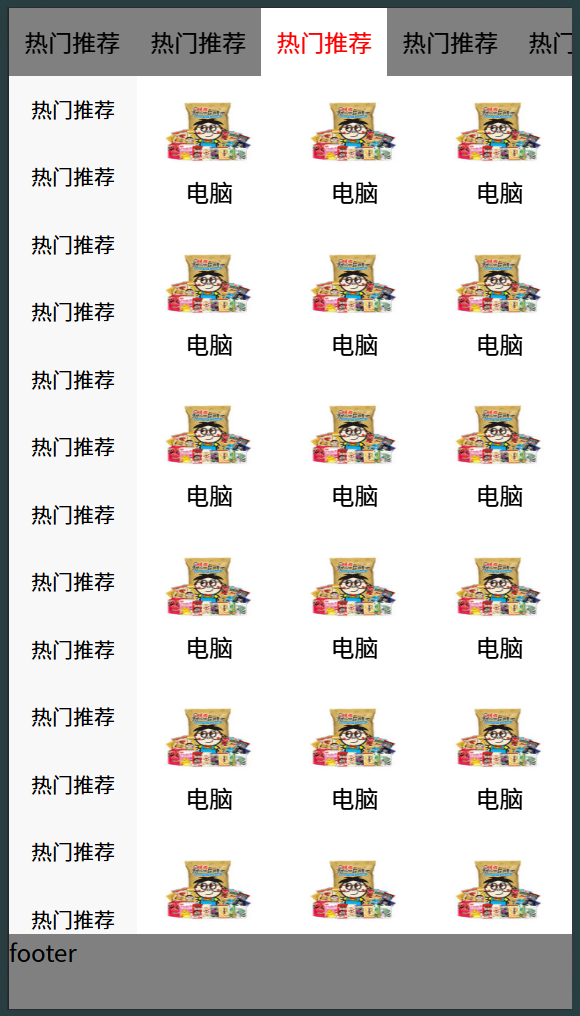
<!DOCTYPE html>
<html lang="en">
<head>
<meta charset="UTF-8">
<meta name="viewport" content="width=device-width, initial-scale=1.0">
<title>京东分类手机端案例</title>
<style>
*{
margin: 0;
padding: 0;
}
html, body{
height: 100%;
}
ul{
list-style: none;
}
body{
display: flex;
flex-direction: column;
}

header{
height: 45px;
background: gray;
}

header ul{
display: flex;
overflow: auto; /* 配合 flex-shrink:0 可以在一行内横向滚动 */
}

header ul li{
flex-shrink: 0; /* 不允许被挤压 */
line-height: 45px;
padding: 0 10px;
}

header ul li:hover{
background: white;
color: red;
}

footer{
height: 50px;
background: gray;
}

/* 全局隐藏滚动条 */
::-webkit-scrollbar{
display: none;
}

section{
flex: 1;
display: flex;
overflow: auto; /* 整体被内容撑开时,显示滚动条 */
}

section ul{
width: 85px;
overflow: auto; /* 左侧分类被内容撑开时,显示滚动条(因此会显示为左侧滚动条) */
}

section ul li{
height: 45px;
line-height: 45px;
text-align: center;
font-size: 14px;
background: #f8f8f8;
}

section ul li:hover{
background: white;
color: red;
}

section>div{
flex: 1;

display: flex;
flex-wrap: wrap;
align-content: flex-start; /* 折行后内容朝起点对齐 */

overflow: auto; /* 右侧内容区域也溢出时添加滚动条 */
}

section .content>div{
height: 101px;
width: 33.33%; /* 即每行显示3个 */
text-align: center;
}

section .content>div img{
width: 60px;
height: 50px;
margin-top: 11px;
}
</style>
</head>
<body>
<header>
<ul>
<li>热门推荐</li>
<li>热门推荐</li>
<li>热门推荐</li>
<li>热门推荐</li>
<li>热门推荐</li>
<li>热门推荐</li>
<li>热门推荐</li>
<li>热门推荐</li>
<li>热门推荐</li>
<li>热门推荐</li>
<li>热门推荐</li>
<li>热门推荐</li>
<li>热门推荐</li>
<li>热门推荐</li>
<li>热门推荐</li>
<li>热门推荐</li>
<li>热门推荐</li>
<li>热门推荐</li>
</ul>
</header>
<section>
<ul>
<li>热门推荐</li>
<li>热门推荐</li>
<li>热门推荐</li>
<li>热门推荐</li>
<li>热门推荐</li>
<li>热门推荐</li>
<li>热门推荐</li>
<li>热门推荐</li>
<li>热门推荐</li>
<li>热门推荐</li>
<li>热门推荐</li>
<li>热门推荐</li>
<li>热门推荐</li>
<li>热门推荐</li>
<li>热门推荐</li>
<li>热门推荐</li>
<li>热门推荐</li>
<li>热门推荐</li>
</ul>

<div class="content">
<div>
<img src="./img/images/jd-h5-1_03.jpg" alt="">
<p>电脑</p>
</div>
<div>
<img src="./img/images/jd-h5-1_03.jpg" alt="">
<p>电脑</p>
</div>
<div>
<img src="./img/images/jd-h5-1_03.jpg" alt="">
<p>电脑</p>
</div>
<div>
<img src="./img/images/jd-h5-1_03.jpg" alt="">
<p>电脑</p>
</div>
<div>
<img src="./img/images/jd-h5-1_03.jpg" alt="">
<p>电脑</p>
</div>
<div>
<img src="./img/images/jd-h5-1_03.jpg" alt="">
<p>电脑</p>
</div>
<div>
<img src="./img/images/jd-h5-1_03.jpg" alt="">
<p>电脑</p>
</div>
<div>
<img src="./img/images/jd-h5-1_03.jpg" alt="">
<p>电脑</p>
</div>
<div>
<img src="./img/images/jd-h5-1_03.jpg" alt="">
<p>电脑</p>
</div>
<div>
<img src="./img/images/jd-h5-1_03.jpg" alt="">
<p>电脑</p>
</div>
<div>
<img src="./img/images/jd-h5-1_03.jpg" alt="">
<p>电脑</p>
</div>
<div>
<img src="./img/images/jd-h5-1_03.jpg" alt="">
<p>电脑</p>
</div>
<div>
<img src="./img/images/jd-h5-1_03.jpg" alt="">
<p>电脑</p>
</div>
<div>
<img src="./img/images/jd-h5-1_03.jpg" alt="">
<p>电脑</p>
</div>
<div>
<img src="./img/images/jd-h5-1_03.jpg" alt="">
<p>电脑</p>
</div>
<div>
<img src="./img/images/jd-h5-1_03.jpg" alt="">
<p>电脑</p>
</div>
<div>
<img src="./img/images/jd-h5-1_03.jpg" alt="">
<p>电脑</p>
</div>
<div>
<img src="./img/images/jd-h5-1_03.jpg" alt="">
<p>电脑</p>
</div>
<div>
<img src="./img/images/jd-h5-1_03.jpg" alt="">
<p>电脑</p>
</div>
<div>
<img src="./img/images/jd-h5-1_03.jpg" alt="">
<p>电脑</p>
</div>
<div>
<img src="./img/images/jd-h5-1_03.jpg" alt="">
<p>电脑</p>
</div>
<div>
<img src="./img/images/jd-h5-1_03.jpg" alt="">
<p>电脑</p>
</div>
<div>
<img src="./img/images/jd-h5-1_03.jpg" alt="">
<p>电脑</p>
</div>
<div>
<img src="./img/images/jd-h5-1_03.jpg" alt="">
<p>电脑</p>
</div>
</div>
</section>
<footer>footer</footer>
</body>
</html>

效果:

移动端商品分类

横竖屏检测

1
2
3
4
5
6
7
8
9
10
11
12
13
14
15
16
17
18
19
20
21
22
23
24
25
26
27
28
29
30
31
32
33
34
35
36
37
38
39
40
41
42
43
44
45
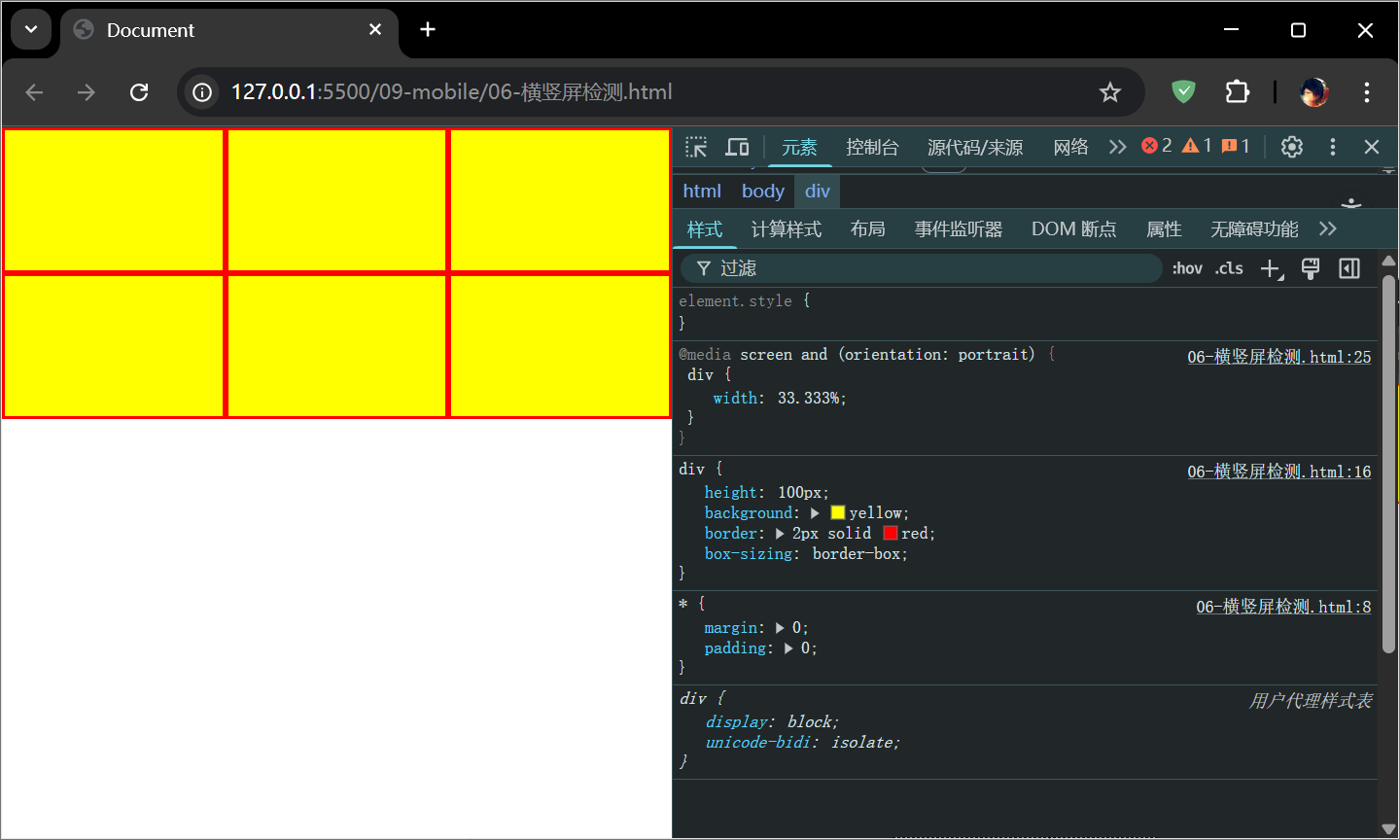
<!DOCTYPE html>
<html lang="en">
<head>
<meta charset="UTF-8">
<meta name="viewport" content="width=device-width, initial-scale=1.0">
<title>Document</title>
<style>
*{
margin: 0;
padding: 0;
}
body{
display: flex;
flex-wrap: wrap;
}
div{
height: 100px;
background: yellow;
border: 2px solid red;
box-sizing: border-box;
}

/* 竖屏 */
@media screen and (orientation: portrait) {
div{
width: 33.333%;
}
}
/* 横屏 */
@media screen and (orientation:landscape) {
div{
width: 20%;
}
}
</style>
</head>
<body>
<div></div>
<div></div>
<div></div>
<div></div>
<div></div>
<div></div>
</body>
</html>

效果:

横屏

竖屏

卡片动效1

1
2
3
4
5
6
7
8
9
10
11
12
13
14
15
16
17
18
19
20
21
22
23
24
25
26
27
28
29
30
31
32
33
34
35
36
37
38
39
40
41
42
43
44
45
46
47
48
49
50
51
52
53
54
55
56
57
58
59
60
61
62
63
64
65
66
67
68
69
70
71
72
73
74
75
76
77
78
79
80
81
82
83
84
85
86
87
88
89
90
91
92
93
94
95
96
97
98
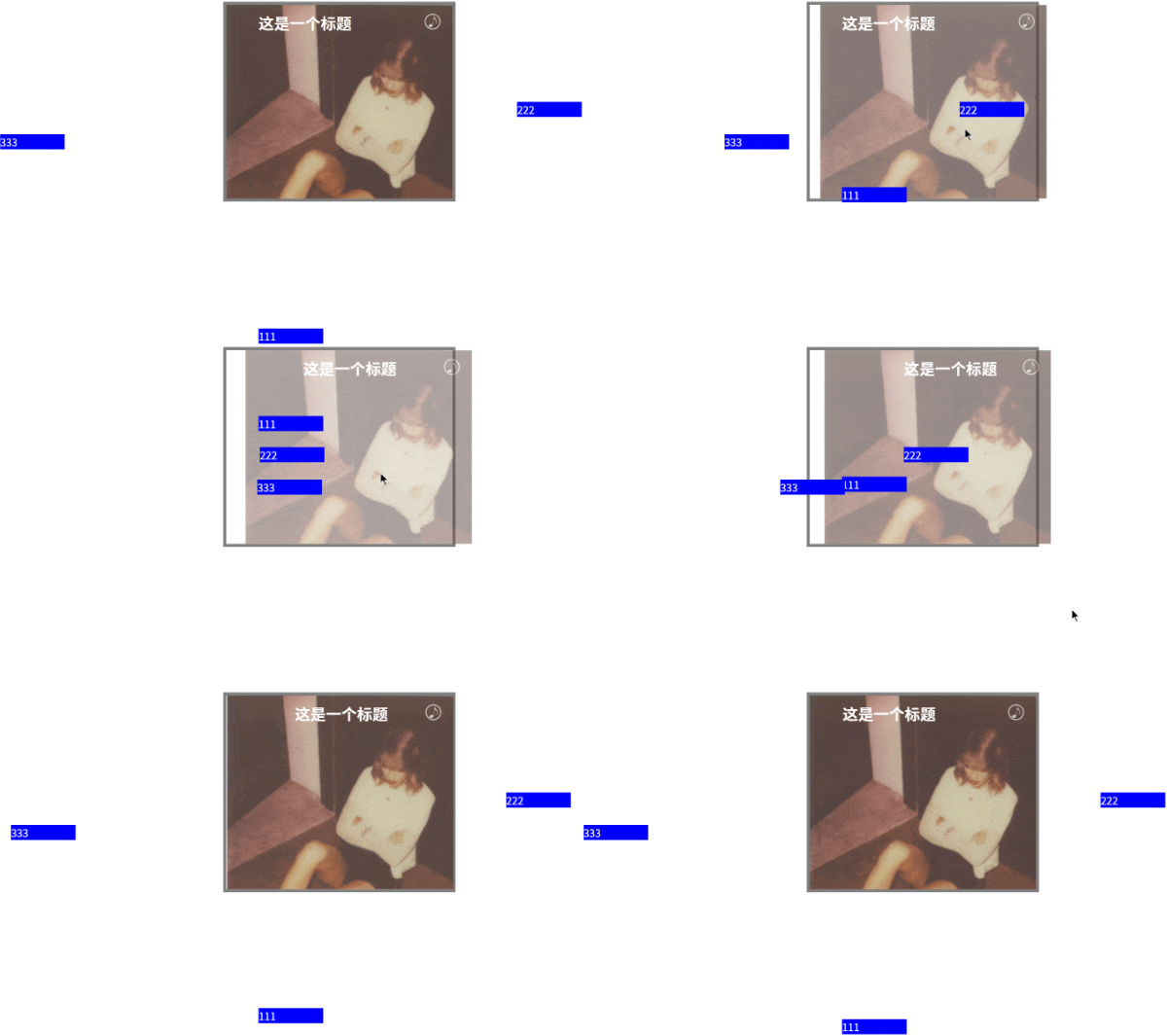
<!DOCTYPE html>
<html lang="en">
<head>
<meta charset="UTF-8">
<meta name="viewport" content="width=device-width, initial-scale=1.0">
<title>Document</title>
<style>
*{
margin: 0;
padding: 0;
}
html,body{
height: 100%;
}
img{
/* 去掉图片下方的缝隙 */
display: block;
}
.box{
width: 350px;
border: 5px solid gray;
margin: 0 auto;

position: relative;

/* 溢出隐藏,注释该值可以知道元素使如何活动在起始位置的 */
overflow: hidden;
}
.box img{
width: 100%;

/* 过渡 */
transition: all 1s;
}
.box:hover img{
/* 位移 */
transform: translateX(30px);
opacity: 0.5;
}
.box h2{
position: absolute;
left: 50px;
top: 10px;
color: white;
/* 过渡 */
transition: all 1s 0.5s;
}
.box:hover h2{
/* 位移 */
transform: translateX(100px);
}
.box p{
width: 100px;

position: absolute;
left: 50px;
color: white;
background: blue;

/* 过渡 */
transition: all 1s;
}
.box .p1{
top: 100px;
/* 位移 */
transform: translateY(400px);
}
.box:hover .p1{
transform: translateY(0);
}
.box .p2{
top: 150px;
/* 位移 */
transform: translateX(400px);
}
.box:hover .p2{
transform: translateX(0);
}
.box .p3{
top: 200px;
/* 位移 */
transform: translateX(-400px);
}
.box:hover .p3{
transform: translateX(0);
}
</style>
</head>
<body>
<div class="box">
<img src="./img/1.png" alt="">
<h2>这是一个标题</h2>
<p class="p1">111</p>
<p class="p2">222</p>
<p class="p3">333</p>
</div>
</body>
</html>

效果:

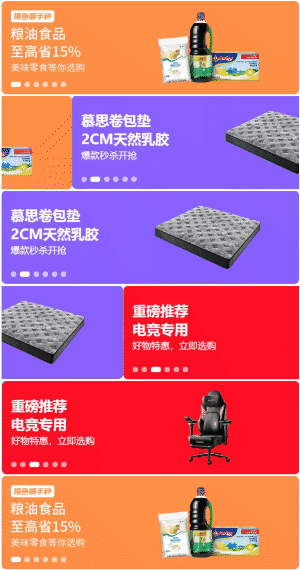
卡片动效1

卡片动效2

1
2
3
4
5
6
7
8
9
10
11
12
13
14
15
16
17
18
19
20
21
22
23
24
25
26
27
28
29
30
31
32
33
34
35
36
37
38
39
40
41
42
43
44
45
46
47
48
49
50
51
52
53
54
55
56
57
58
59
60
61
62
63
64
65
66
67
68
69
70
71
72
73
74
75
76
77
78
79
80
81
82
83
84
85
86
87
88
89
90
91
92
93
94
95
96
97
98
99
100
101
102
103
104
105
106
<!DOCTYPE html>
<html lang="en">
<head>
<meta charset="UTF-8">
<meta name="viewport" content="width=device-width, initial-scale=1.0">
<title>Document</title>
<style>
*{
margin: 0;
padding: 0;
}
html,body{
height: 100%;
}
img{
display: block;
}
.box{
width: 300px;
margin: 10px auto;
border: 2px solid gray;
/* 定位:父相 */
position: relative;
/* 溢出隐藏 */
overflow: hidden;
}

img,p,h2{
/* 都加上过渡动画 */
transition: all 0.5s;
}

.box .pic{
width: 100%;
/* 默认在Y轴原始位置 */
transform: translateY(0);
}
.box:hover .pic{
/* 移入:Y轴偏移30px */
transform: translateY(-30px);
/* 透明度 50% */
opacity: 0.5;
}

.box h2{
position: absolute;
left: 20px;
top: 20px;
color: white;

/* 默认Y轴移走 */
transform: translateY(-300px);
/* 透明 */
opacity: 0;
}
.box:hover h2{
/* 移入:恢复需要显示到的位置 */
transform: translateY(0);
/* 恢复为不透明 */
opacity: 1;
}

.box p{
position: absolute;
bottom: 30px;
left: 20px;
color: white;

/* 默认是Y轴移走 */
transform: translateY(300px);

/* background: blue; */
/* 透明 */
opacity: 0;
}
.box:hover p{
/* 移入:恢复需要显示到的位置 */
transform: translateY(0);
/* 恢复为不透明 */
opacity: 1;
}

.box .musicBtn{
/* 定位:子绝 */
position: absolute;
top: 10px;
right: 10px;
width: 30px;
}
.box:hover .musicBtn{
/* 旋转 */
transform: rotate(360deg);
}
</style>
</head>
<body>
<div class="box">
<img src="./img/1.png" alt="" class="pic">
<div>
<h2>Back To December</h2>
<p>Lorem, ipsum dolor sit amet consectetur adipisicing elit. Velit voluptatum, iure placeat quidem voluptatem modi dolores tenetur quam incidunt ad debitis corrupti tempora! Accusamus magni earum ipsam quis! Repellat, ipsum.</p>
</div>
<img src="./img/music.jpg" alt="" class="musicBtn">
</div>
</body>
</html>

效果:

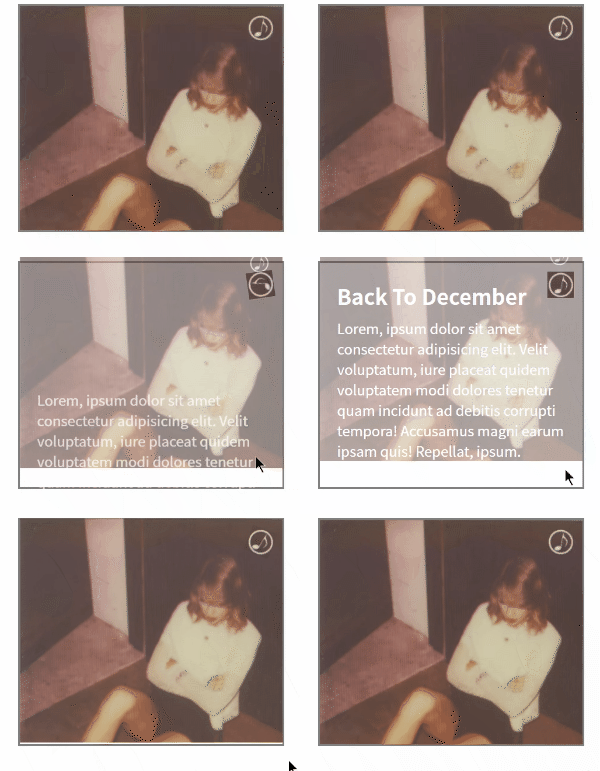
卡片动效2

抽屉效果

1
2
3
4
5
6
7
8
9
10
11
12
13
14
15
16
17
18
19
20
21
22
23
24
25
26
27
28
29
30
31
32
33
34
35
36
37
38
39
40
41
42
43
44
45
46
47
<!DOCTYPE html>
<html lang="en">
<head>
<meta charset="UTF-8">
<meta name="viewport" content="width=device-width, initial-scale=1.0">
<title>Document</title>
<style>
*{
margin: 0;
padding: 0;
}
html,body{
height: 100%;
}
div{
height: 100%;
width: 200px;
background: red;
position: fixed;
left: 0;
top: 0;

/* 容器宽度值,-100%刚好完全隐藏无需关心宽度具体值 */
transform: translateX(-100%);
/* 使用动画 */
animation: run 0.5s linear forwards;
/* 填充模式:none-没有(默认), forwards-保留最后一帧(最后画面), backwards-保留第一帧(初始画面) */
/* animation-fill-mode: forwards; */

/* 动画关闭,js去操作改值 */
/* animation: run 0.5s linear forwards reverse; */
}

@keyframes run {
from{
transform: translateX(-100%);
}
to{
transform: translateX(0);
}
}
</style>
</head>
<body>
<div></div>
</body>
</html>

效果:

抽屉效果

轮播图效果

1
2
3
4
5
6
7
8
9
10
11
12
13
14
15
16
17
18
19
20
21
22
23
24
25
26
27
28
29
30
31
32
33
34
35
36
37
38
39
40
41
42
43
44
45
46
47
48
49
50
51
52
53
54
55
56
57
58
59
60
61
62
63
64
65
66
67
68
69
70
71
72
73
74
75
76
77
78
79
80
81
82
83
84
<!DOCTYPE html>
<html lang="en">
<head>
<meta charset="UTF-8">
<meta name="viewport" content="width=device-width, initial-scale=1.0">
<title>Document</title>
<style>
*{
margin: 0;
padding: 0;
}
.swiper-container{
width: 768px;
height: 240px;
margin: 10px auto;
/* 在768px的宽度内,有溢出则隐藏 */
overflow: hidden;
}

.swiper-container img{
width: 768px;
height: 240px;
}

.swiper-slide{
/* 所有图片的div都浮动起来,横着排列 */
float: left;
}

.swiper-wrapper{
/* 为了有浮动空间,会根据父元素 overflow 去溢出隐藏 */
width: 9999px;
/* 调用动画,10s总时长(根据百分比均分动画帧数确定时间),默认平滑过渡ease,无限循环 */
animation: swiperrun 10s infinite;
}

/* 根据轮播图的数量,0%-100% 均分即可,如3张图为 0% 50% 100% */
@keyframes swiperrun {
0%{
transform: translateX(0);
}
20%{
/* 负值,X轴向左走 */
transform: translateX(0);
}
40%{
/* 25% 与 50% 位移尺寸一致,则动画为静止效果,实现临时停留效果 */
transform: translateX(-768px);
}
60%{
transform: translateX(-768px);
}
80%{
/* 75% 与 100% 位移尺寸一致,则动画为静止效果,实现临时停留效果 */
transform: translateX(-1536px);
}
100%{
/* 75% 与 100% 位移尺寸一致,则动画为静止效果,实现临时停留效果 */
transform: translateX(-1536px);
}
}

/* 鼠标移入后,实现动画手动停留效果;鼠标移开自动继续播放动画 */
.swiper-wrapper:hover{
animation-play-state: paused;
}
</style>
</head>
<body>
<div class="swiper-container">
<div class="swiper-wrapper">
<div class="swiper-slide">
<img src="./img/1.jpg" alt="">
</div>
<div class="swiper-slide">
<img src="./img/2.jpg" alt="">
</div>
<div class="swiper-slide">
<img src="./img/3.jpg" alt="">
</div>
</div>
</div>
</body>
</html>

效果:

轮播图效果

支付宝首页-flex布局

1
2
3
4
5
6
7
8
9
10
11
12
13
14
15
16
17
18
19
20
21
22
23
24
25
26
27
28
29
30
31
32
33
34
35
36
37
38
39
40
41
42
43
44
45
46
47
48
49
50
51
52
53
54
55
56
57
58
59
60
61
62
63
64
65
66
67
68
69
70
71
72
73
74
75
76
77
78
79
80
81
82
83
84
85
86
87
88
89
90
91
92
93
94
95
96
97
98
99
100
101
102
103
104
105
106
107
108
109
110
111
112
113
114
115
116
117
118
119
120
121
122
123
124
125
126
127
128
129
130
131
132
133
134
135
136
137
138
139
140
141
142
143
144
145
146
147
148
149
150
151
152
153
154
155
156
157
158
159
160
161
162
163
164
165
166
167
168
169
170
171
172
173
174
175
176
177
178
179
180
181
182
183
184
185
186
187
188
189
190
191
192
193
194
195
196
197
198
199
200
201
202
203
204
205
206
207
208
209
210
211
212
213
214
215
216
217
218
219
220
221
222
223
224
225
226
227
228
229
230
231
232
233
234
235
236
237
238
239
240
241
242
243
244
245
246
247
248
249
250
251
252
253
254
255
256
257
258
259
260
261
262
263
264
<!DOCTYPE html>
<html lang="en">
<head>
<meta charset="UTF-8">
<meta name="viewport" content="width=device-width, initial-scale=1.0">
<title>Document</title>
<!-- 引入阿里巴巴字体图标 -->
<link rel="stylesheet" href="font_5078037_fsrix9gsee/iconfont.css">
<style>
*{
margin: 0;
padding: 0;
}
.box{
width: 955px;
height: 1420px;
margin: 0 auto;
/* background: yellow; */
display: flex; /* 整体弹性盒布局 */
flex-direction: column; /* 其内容元素纵轴排列,从上往下(纵向三栏布局) */
}
/* header样式 */
header{
height: 124px;
background: #232939;
display: flex; /* header 弹性盒布局,默认其内部元素横向排列 */
}
header i{
width: 118px; /* 给图标都加上宽度 */
height: 124px;
line-height: 124px;
text-align: center;
font-size: 48px!important; /* 字体图标大小不生效时,加 !important 提高优先级 */
color: white;
}
header span{
flex: 1; /* 占满剩余空间(横向),因此无需设置宽度 */
height: 124px;
line-height: 124px;
text-align: left;
font-size: 40px;
color: white;
}

/* section样式 */
section{
flex: 1; /* 基于外层.box,此时section占满剩余空间(三栏布局的中间内容位置) */
/* background: gray; */
}
.main{
display: flex; /* main区域 弹性盒布局,默认元素都横向排列 */
height: 278px;
background: #232939;
justify-content: space-around; /* 间隔相等,首尾占间距的一半 */
align-items: center; /* 侧轴即竖着的元素,中间点对齐 */
}
/* 图标+文字 弹性盒子布局方式一 */
.main div{
width: 120px;
height: 168px;
/* background: red; */
display: flex; /* main内的div元素也弹性盒子布局:图+文字 */
flex-direction: column; /* 纵向排列 */
justify-content: space-between; /* 间隔相等,收尾贴边(纵向) */
}
.main div i{
font-size: 110px;
text-align: center;
color: white;
}
.main div span{
font-size: 32px;
text-align: center;
color: white;
}

.list{
display: flex; /* 图标列表区域弹性盒子布局,默认横向 */
flex-wrap: wrap; /* 换行排列,第一行在上方 */
background: white;
}

/* 图标+文字 弹性盒子布局方式二 */
.list div{
width: 25%;
height: 208px;
border: 1px solid lightgray;
box-sizing: border-box; /* 因为有边框1px,尺寸超出去了,用怪异盒子模型,压缩元素到父尺寸内部,更好使! */

display: flex; /* 图标内部元素弹性盒子布局 */
flex-direction: column; /* 纵向排列 */
justify-content: center; /* 主轴子元素即div,都纵向居中 */
}
.list div i{
height: 77px;
line-height: 77px;
text-align: center;
font-size: 55px;
color: orange;
}
.list div span{
height: 61px;
line-height: 61px;
text-align: center;
font-size: 30px;
}
.pic{
margin-top: 25px;
}
.pic img{
height: 100%;
width: 100%;
}

/* footer样式 */
footer{
height: 128px;
/* background: gray; */
display: flex; /* 弹性盒子布局,默认子元素横向排列 */
}

footer div{
flex: 1; /* 已知4个元素,因此 1 代表剩余空间均等划分各25% */
/* border: 1px solid red; */

display: flex; /* 子元素也弹性盒子布局 */
flex-direction: column; /* 纵向排列 */
justify-content: center; /* 主轴子元素即div,都纵向居中 */

color: #acadaf;
background: white;
}

footer div i{
height: 66px;
line-height: 66px;
text-align: center;
font-size: 58px!important;
}

footer div span{
height: 36px;
line-height: 36px;
text-align: center;
font-size: 28px;
}

footer div:first-child{
color: #06a9ee;
}

footer div:hover{
color: #06a9ee;
}
</style>
</head>
<body>
<div class="box">
<header>
<i class="iconfont icon-daka"></i>
<span>账单</span>
<i class="iconfont icon-fapiao"></i>
<i class="iconfont icon-bianji"></i>
<i class="iconfont icon-fenxiang"></i>
</header>
<section>
<!-- 快捷入口 -->
<div class="main">
<div>
<i class="iconfont icon-houtai"></i>
<span>扫一扫</span>
</div>
<div>
<i class="iconfont icon-houtai"></i>
<span>扫一扫</span>
</div>
<div>
<i class="iconfont icon-houtai"></i>
<span>扫一扫</span>
</div>
<div>
<i class="iconfont icon-houtai"></i>
<span>扫一扫</span>
</div>
</div>

<!-- 图标列表 -->
<div class="list">
<div>
<i class="iconfont icon-anquan"></i>
<span>信用卡</span>
</div>
<div>
<i class="iconfont icon-anquan"></i>
<span>信用卡</span>
</div>
<div>
<i class="iconfont icon-anquan"></i>
<span>信用卡</span>
</div>
<div>
<i class="iconfont icon-anquan"></i>
<span>信用卡</span>
</div>
<div>
<i class="iconfont icon-anquan"></i>
<span>信用卡</span>
</div>
<div>
<i class="iconfont icon-anquan"></i>
<span>信用卡</span>
</div>
<div>
<i class="iconfont icon-anquan"></i>
<span>信用卡</span>
</div>
<div>
<i class="iconfont icon-anquan"></i>
<span>信用卡</span>
</div>
<div>
<i class="iconfont icon-anquan"></i>
<span>信用卡</span>
</div>
<div>
<i class="iconfont icon-anquan"></i>
<span>信用卡</span>
</div>
<div>
<i class="iconfont icon-anquan"></i>
<span>信用卡</span>
</div>
<div>
<i class="iconfont icon-anquan"></i>
<span>信用卡</span>
</div>
</div>

<!-- 图片广告 -->
<div class="pic">
<img src="img/zhufubao.png" alt="">
</div>
</section>
<footer>
<div>
<i class="iconfont icon-queren"></i>
<span>支付宝</span>
</div>
<div>
<i class="iconfont icon-queren"></i>
<span>支付宝</span>
</div>
<div>
<i class="iconfont icon-queren"></i>
<span>支付宝</span>
</div>
<div>
<i class="iconfont icon-queren"></i>
<span>支付宝</span>
</div>
</footer>
</div>
</body>
</html>

效果:

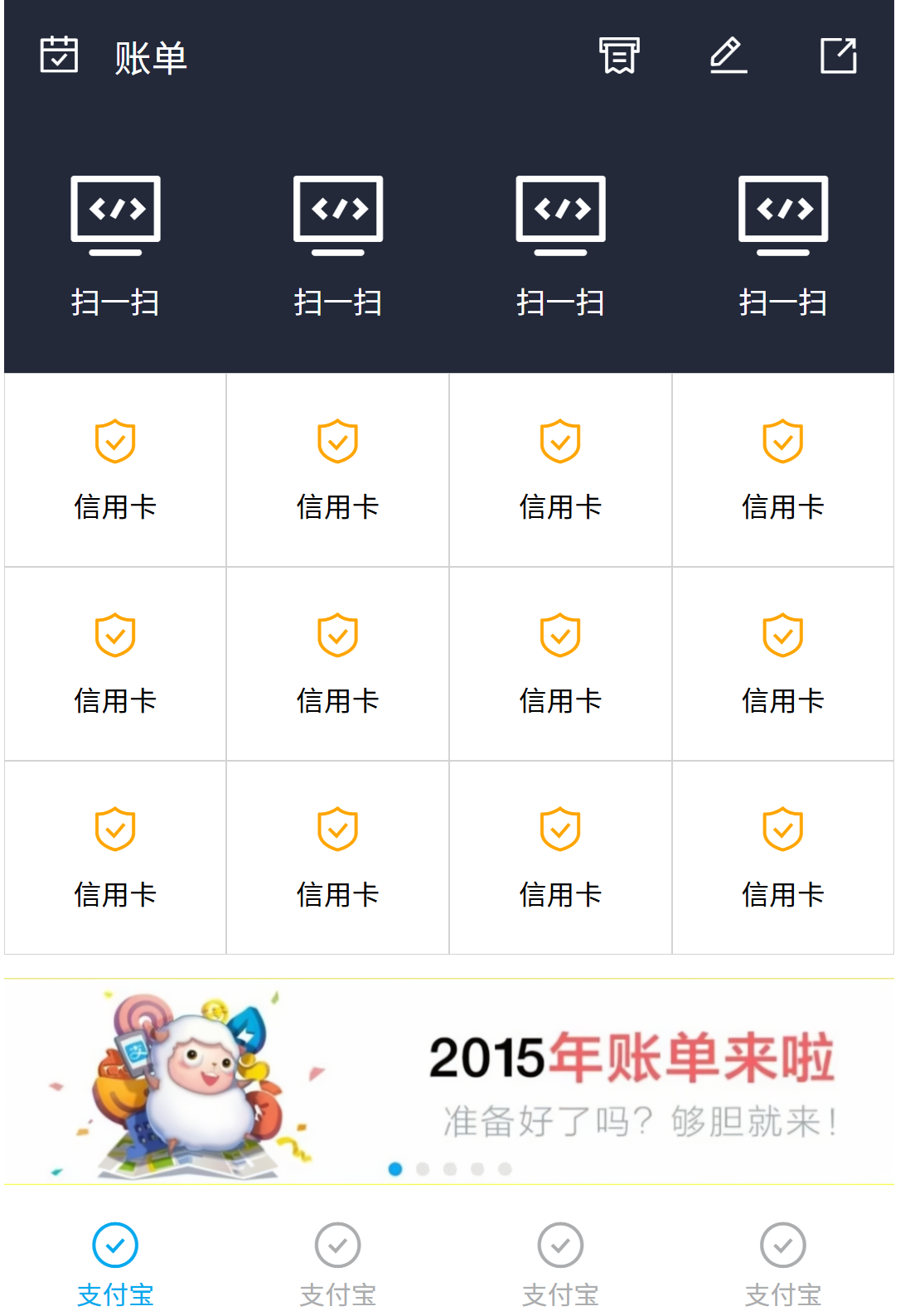
支付宝首页

足球圈首页-rem单位

1
2
3
4
5
6
7
8
9
10
11
12
13
14
15
16
17
18
19
20
21
22
23
24
25
26
27
28
29
30
31
32
33
34
35
36
37
38
39
40
41
42
43
44
45
46
47
48
49
50
51
52
53
54
55
56
57
58
59
60
61
62
63
64
65
66
67
68
69
70
71
72
73
74
75
76
77
78
79
80
81
82
83
84
85
86
87
88
89
90
91
92
93
94
95
96
97
98
99
100
101
102
103
104
105
106
107
108
109
110
111
112
113
114
115
116
117
118
119
120
121
122
123
124
125
126
127
128
129
130
131
132
133
134
135
136
137
138
139
140
141
142
143
144
145
146
147
148
149
150
151
152
153
154
155
156
157
158
159
160
161
162
163
164
165
166
167
168
169
170
171
172
173
174
175
176
177
178
179
180
181
182
183
184
185
186
187
188
189
190
191
192
193
194
195
196
197
198
199
200
201
202
203
204
205
206
207
208
209
210
211
212
213
214
215
216
217
218
219
220
221
222
223
224
225
<!DOCTYPE html>
<html lang="en">
<head>
<meta charset="UTF-8">
<!-- 以下px像素值,均为量取的物理分辨率都除以2后的结果 -->
<meta name="viewport" content="width=device-width, initial-scale=1.0">
<title>Document</title>
<link rel="stylesheet" href="../08-css3/font_5078037_fsrix9gsee/iconfont.css">
<style>
*{
margin: 0;
padding: 0;
}
ul{
list-style: none;
}
html,body{
height: 100%;
}
html{
font-size: 20px;
}

body{
display: flex;
flex-direction: column;
font-size: 1rem;
}

header{
height: 2.75rem;
background: green;
display: flex;
justify-content: center;
align-items: center;
}
header div{
width: 3.75rem;
height: 1.5625rem;
line-height: 1.5625rem;
text-align: center;
color: white;
}
header div:nth-child(1){
/* 绘制圆角:因高1.5625rem,圆角一半即.75rem,所以 左上.75rem 右上0 右下0 左下.75rem */
border-radius: .75rem 0 0 .75rem;
background: lightgreen;
}
header div:nth-child(2){
/* 绘制圆角:同理,所以 左上0 右上.75rem 右下.75rem 左下0 */
border-radius: 0 .75rem .75rem 0;
background: #a9e4b4;
}

section{
flex: 1;
overflow: auto; /* 溢出滚动,会添加滚动条 */
}

section ul{
display: flex;
/* 粘性定位:滚动时固定顶部导航 */
position: sticky;
top: 0;
background: white;
}
section ul li{
flex: 1;
text-align: center;
height: 2.1875rem;
line-height: 2.1875rem;
border-bottom: .0625rem solid #d9d9d9;
color: gray;
font-size: .875rem;
}
section ul li:nth-child(1) {
color: #08c63e;
}
section ul li:hover{
border-bottom: .125rem solid #08c63e;
color: #08c63e;
}
section .list{
display: flex;
flex-wrap: wrap;
justify-content: space-between;
}
section .list>div{
width: 49%;
margin-top: .25rem;
border: .0625rem solid gray;
}

section .list>div img{
width: 100%;
}

section .list>div p{
height: 1.875rem;
line-height: 1.875rem;
text-indent: .625rem;
}

footer{
height: 2.75rem;
background: white;
}

footer ul{
display: flex;
height: 100%;
}

footer ul li{
flex: 1;
display: flex;
flex-direction: column;
justify-content: center;

color: gray;
}

footer ul li:nth-child(1) {
color: #08c63e;
}

footer ul li i{
height: 1.3125rem;
line-height: 1.3125rem;
text-align: center;
font-size: 1rem;
}
footer ul li span{
height: 1.0625rem;
line-height: 1.0625rem;
text-align: center;
font-size: .75rem;
}

footer ul li:hover{
color: #08c63e;
}

footer ul li:nth-child(3) {
position: relative; /* 使用定位脱离文档流,父相 */
}

footer ul li:nth-child(3) i{
/* 绘制圆形 */
width: 3.125rem;
height: 3.125rem;
border: .0625rem solid gray;
border-radius: 50%;

position: absolute; /* 使用定位脱离文档流,子绝 */
left: 50%;
margin-left: -1.625rem;
top: -0.5rem;

font-size: 1.875rem;
text-align: center;
line-height: 3.125rem;
background: white;
}

.iconfont{
font-size: .8rem;
}
</style>

<script>
//font-size 计算:当前设备的CSS布局宽度 / 物理分辨率(即设计稿量取宽度) * 基准font-size
//改造说明:rem转换后会有问题,因为之前足球圈的尺寸已经是除以2后的值,所以使用量取值缩小2倍,即 640->320
//如果量取的像素值是1:1使用的,则此处就按照量取尺寸取值,即 640而不是320
document.documentElement.style.fontSize = document.documentElement.clientWidth/320 * 20 + 'px';
</script>
</head>
<body>
<header>
<div>热点</div>
<div>关注</div>
</header>
<section>
<ul>
<li>足球现场</li>
<li>足球生活</li>
<li>足球美女</li>
</ul>

<div class="list">
<div>
<img src="../08-css3/img/2.png" alt="">
<p>大家好</p>
</div>
<div><img src="../08-css3/img/2.png" alt="">
<p>大家好</p></div>
<div><img src="../08-css3/img/2.png" alt="">
<p>大家好</p></div>
<div><img src="../08-css3/img/2.png" alt="">
<p>大家好</p></div>
<div><img src="../08-css3/img/2.png" alt="">
<p>大家好</p></div>
<div><img src="../08-css3/img/2.png" alt="">
<p>大家好</p></div>
<div><img src="../08-css3/img/2.png" alt="">
<p>大家好</p></div>
</div>
</section>
<footer>
<ul>
<li>
<i class="iconfont icon-anquan"></i>
<span>首页</span>
</li>
<li><i class="iconfont icon-daka"></i>
<span>发现</span></li>
<li><i class="iconfont icon-fenxiang"></i></li>
<li><i class="iconfont icon-fapiao"></i>
<span>我的</span></li>
<li><i class="iconfont icon-houtai"></i>
<span>退出</span></li>
</ul>
</footer>
</body>
</html>

效果:

足球圈rem


99-CSS样式案例集锦
https://janycode.github.io/2017/04/28/04_大前端/02_CSS/99-CSS样式案例集锦/
作者
Jerry(姜源)
发布于
2017年4月28日
许可协议