
参考资料:
Automa 插件
一、下载插件
登录
Automa - An extension for browser automation - Automa
以火狐为例,也支持 Chrome/Edge(我个人习惯使用 Edge)
二、安装插件
2.1 点击 add to
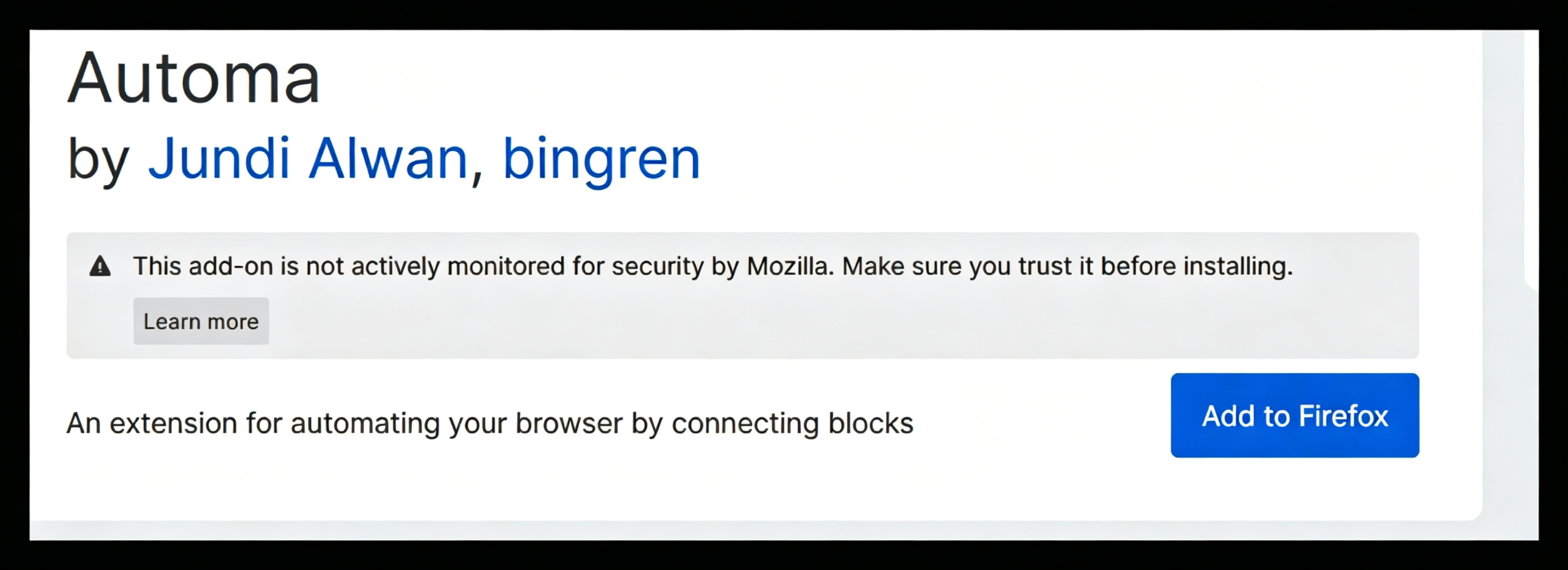
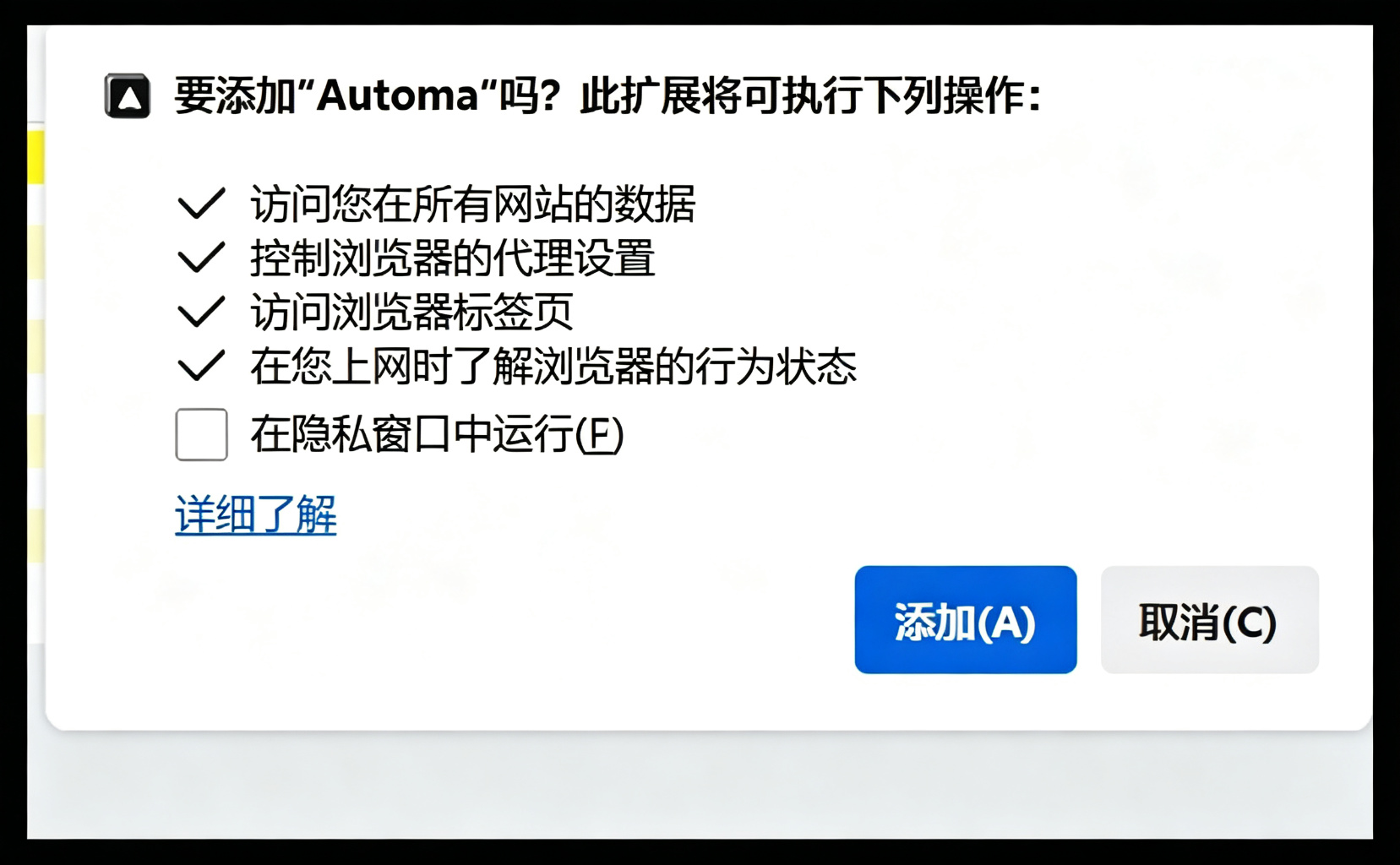
2.2 安装完成
需要等待安装
三、浏览器打开
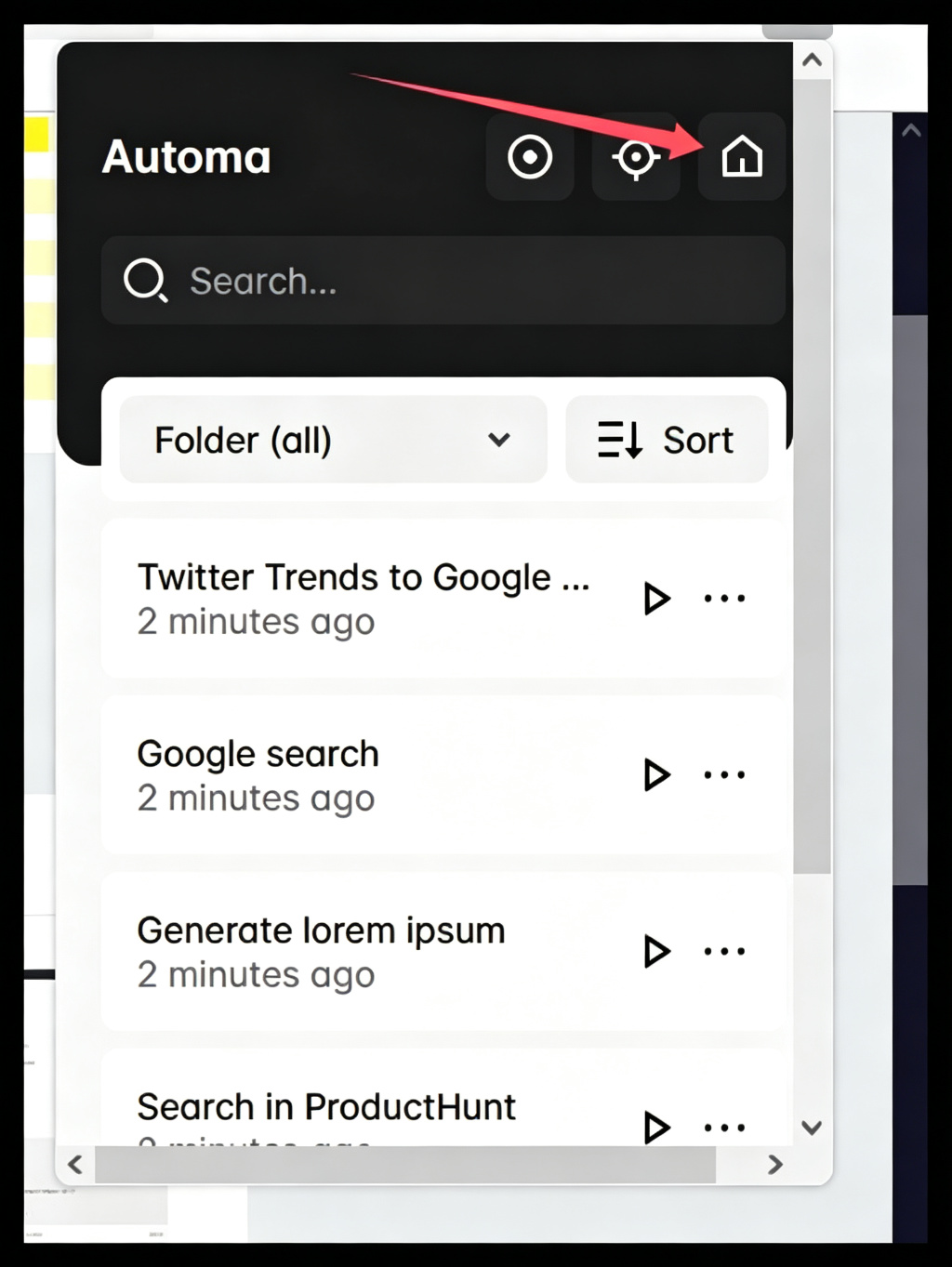
3.1 点击插件 工具栏
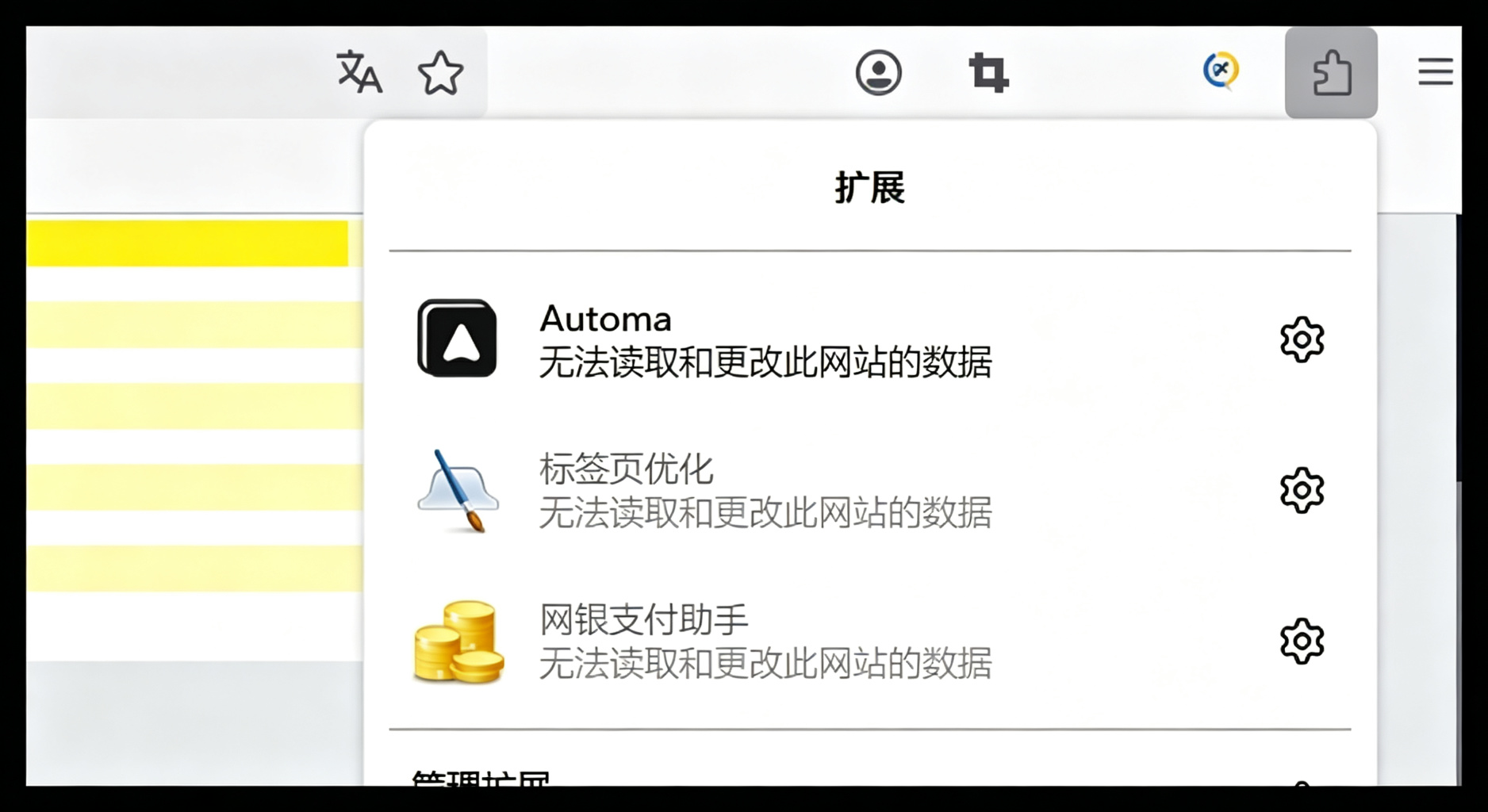
3.2 点击小房子
四、使用设置
4.1 设置语言
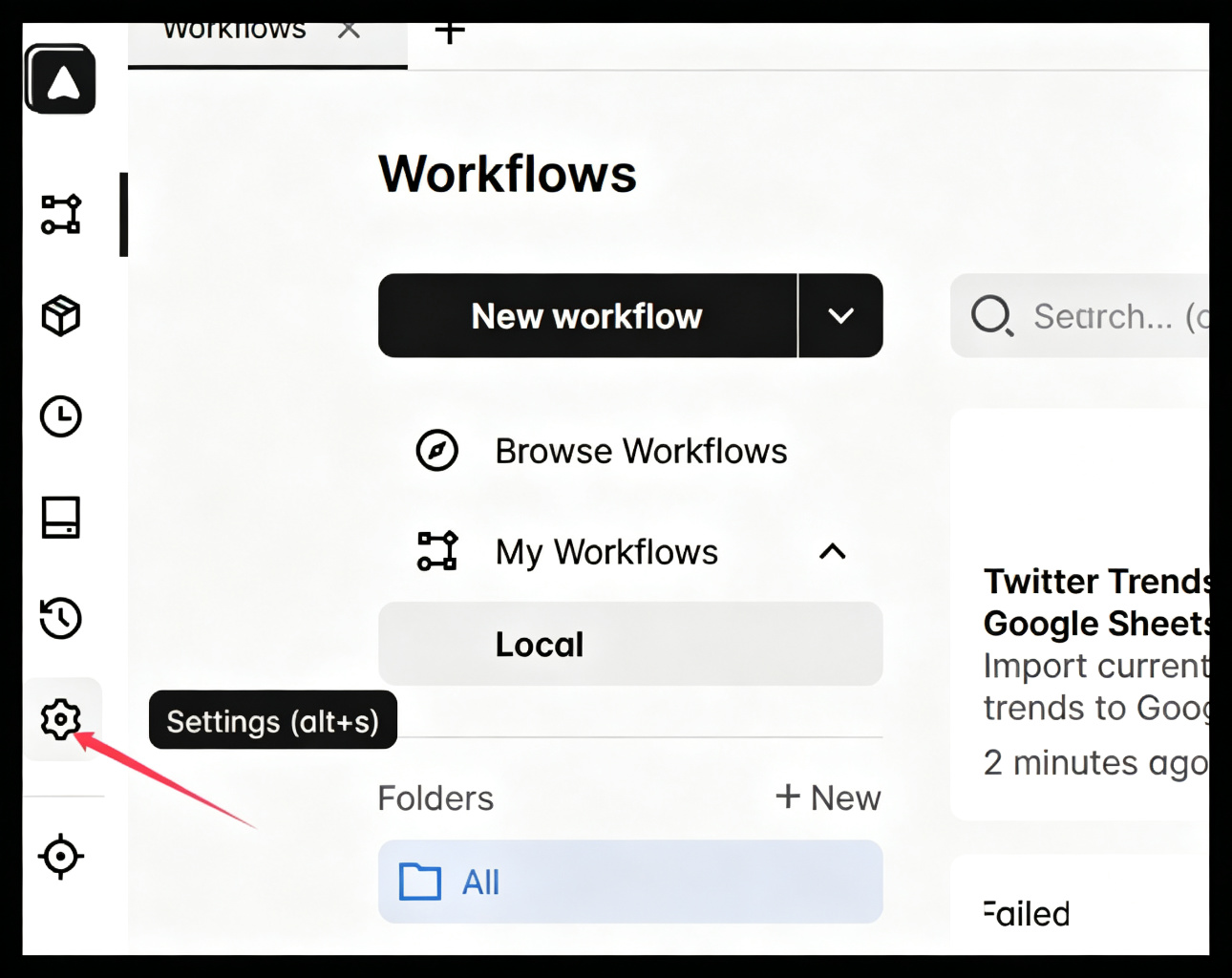

如果未生效,重新打开此插件
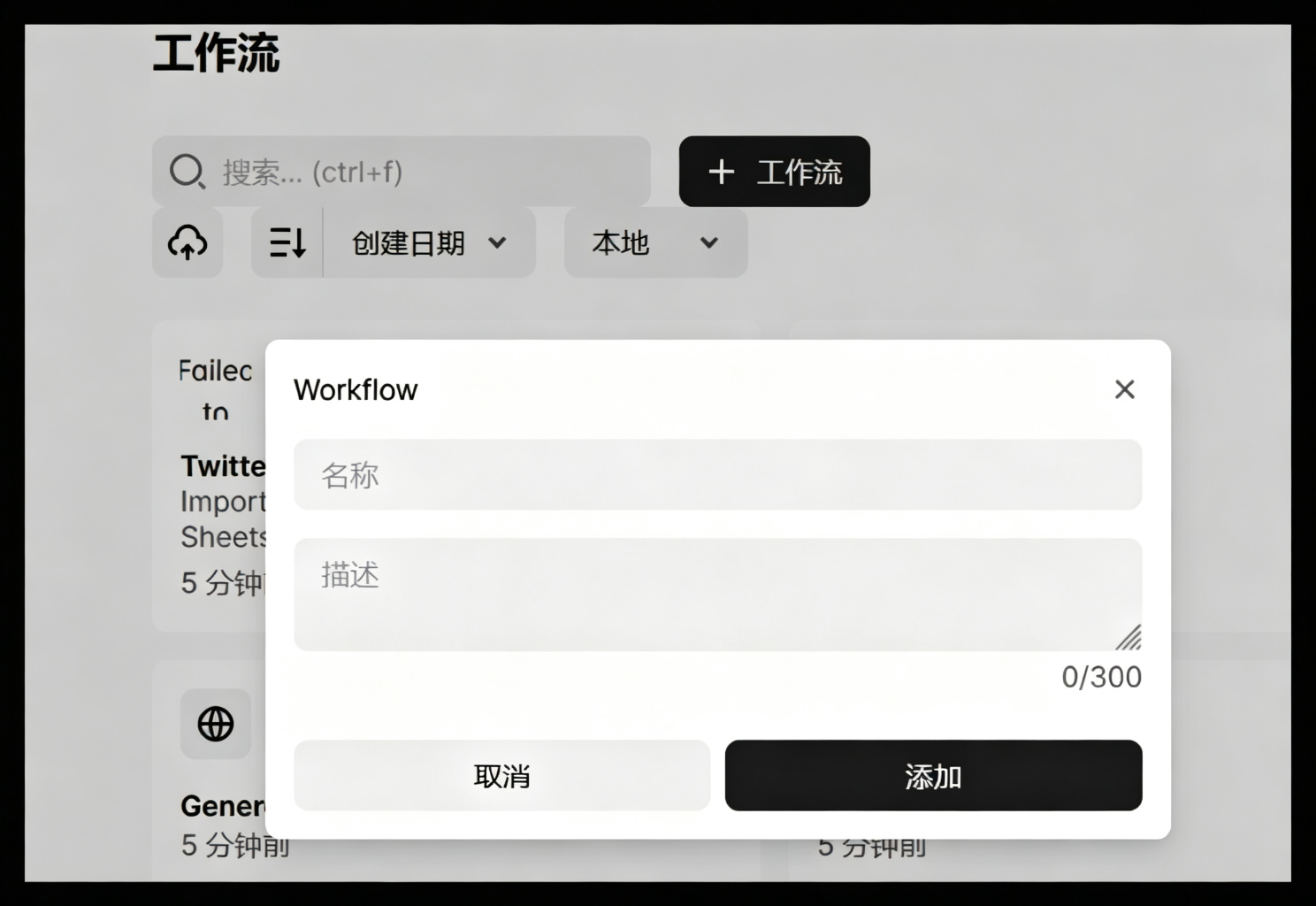
4.2 创建工作流
4.2.1 新建工作流
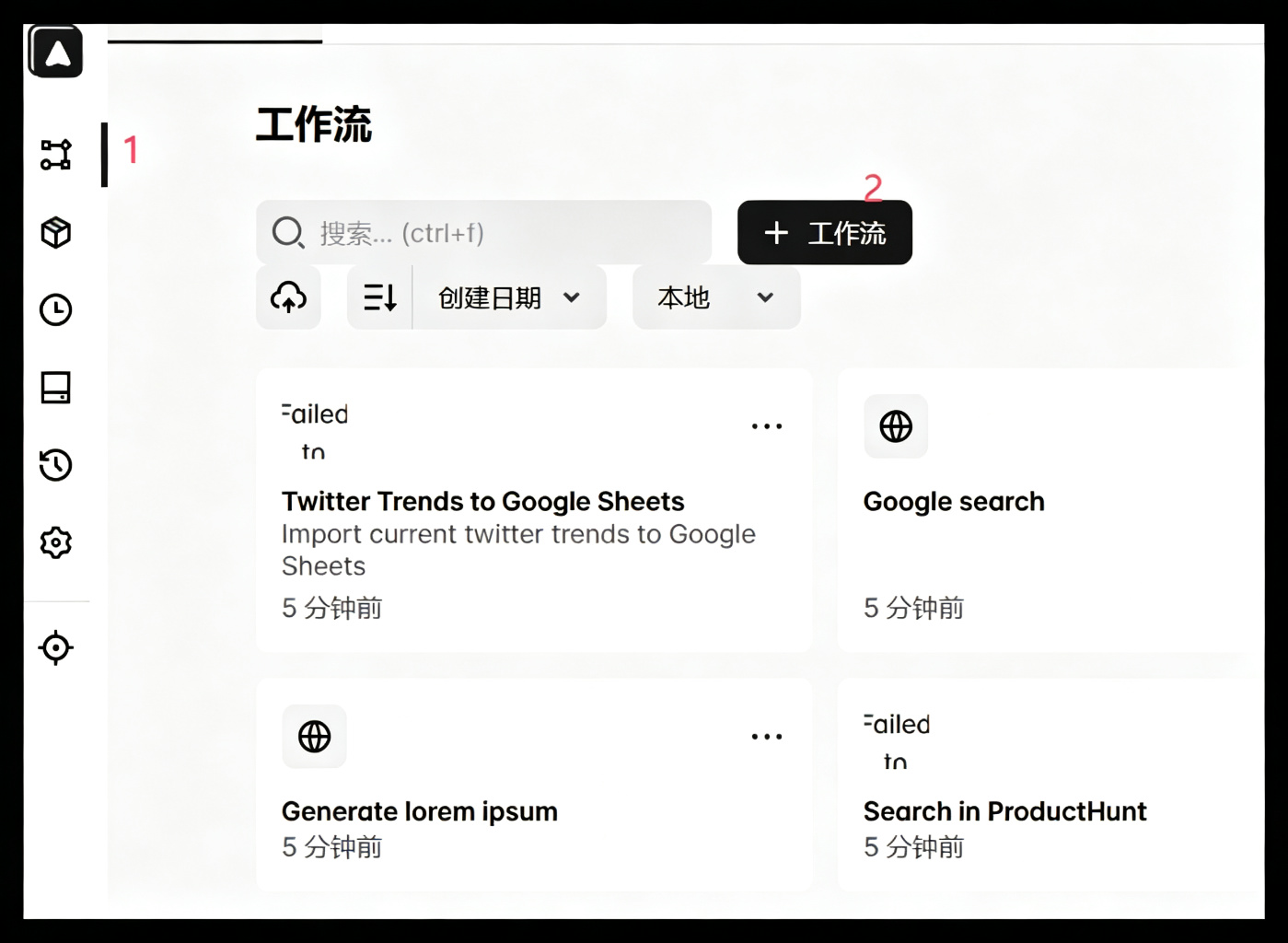
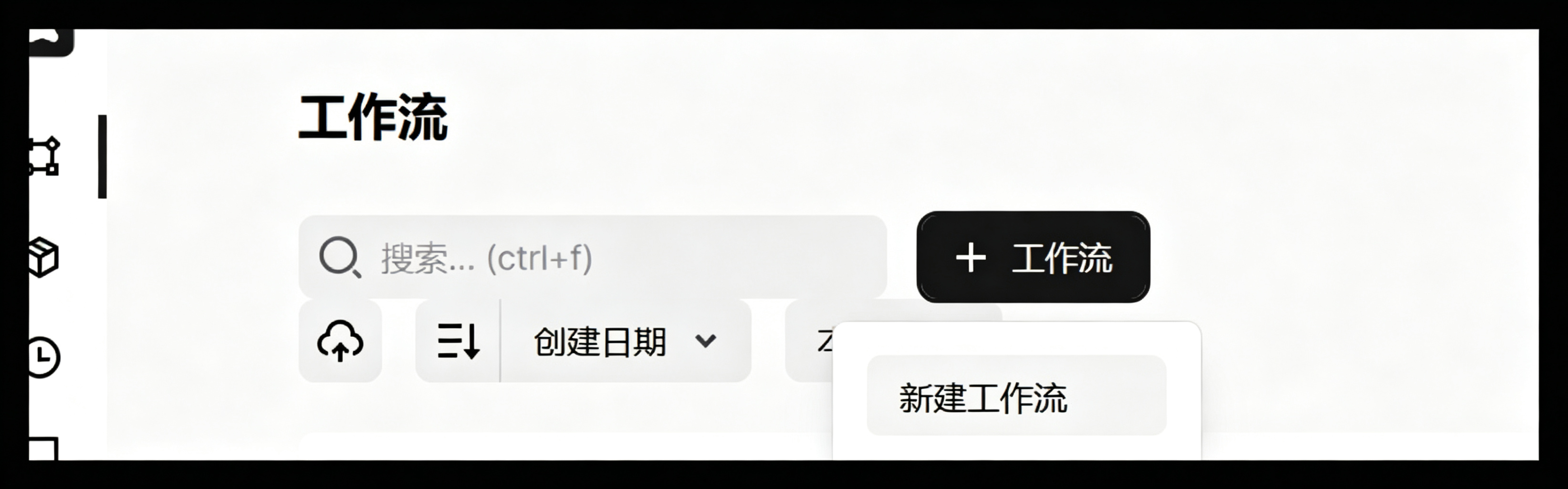
输入名称
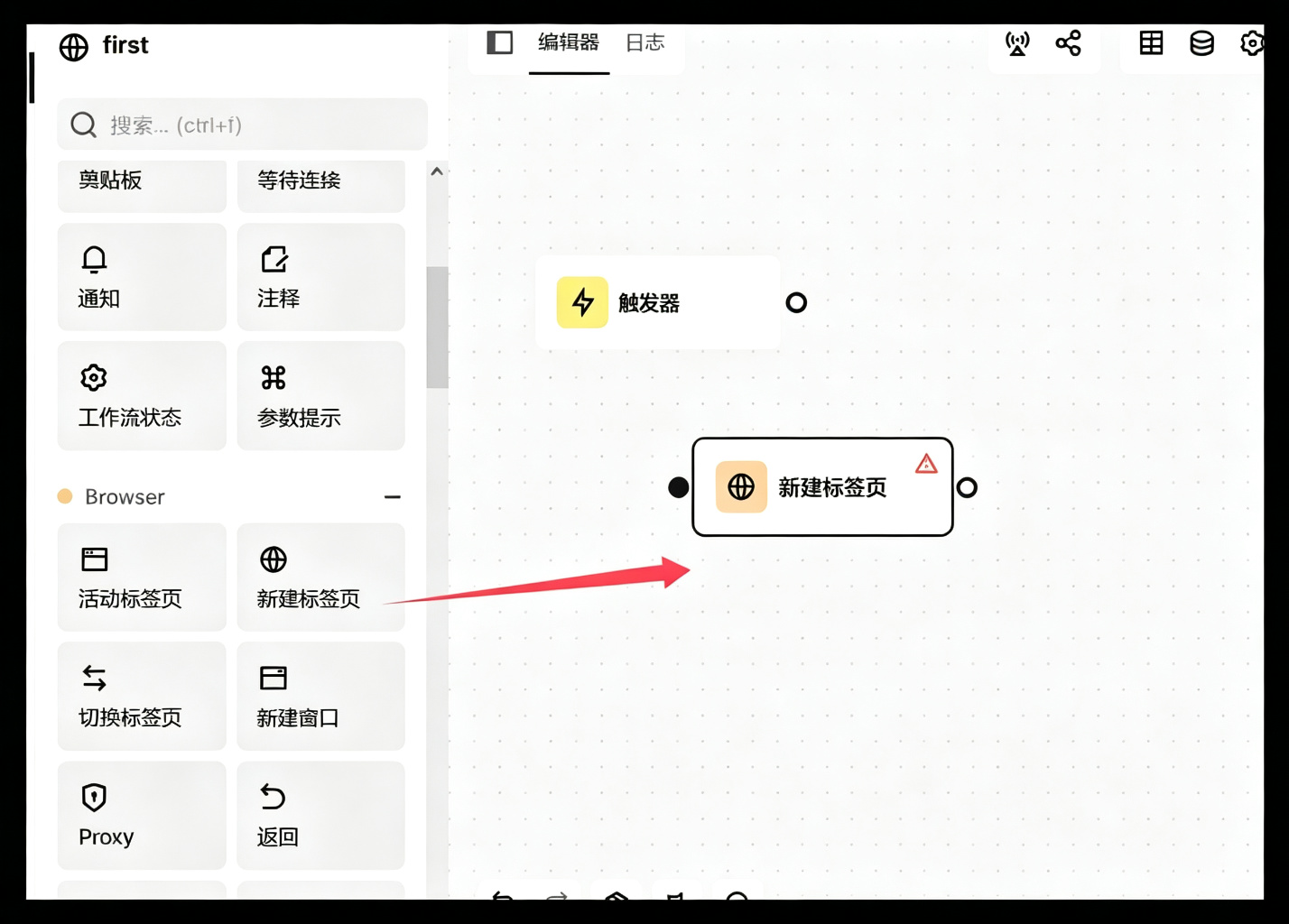
4.2.2 新建标签页
拖拽到工作区域
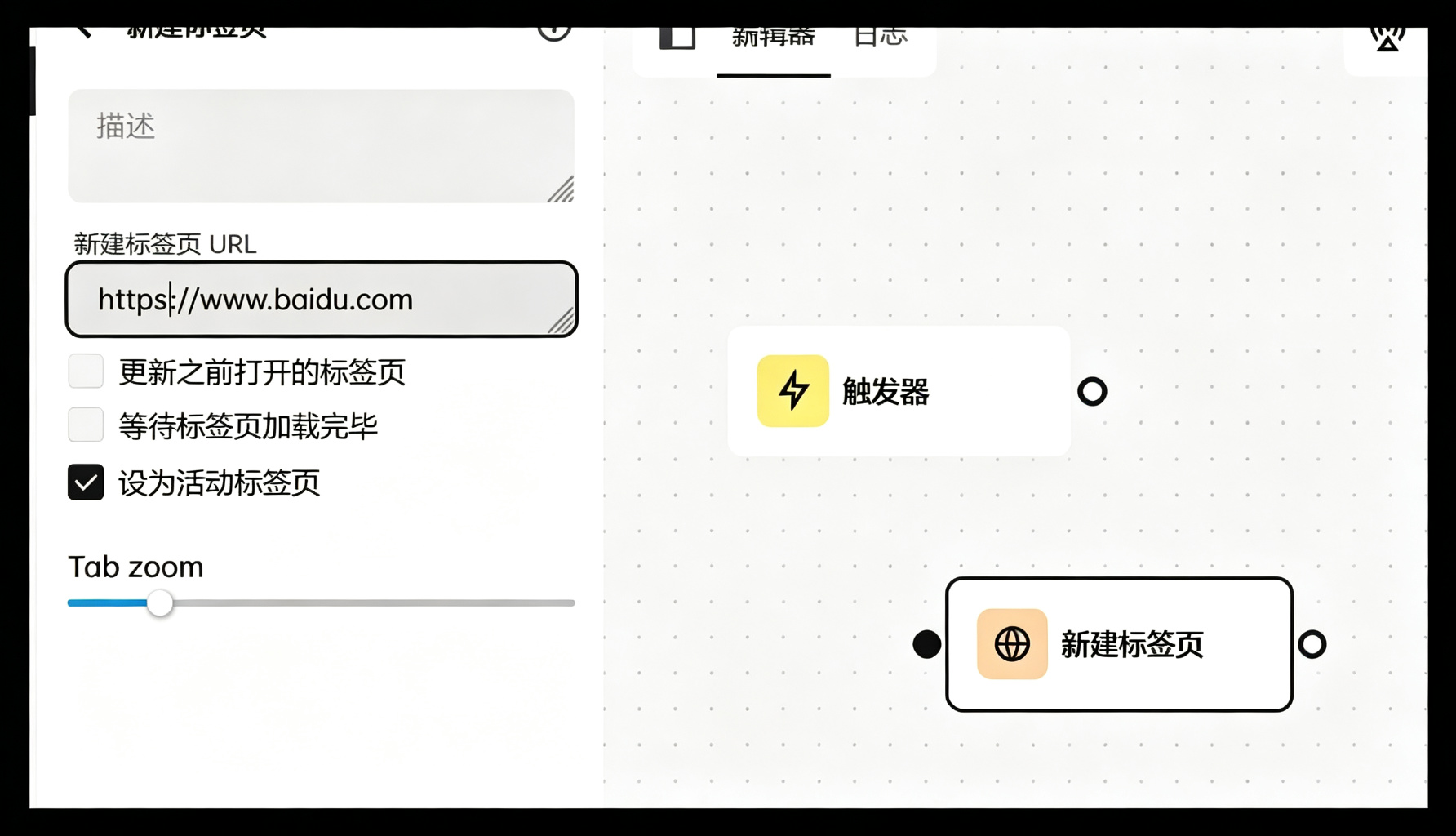
双击工作区域的 新建标签页,输入需要打开的url
输入url与描述
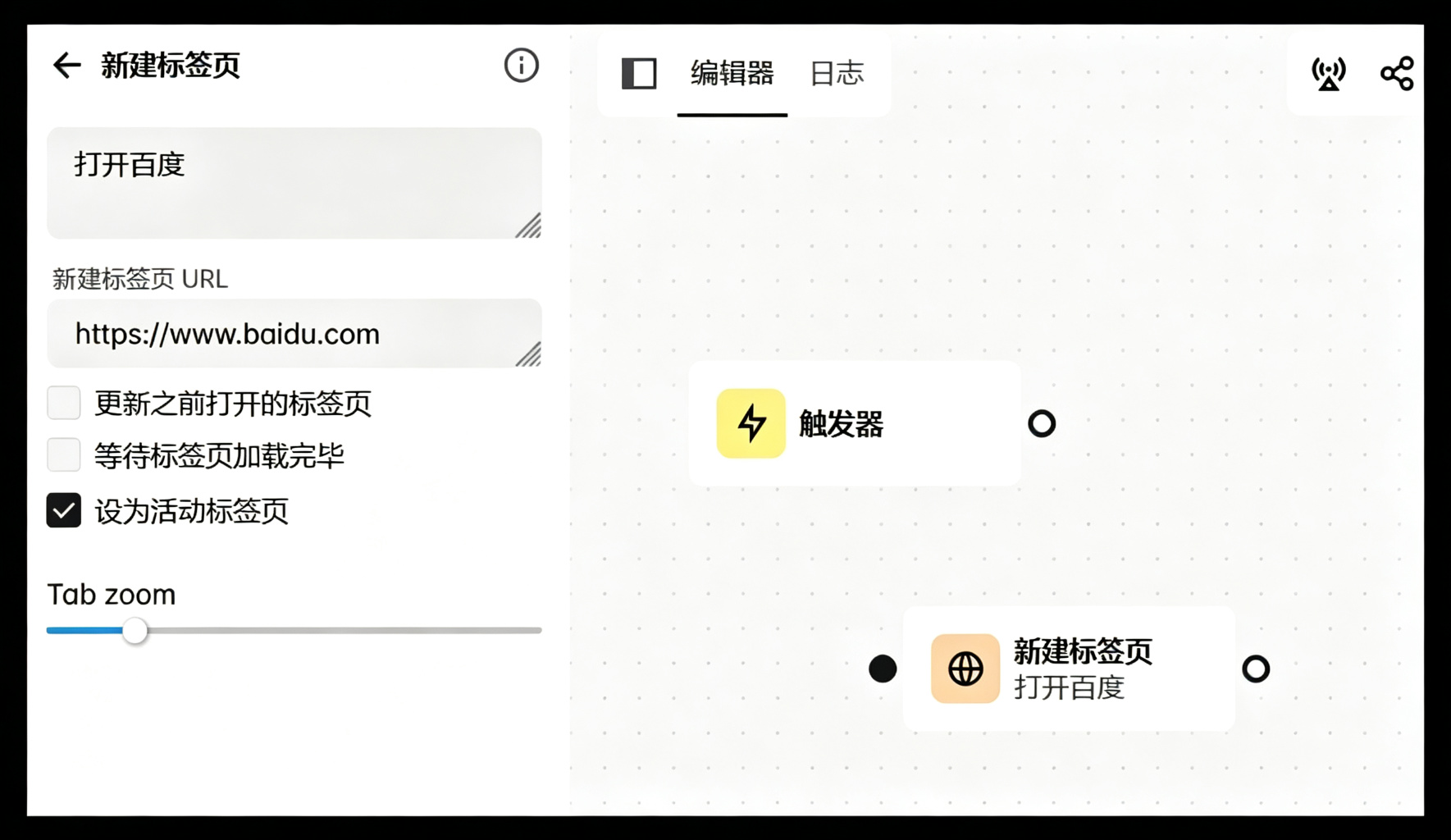
确保页面加载完毕,可设置等待标签页加载完毕选项
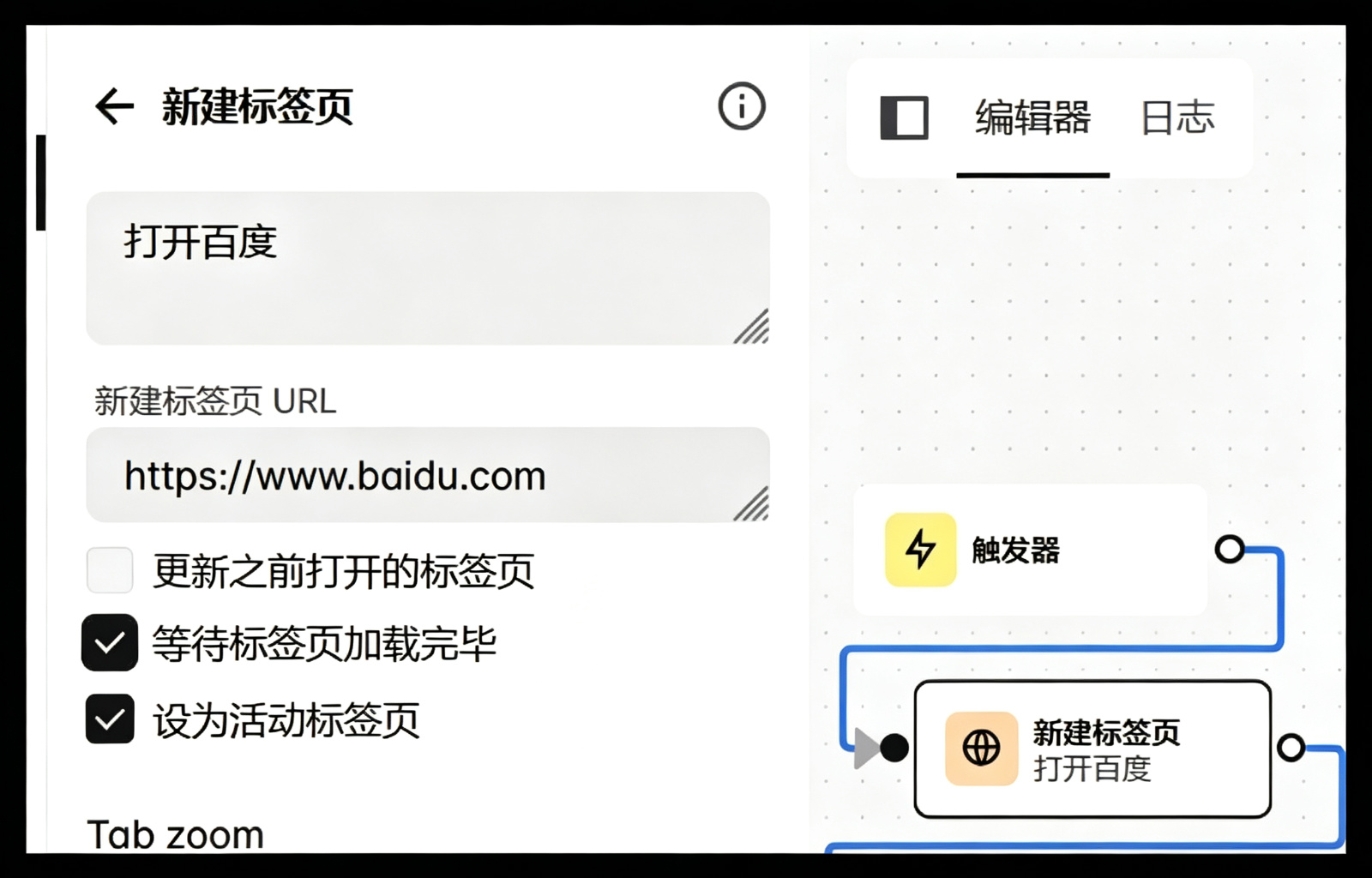
记得保存
4.2.3 配置触发器
从A点到B点连接起来
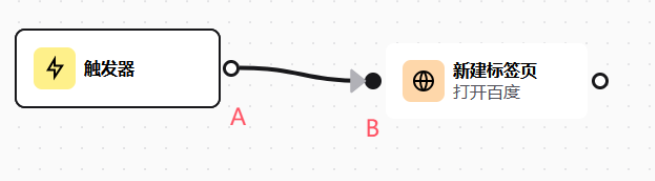
记得保存
4.2.4 运行
点击运行,即可打开上面设置的url
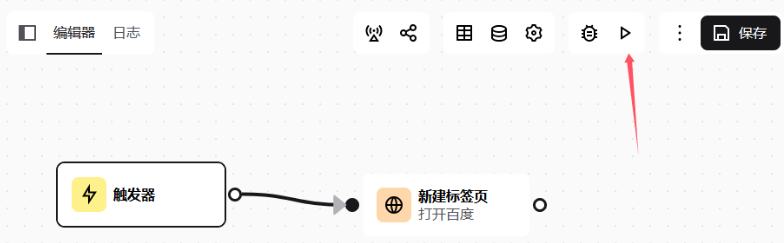
4.2.5 查看日志
运行成功,即可查看日志
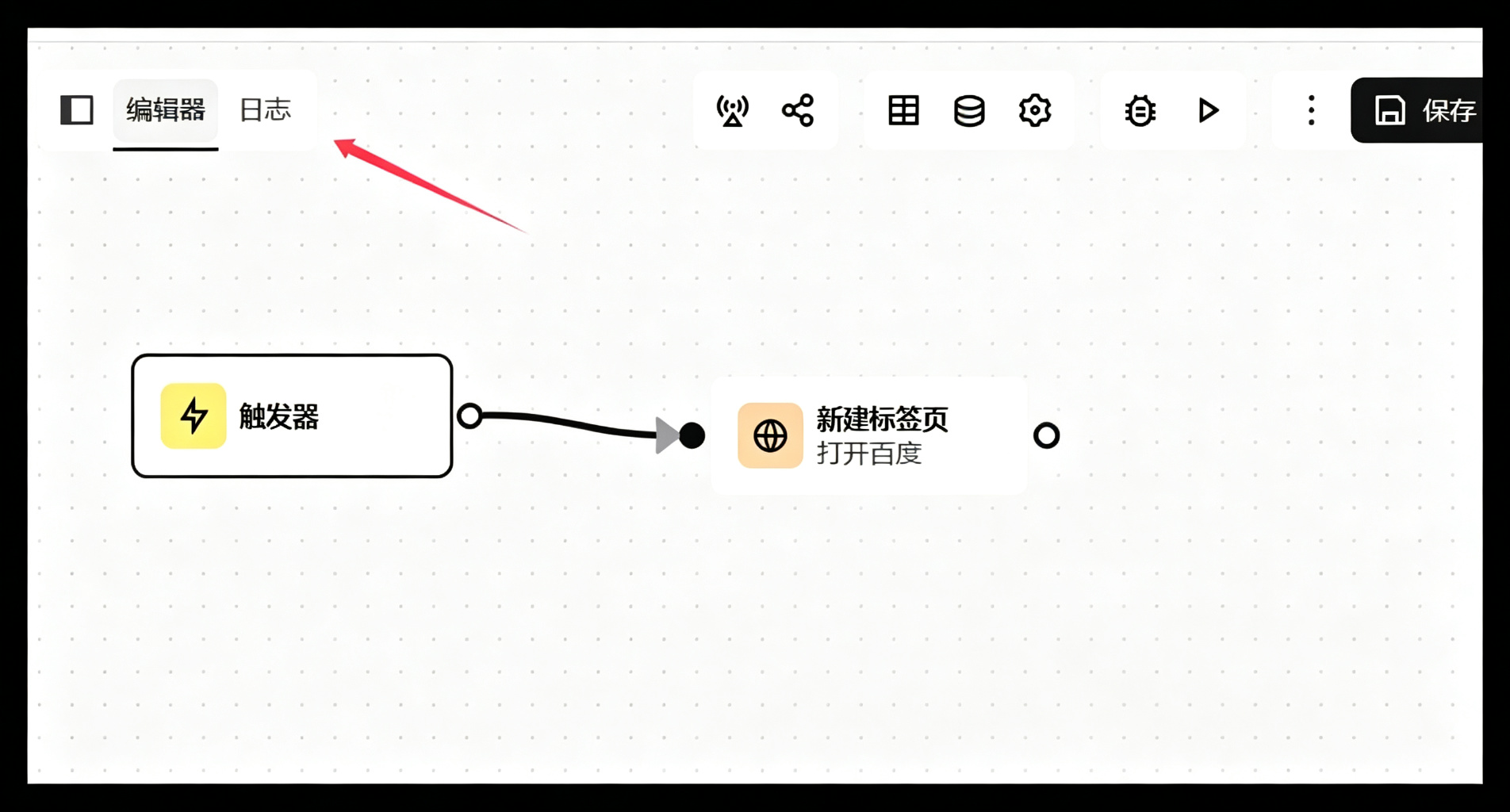
发现两条成功日志

点击某条
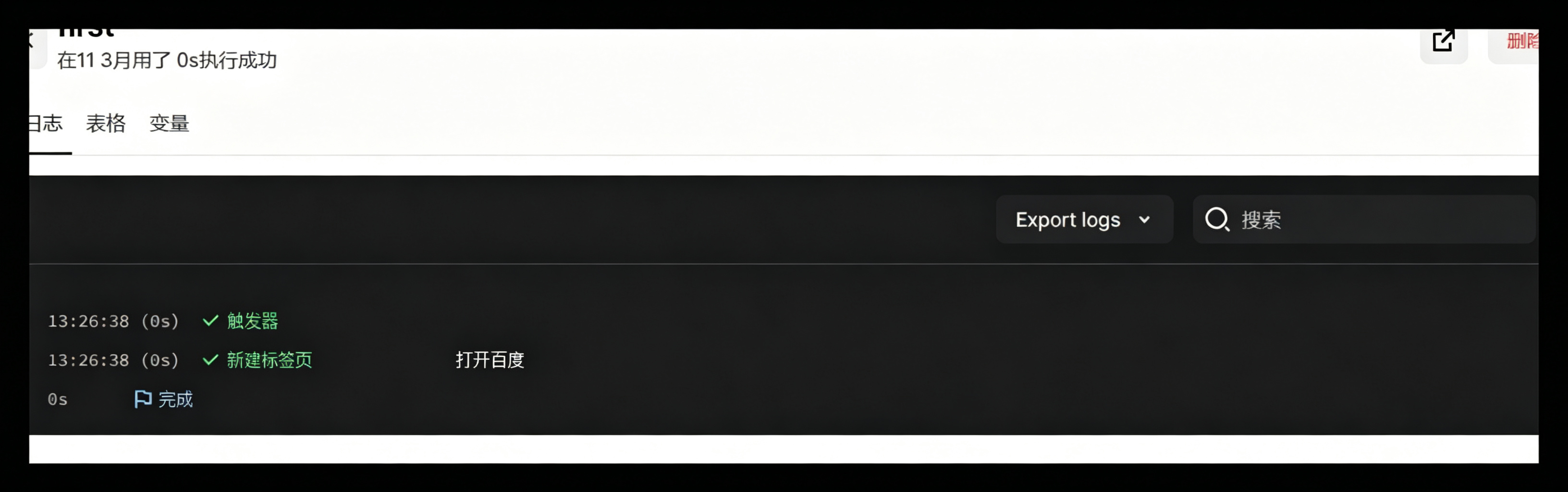
点击某条操作,查看详细
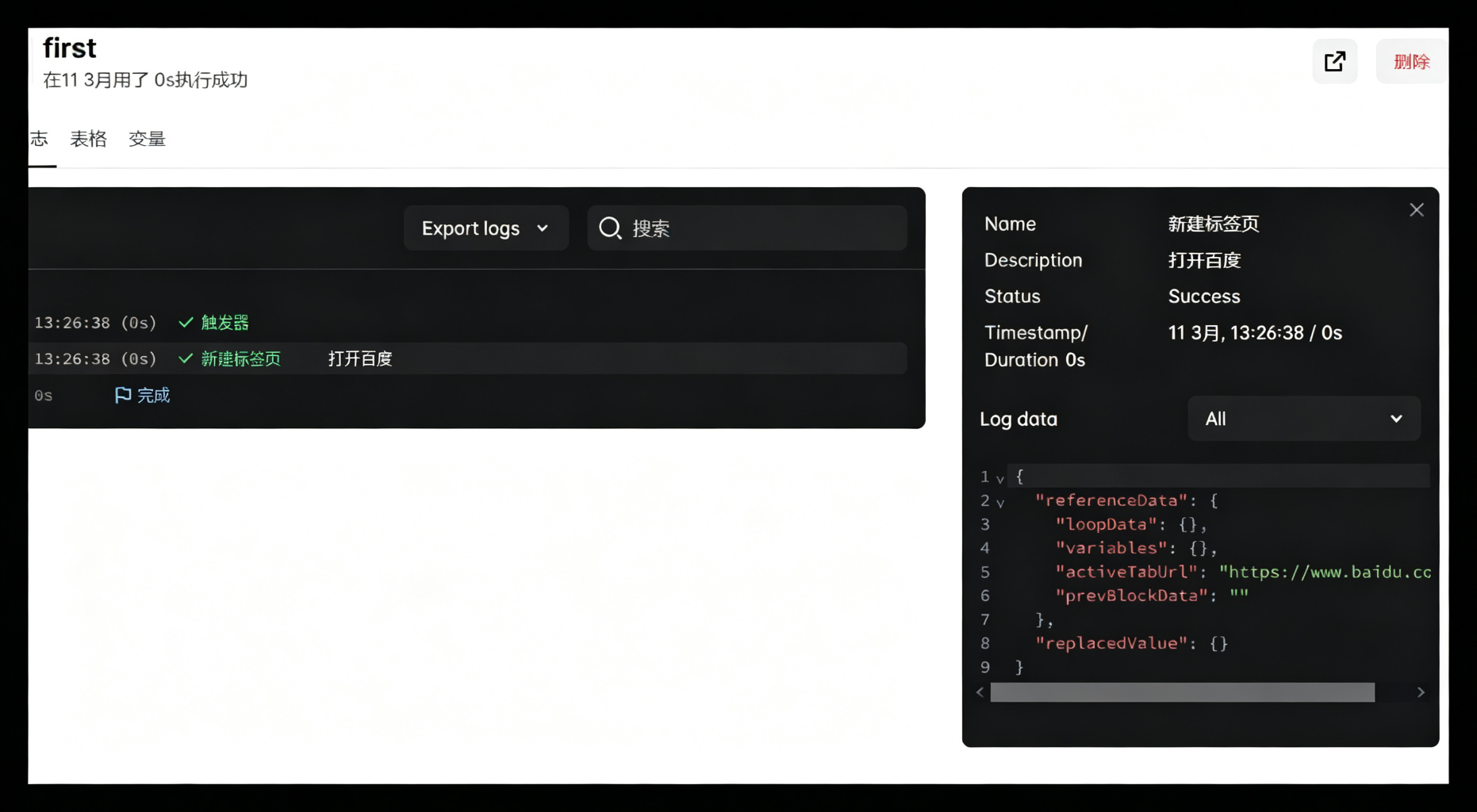
五、探索其他组件
5.1 表单组件
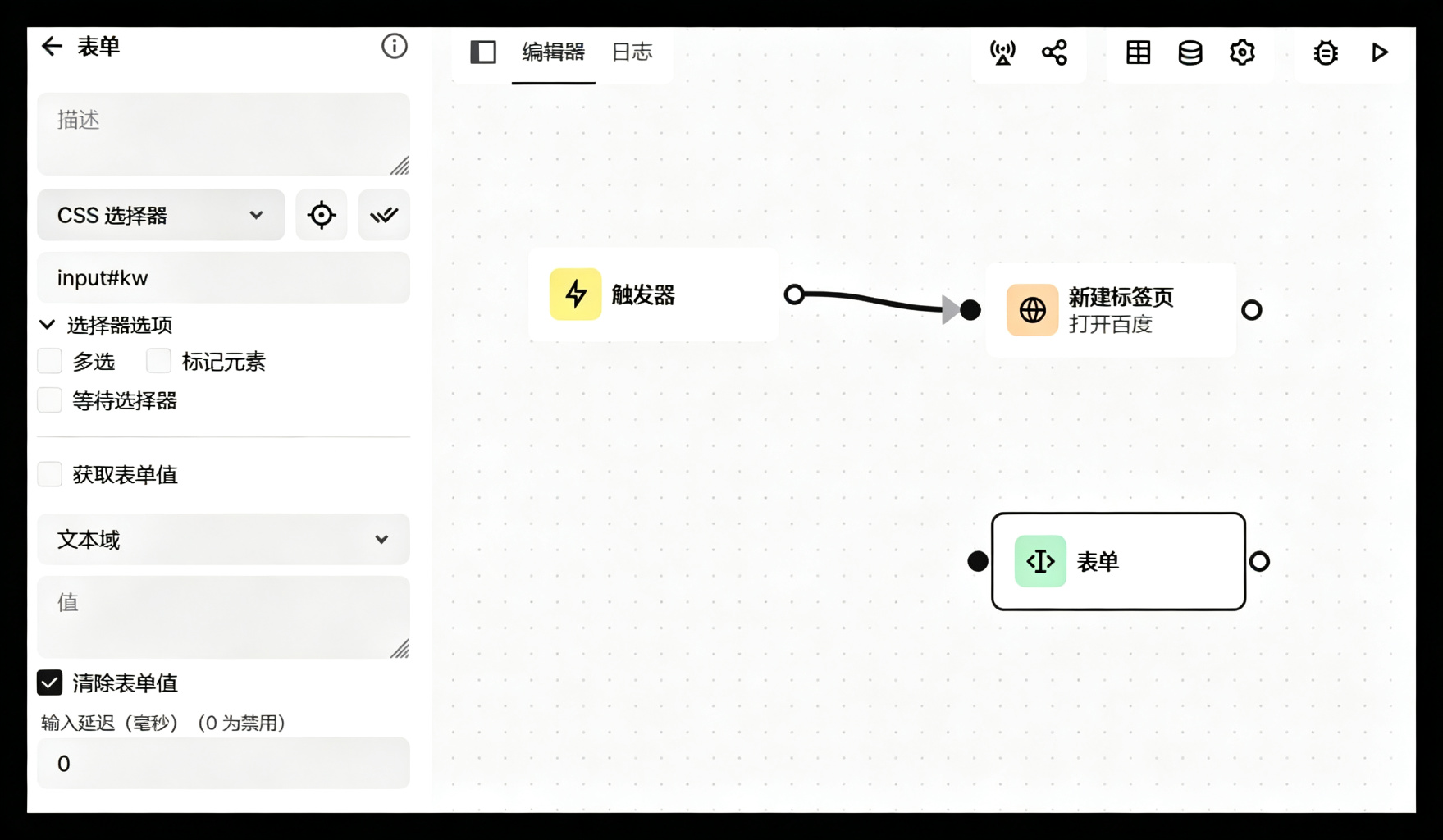
实现百度搜索文本框, 拖拽表单组件
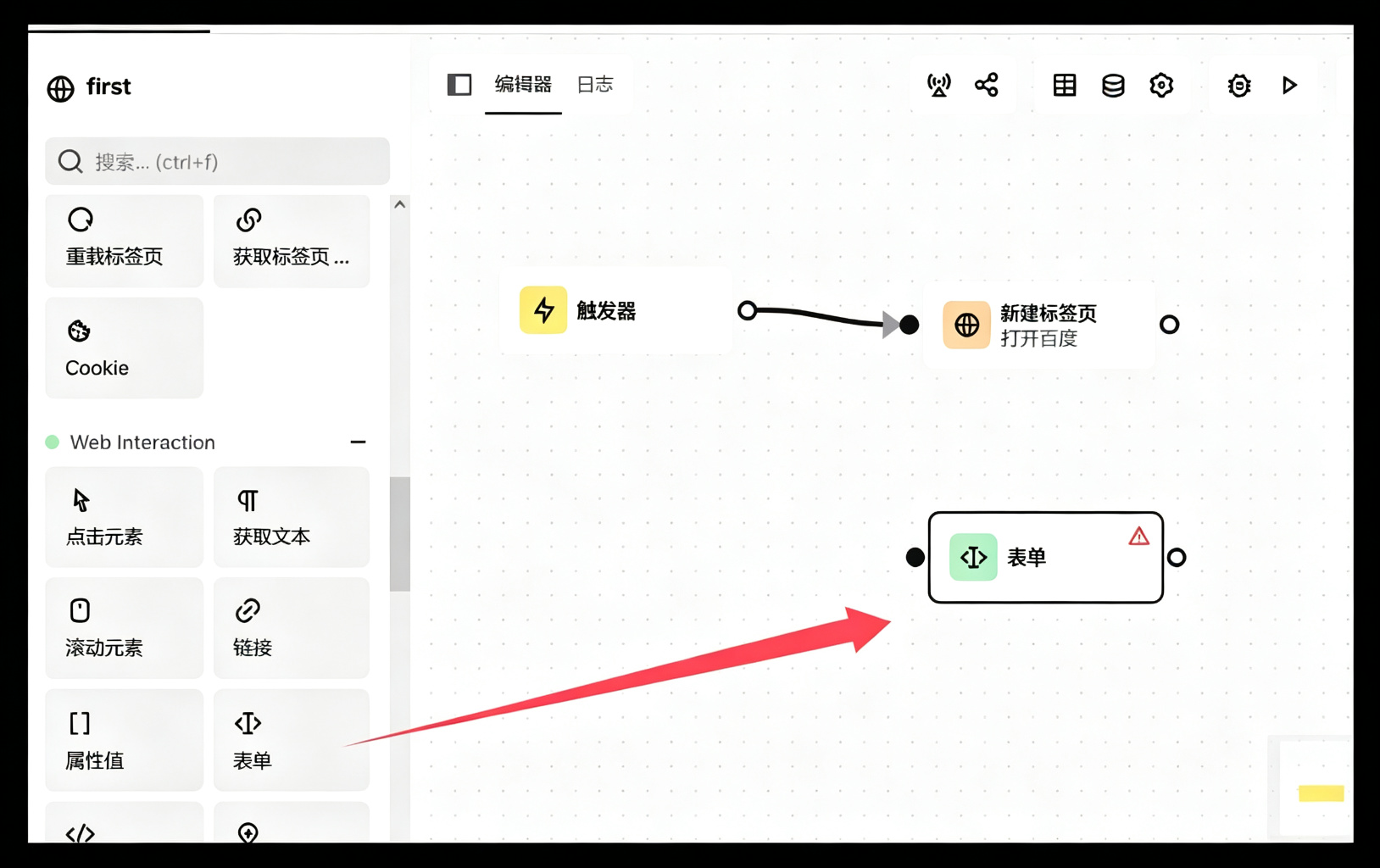
双击表单组件,进行设置

5.1.1 css选择器(自动)
打开你要现在的页面,点击选择一个元素
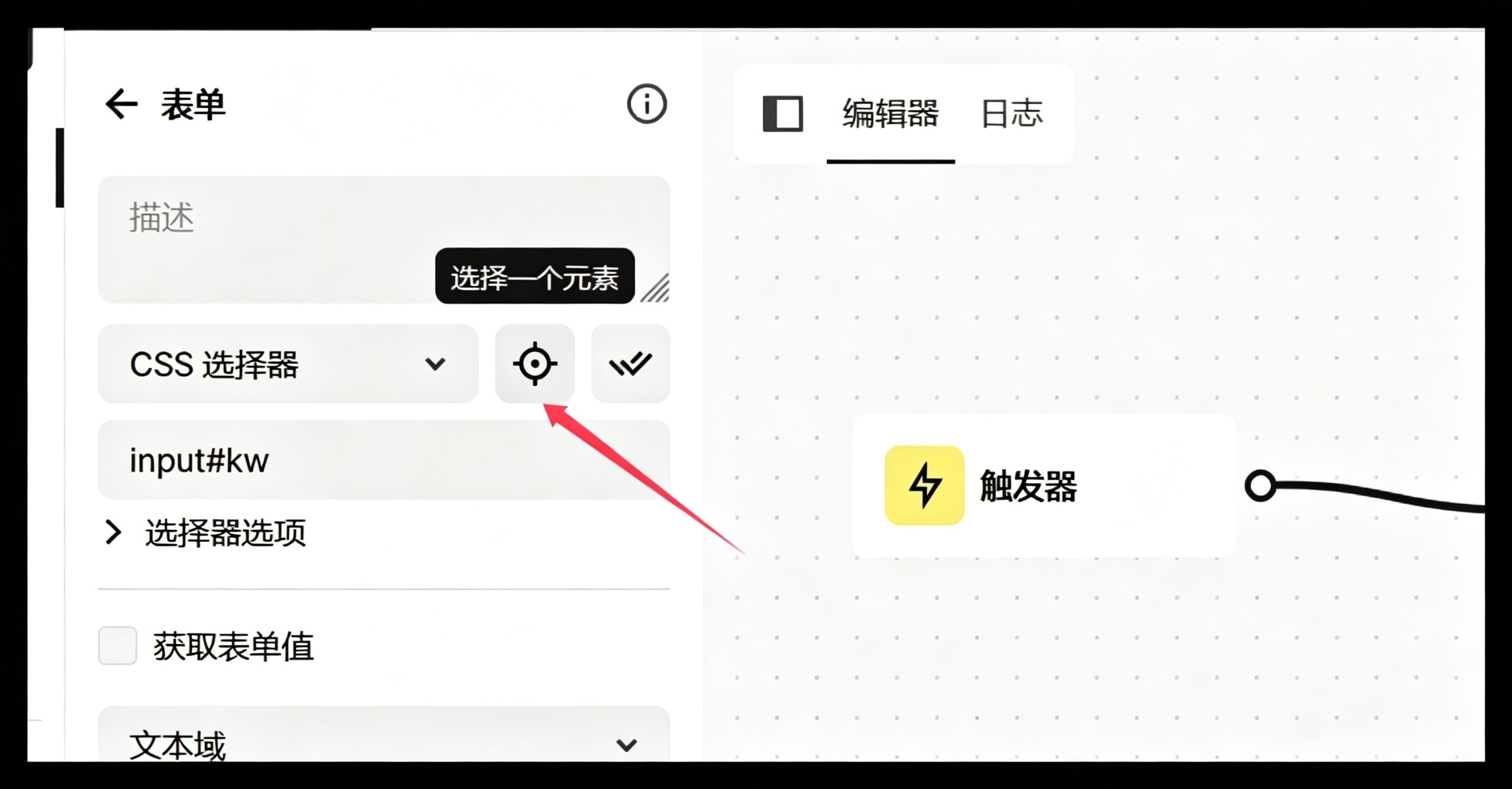
可复制选择到下图对象区域
5.1.2 自动选择XPATH
略,方式同css,但是语法略有不同,稳定的 XPath 是真功夫(见本 博客 下方【附】)
5.1.3 输入表单值
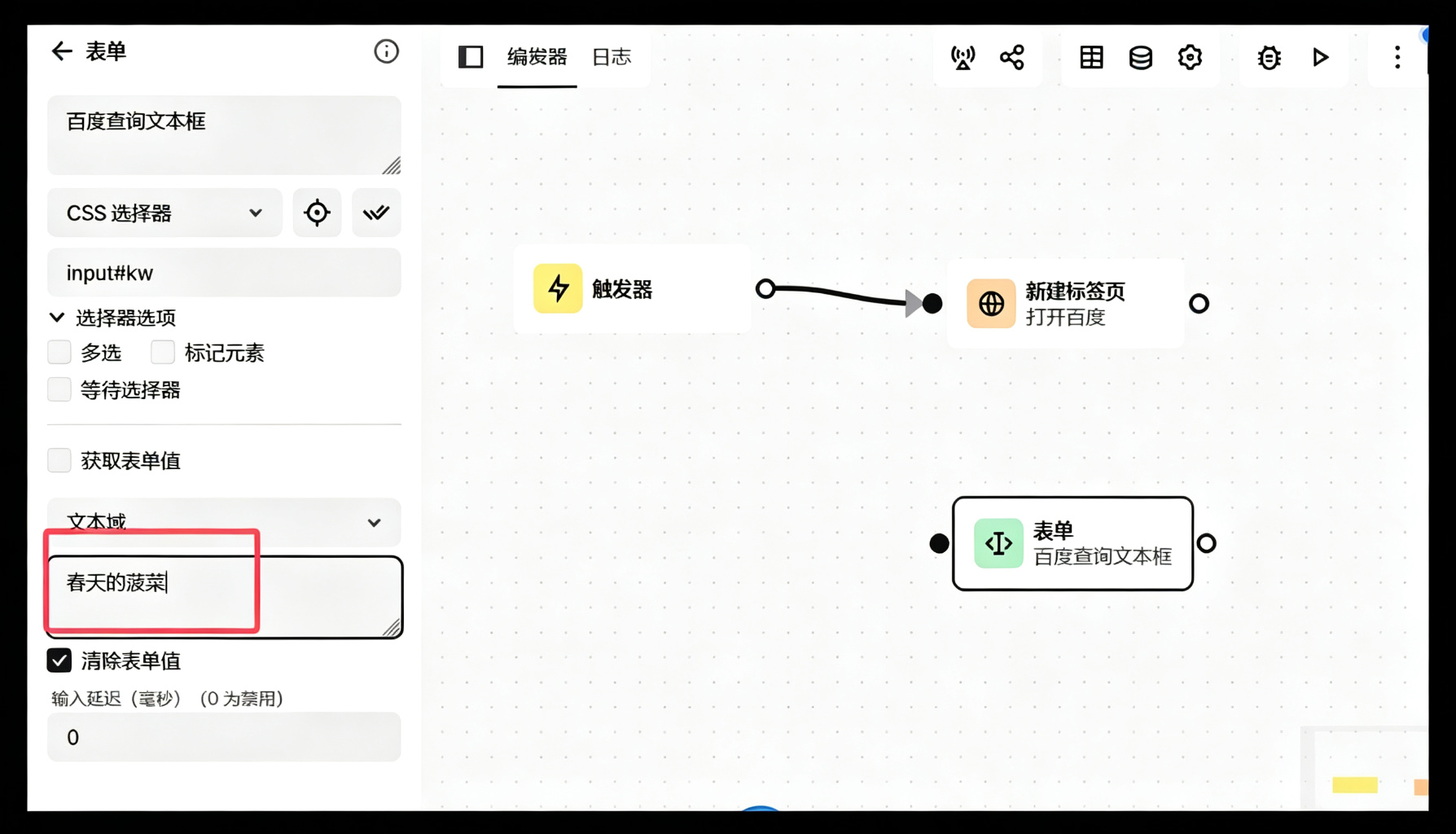
5.1.4 连接
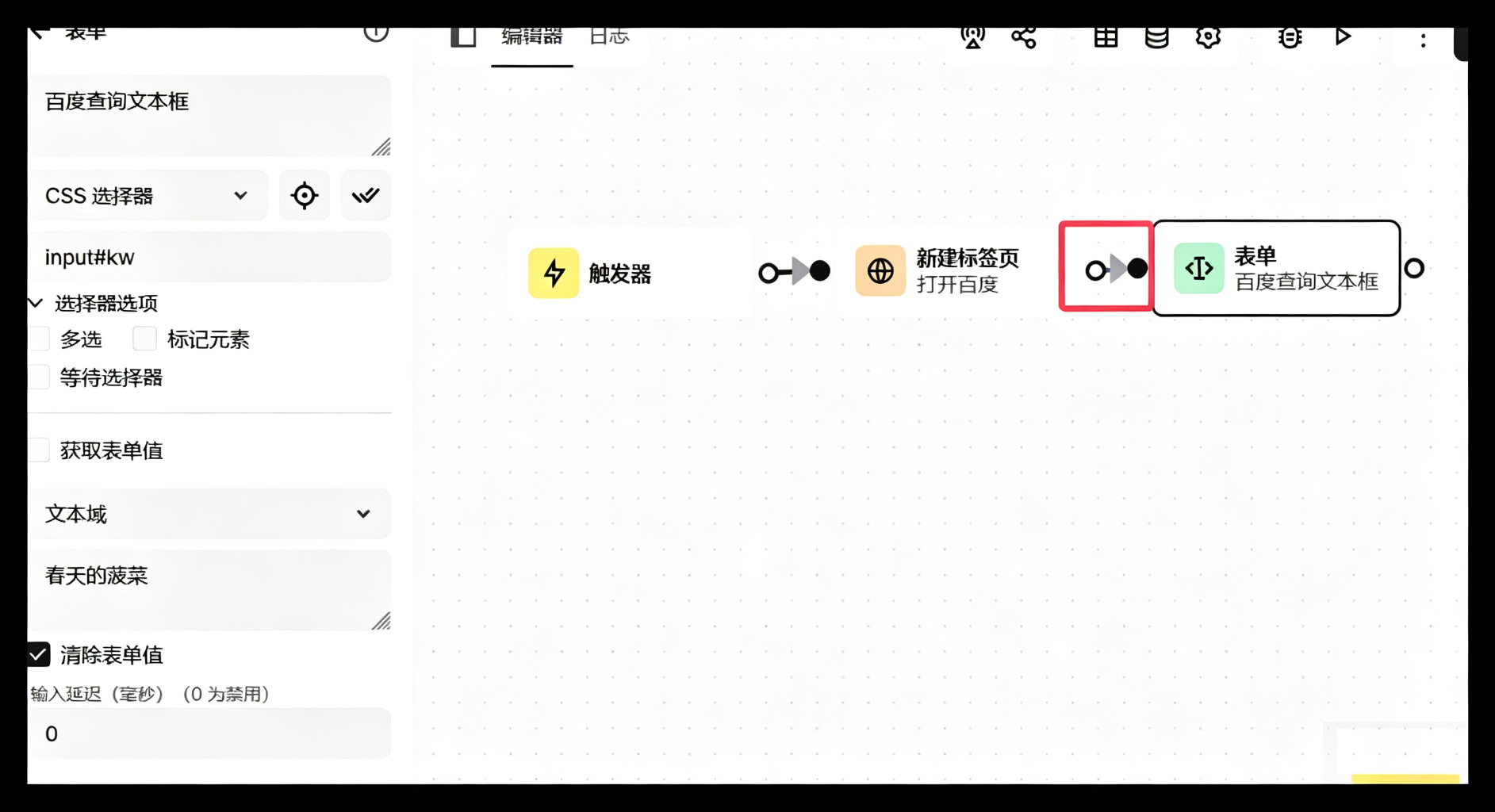
保存
5.2 点击元素组件
拖拽点击元素
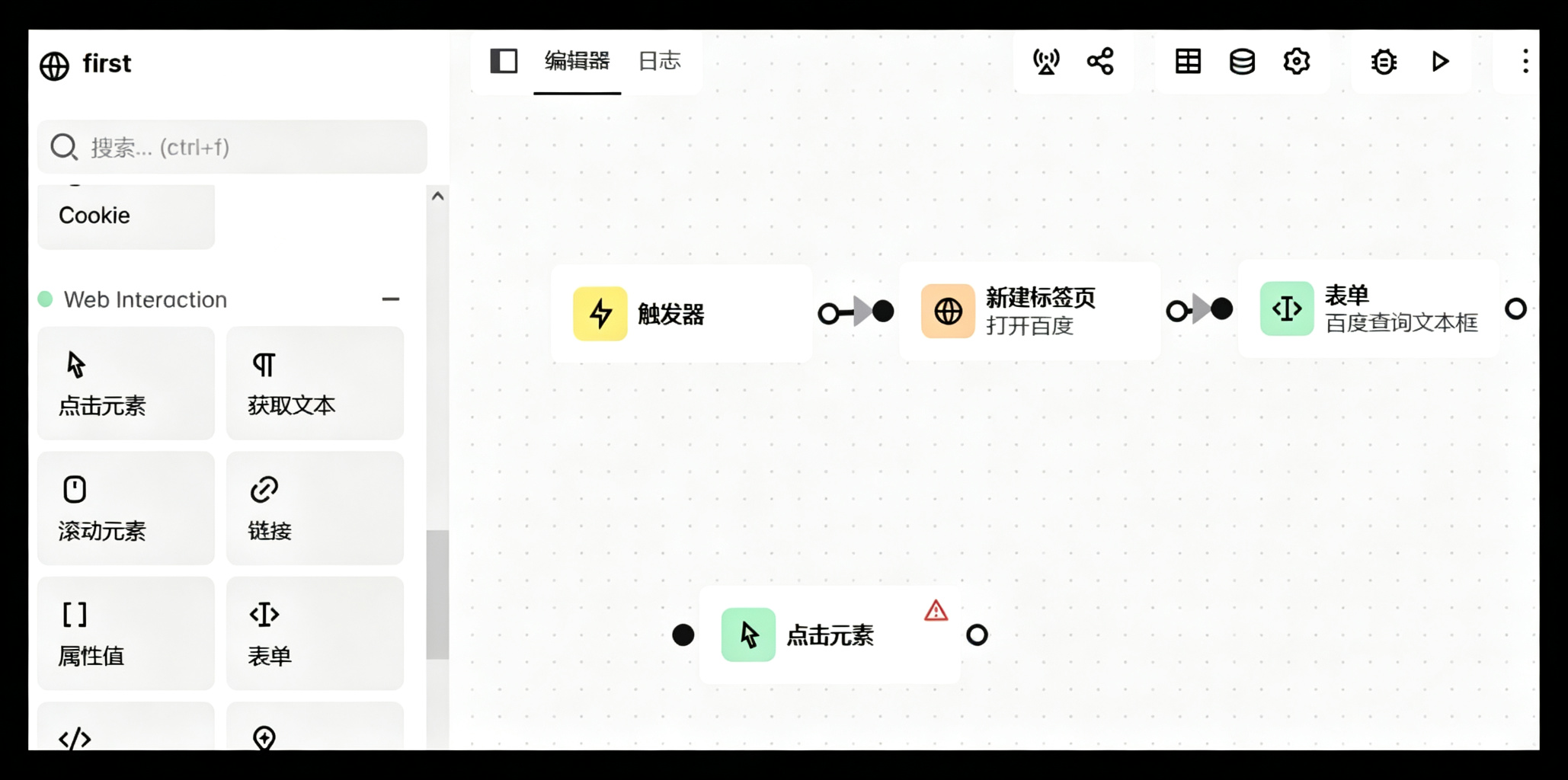
5.2.1 选择元素
双击点击元素,操作同表单类似,这里使用xpath方式
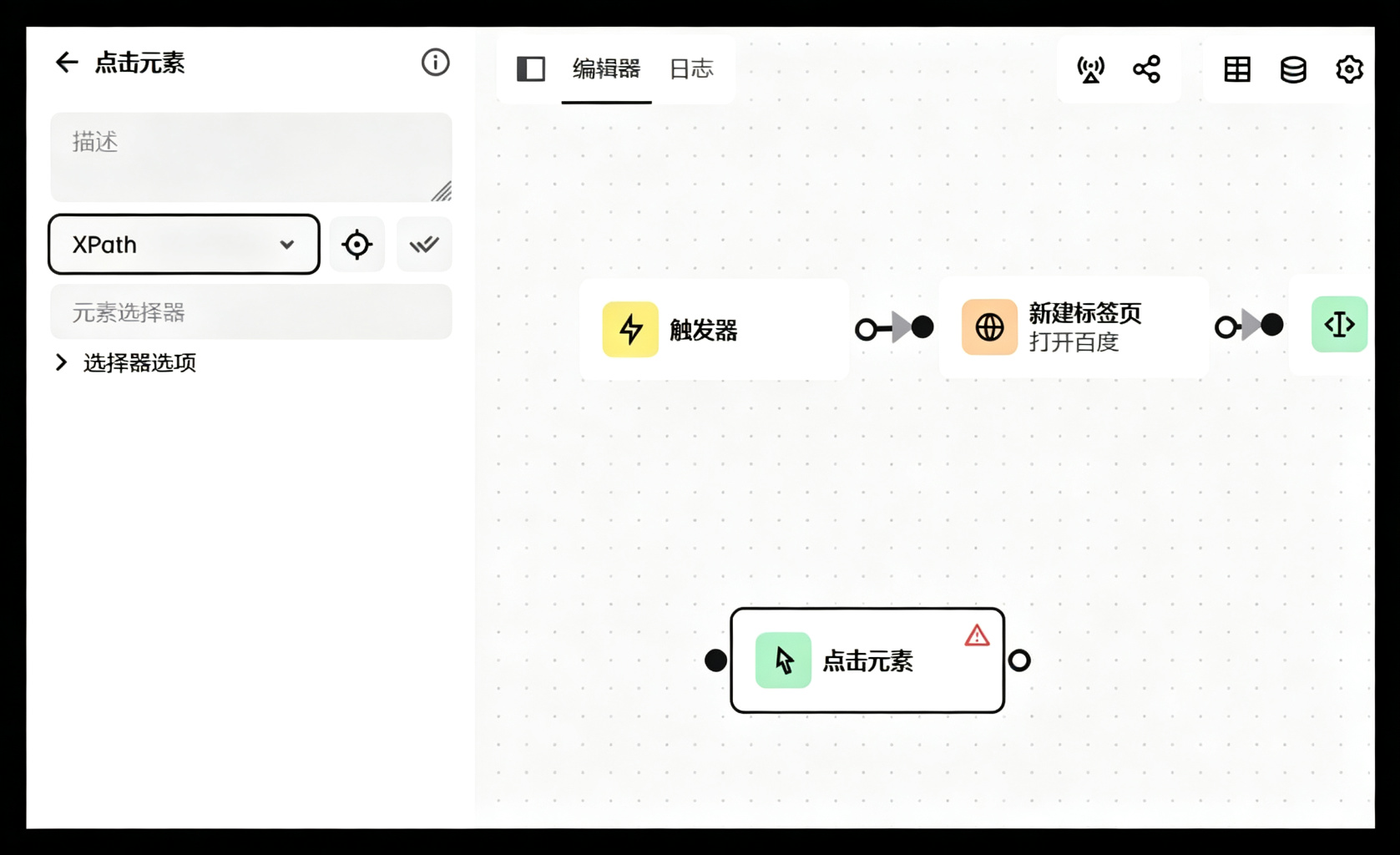
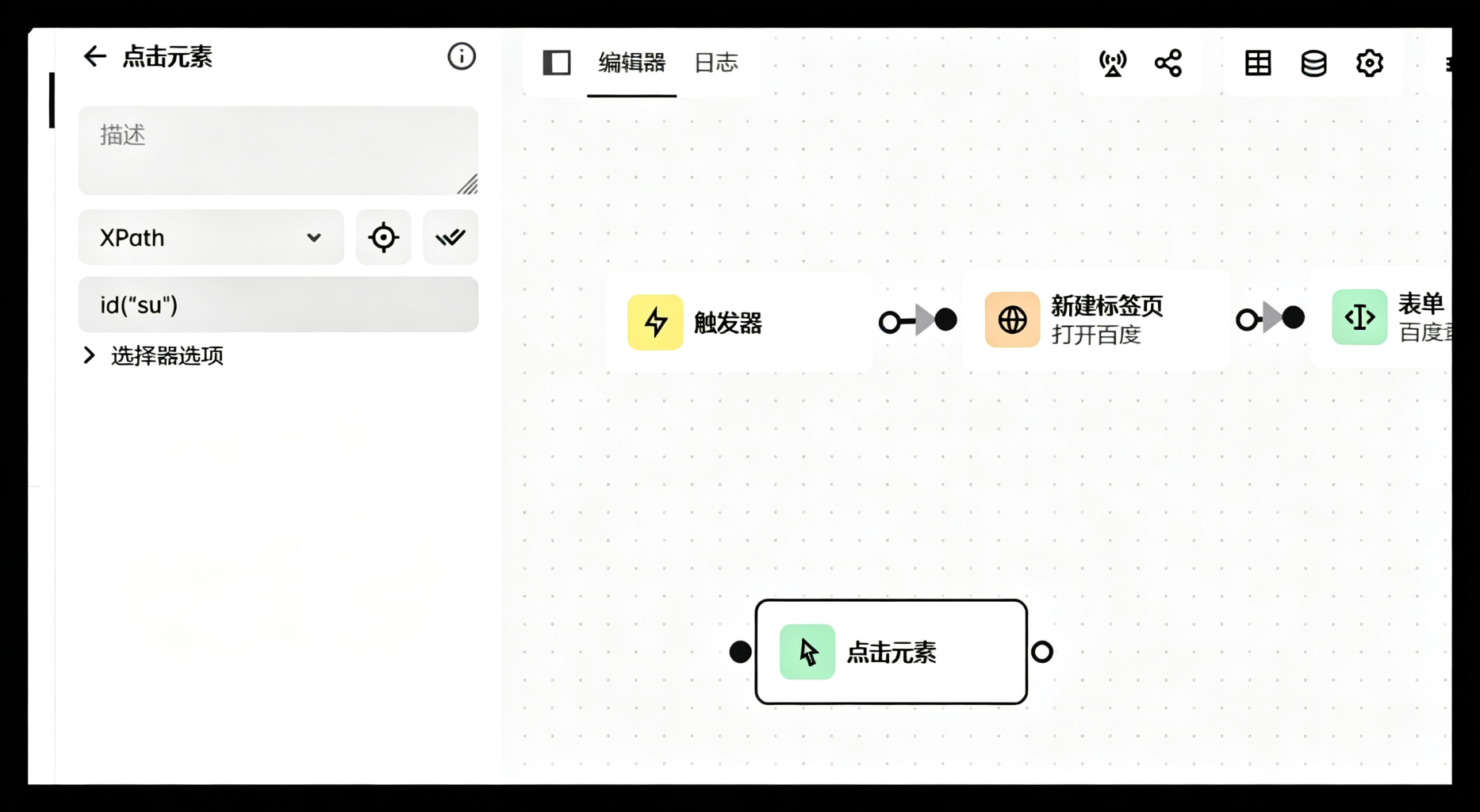
点击查询按钮,获取 百度一下的 xpath 属性
复制到页面
5.2.2 连接
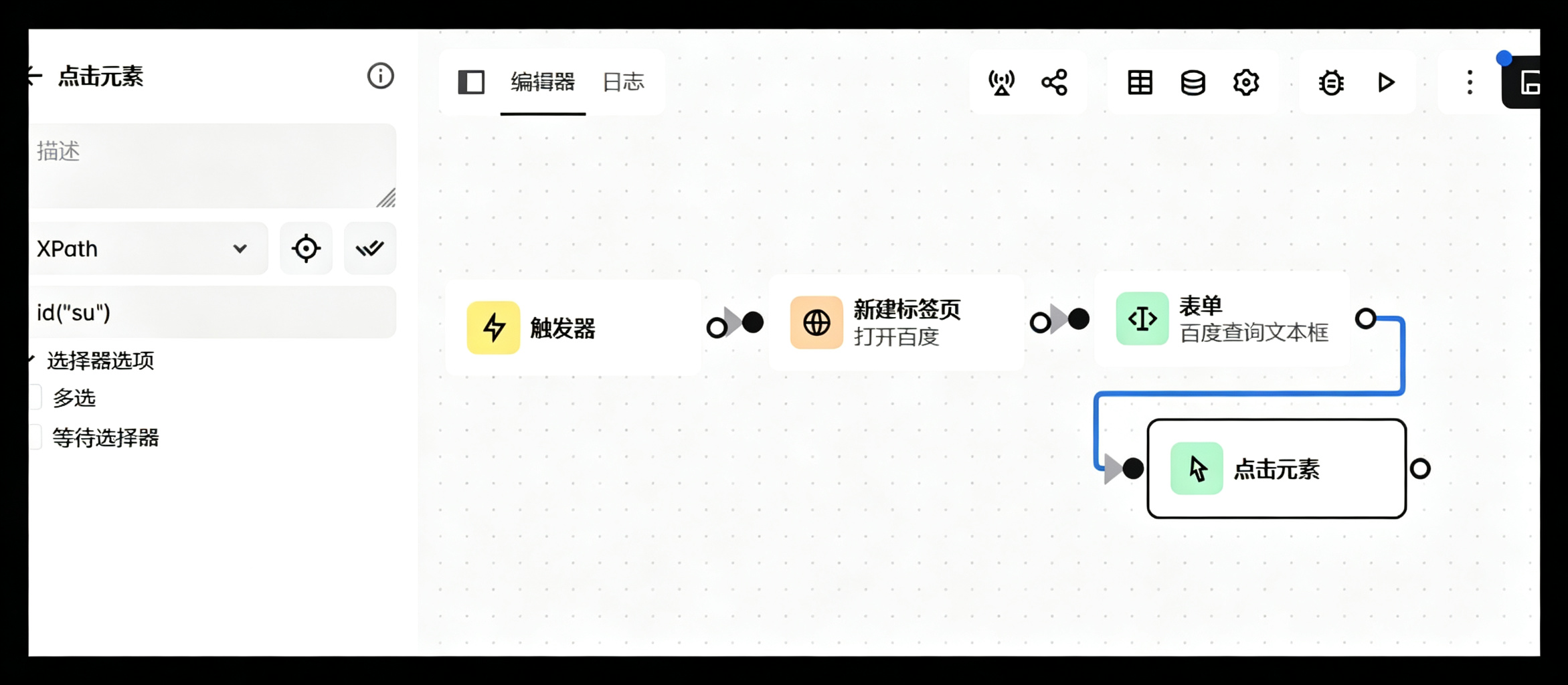
保存 ,可运行测试一下
5.3 延迟组件
拖拽延迟组件
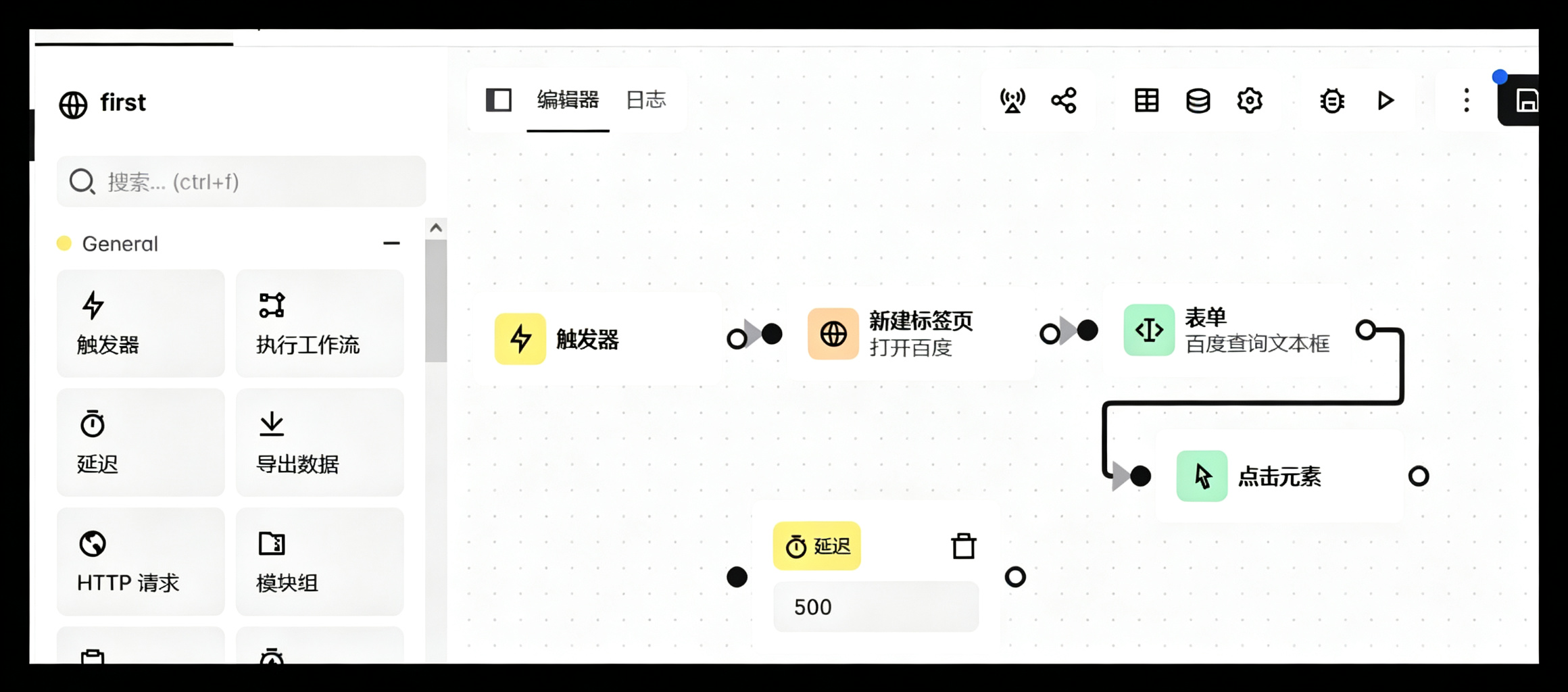
5.3.1 设置延迟时间
双击可设置延迟时间
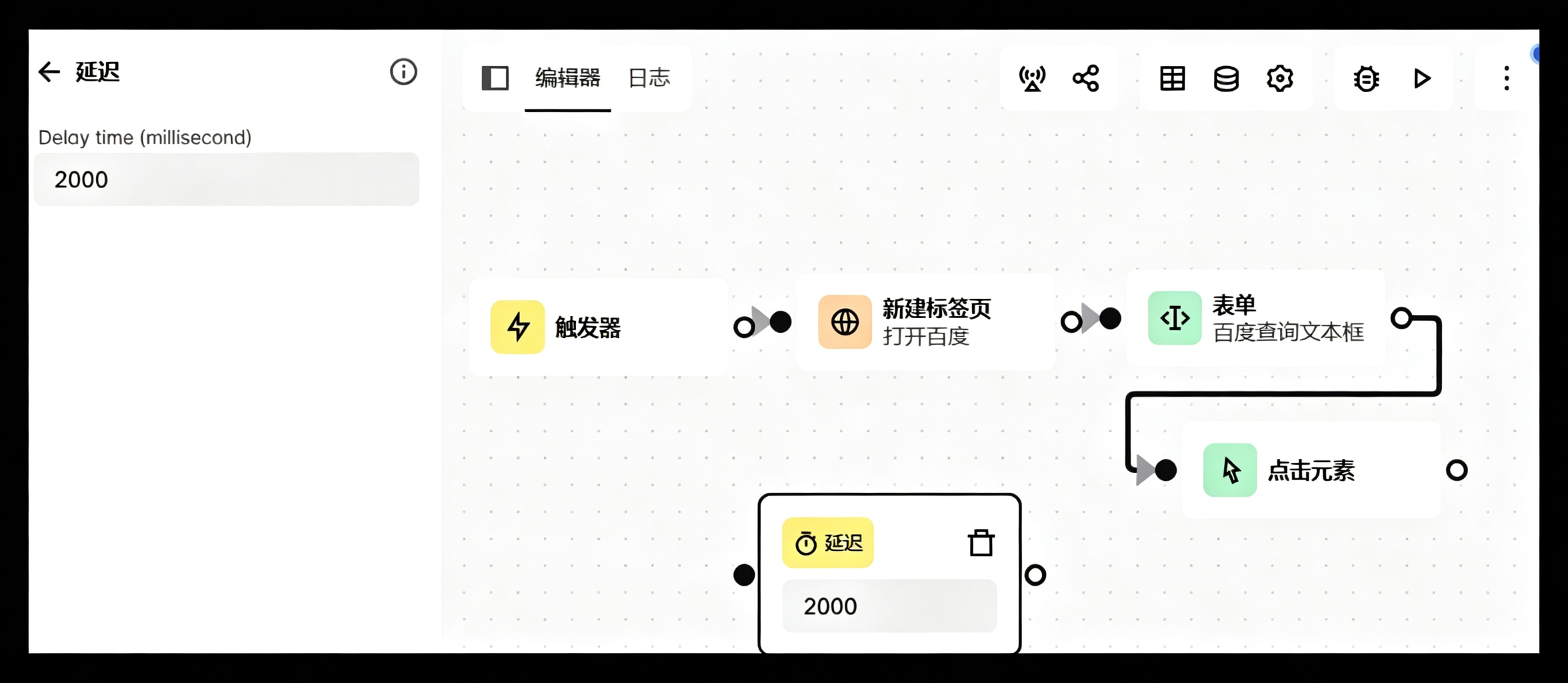
5.3.2 连接
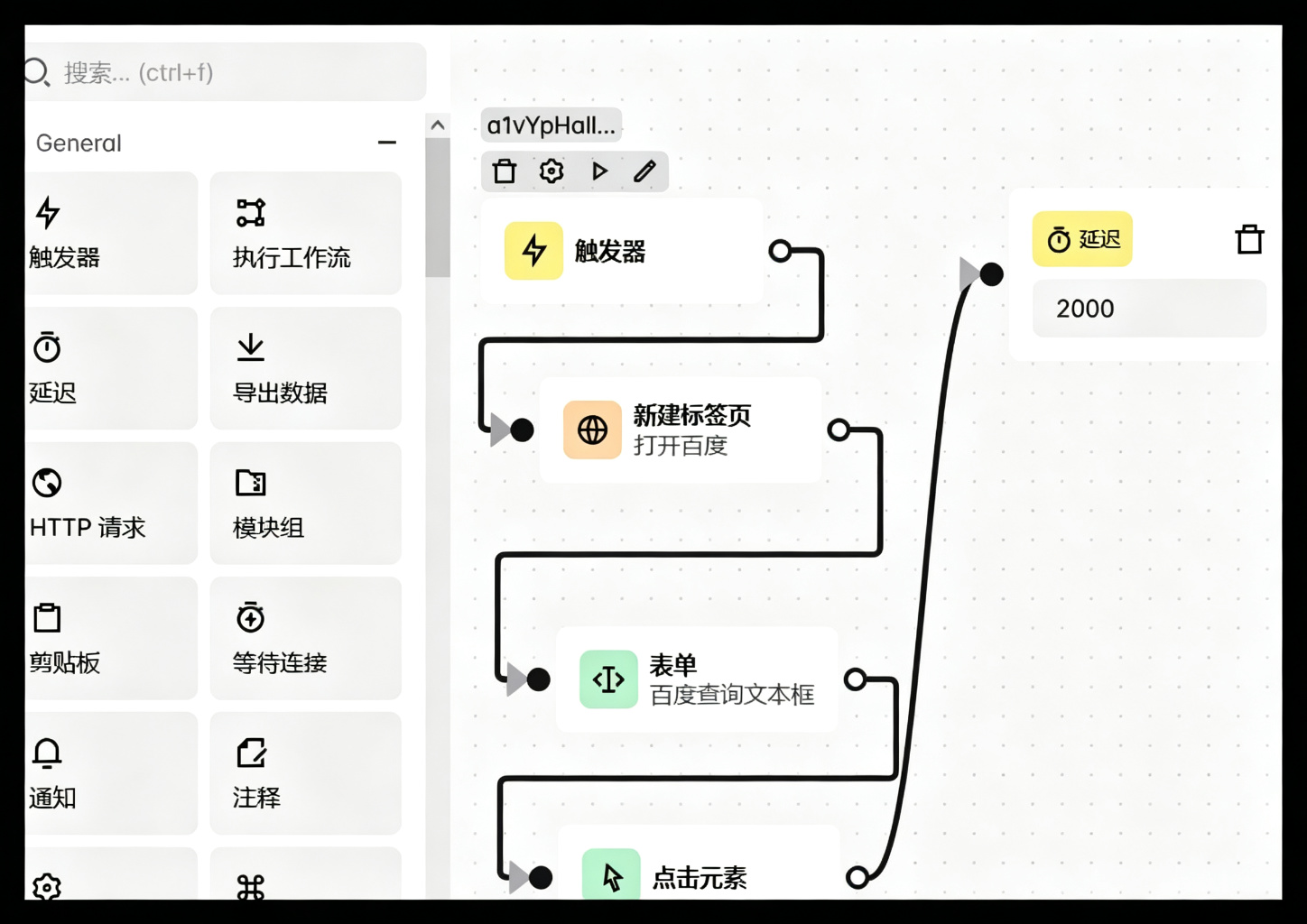
保存
5.4 按键组件
拖拽按键组件到桌面
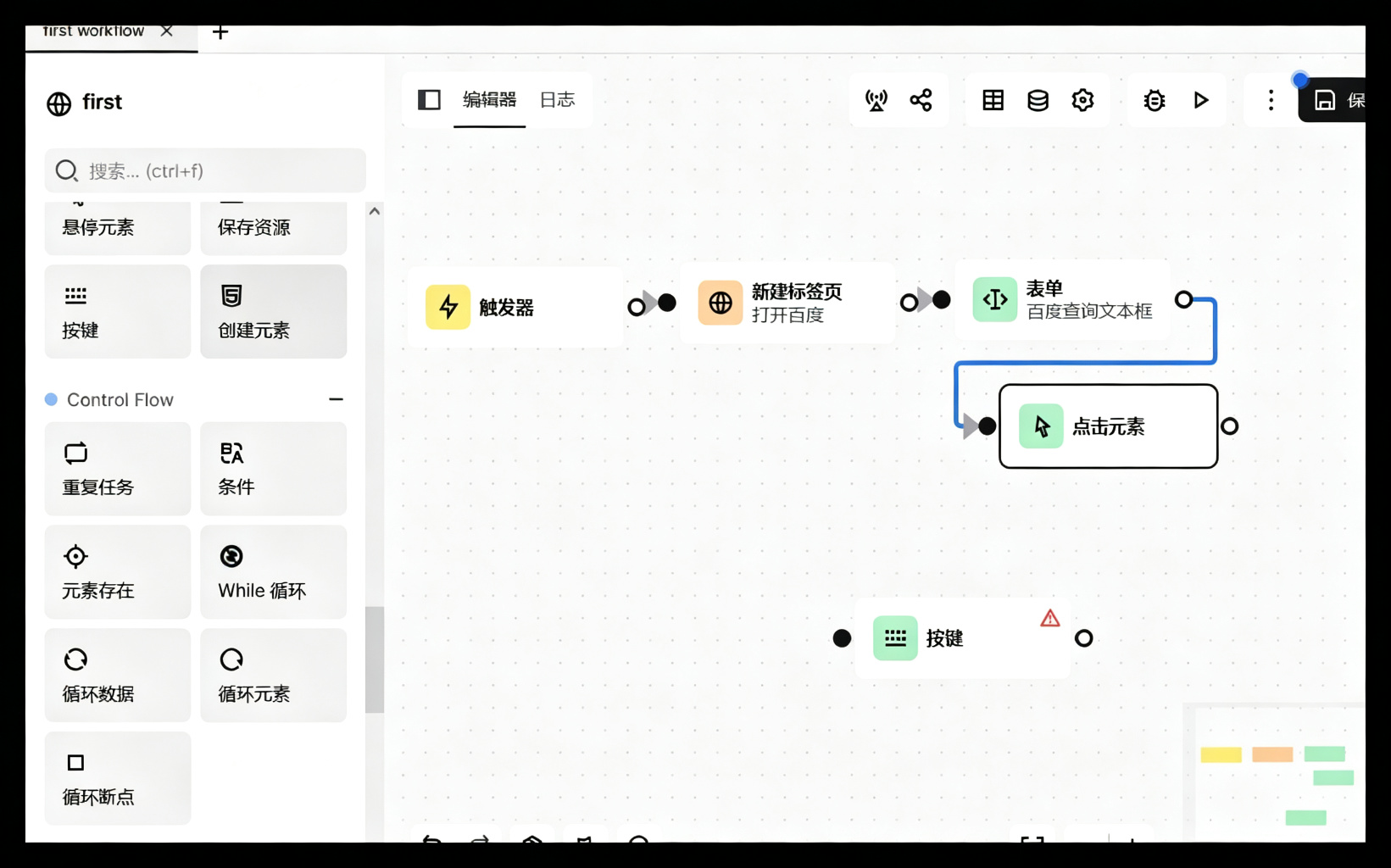
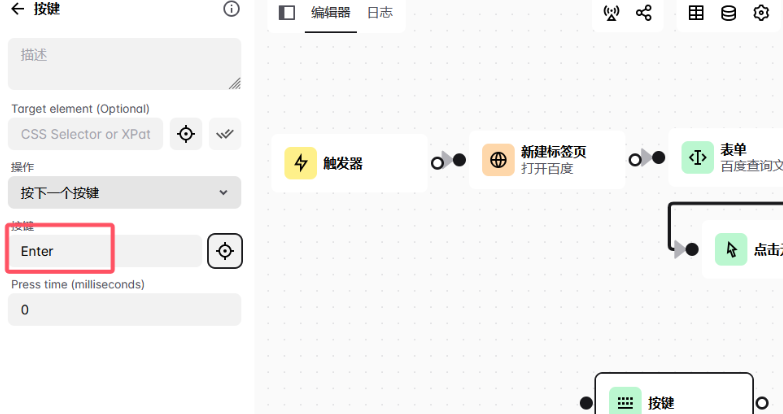
5.4.1 检测按键
点击检测按键按钮
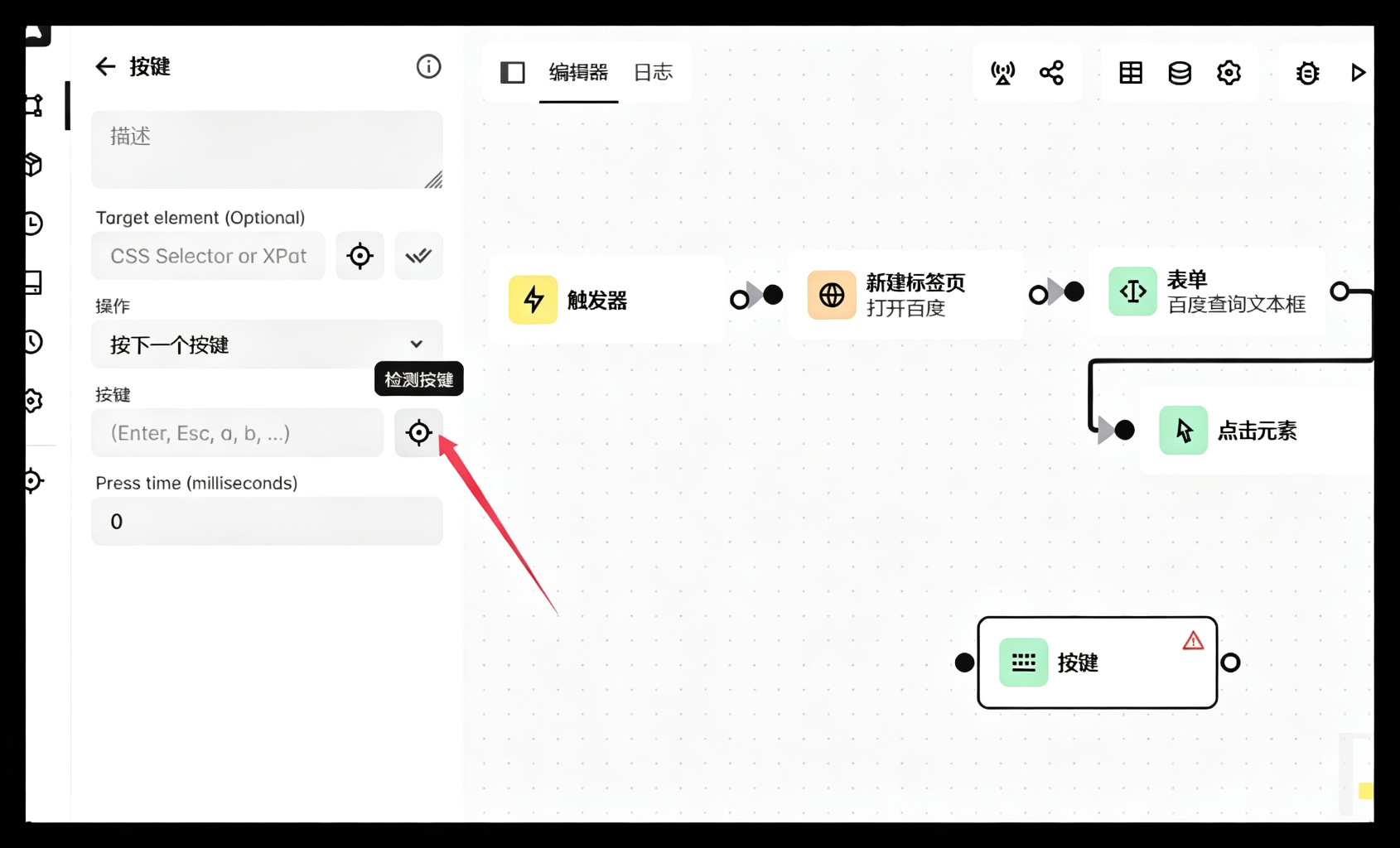
然后在键盘点击你要设置的按键(例如回车)
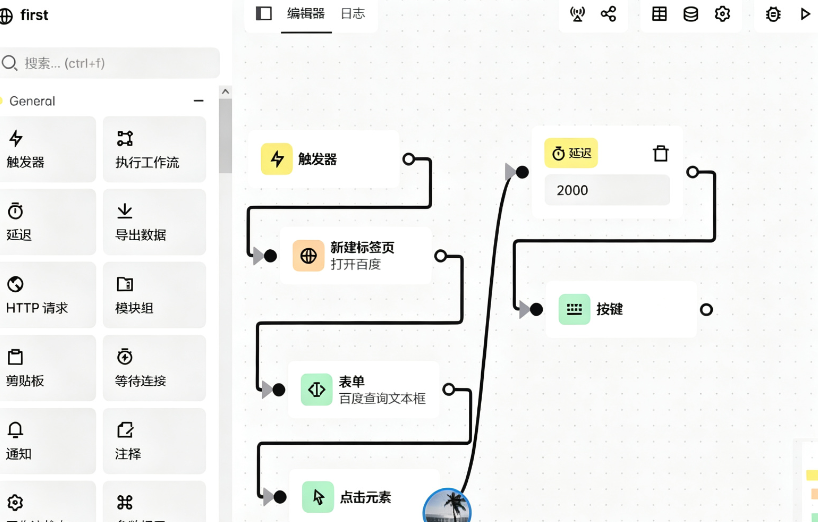
5.4.2 连接
5.5 变量的应用
5.5.1 全局变量
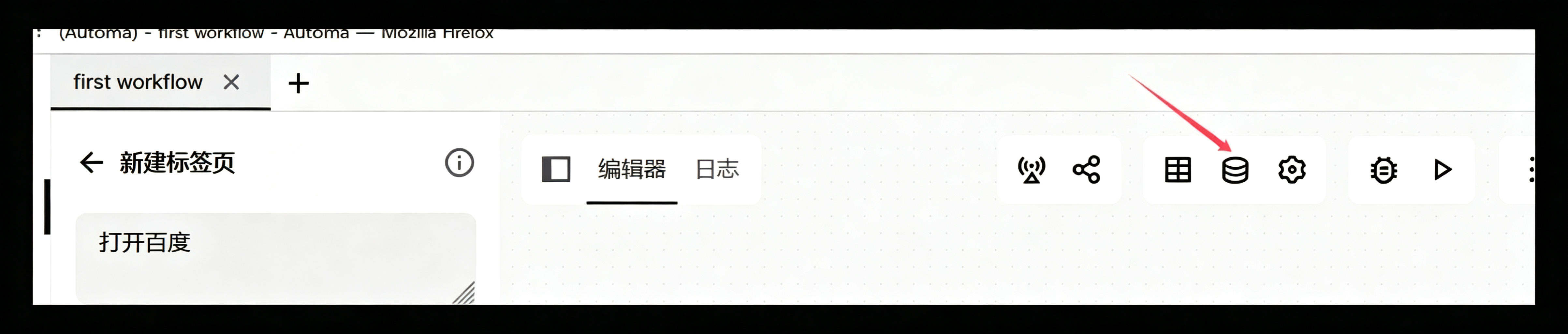
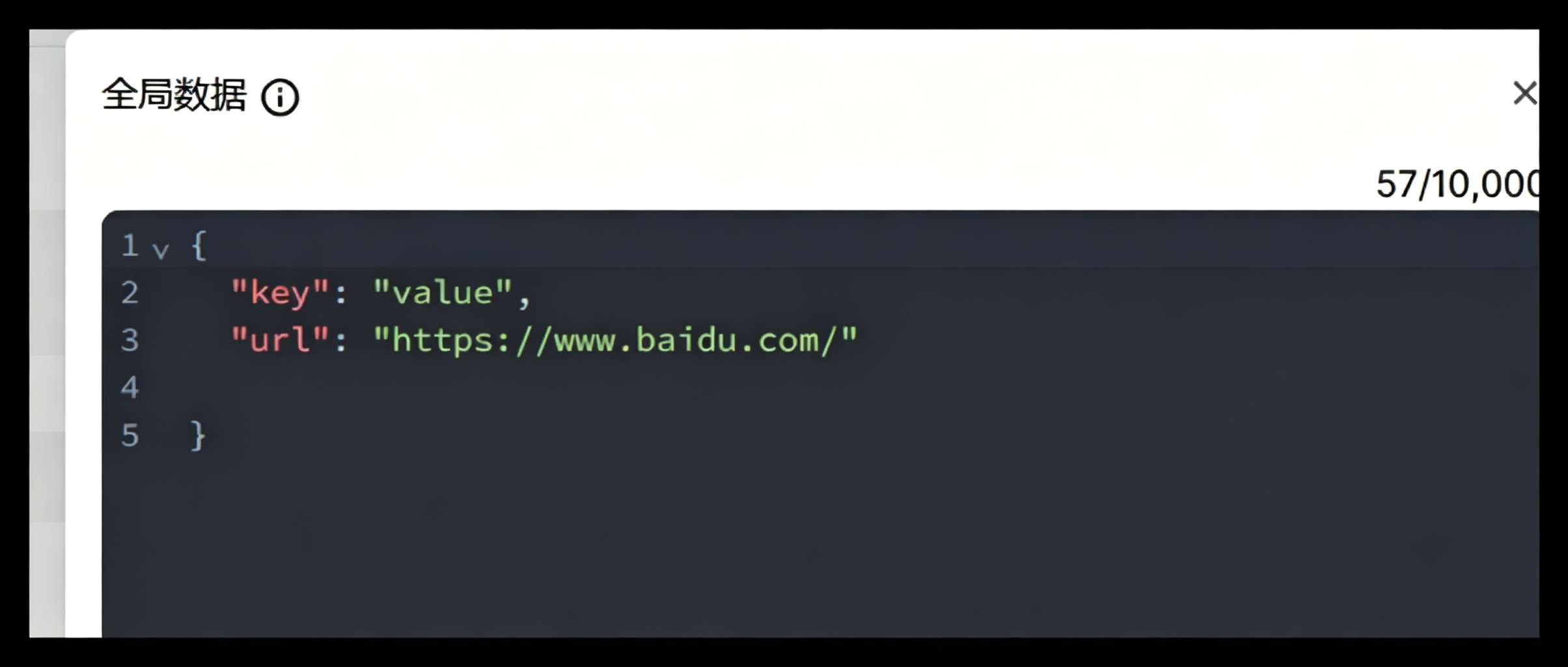
5.5.2 设置全局变量
5.5.3 应用全局变量
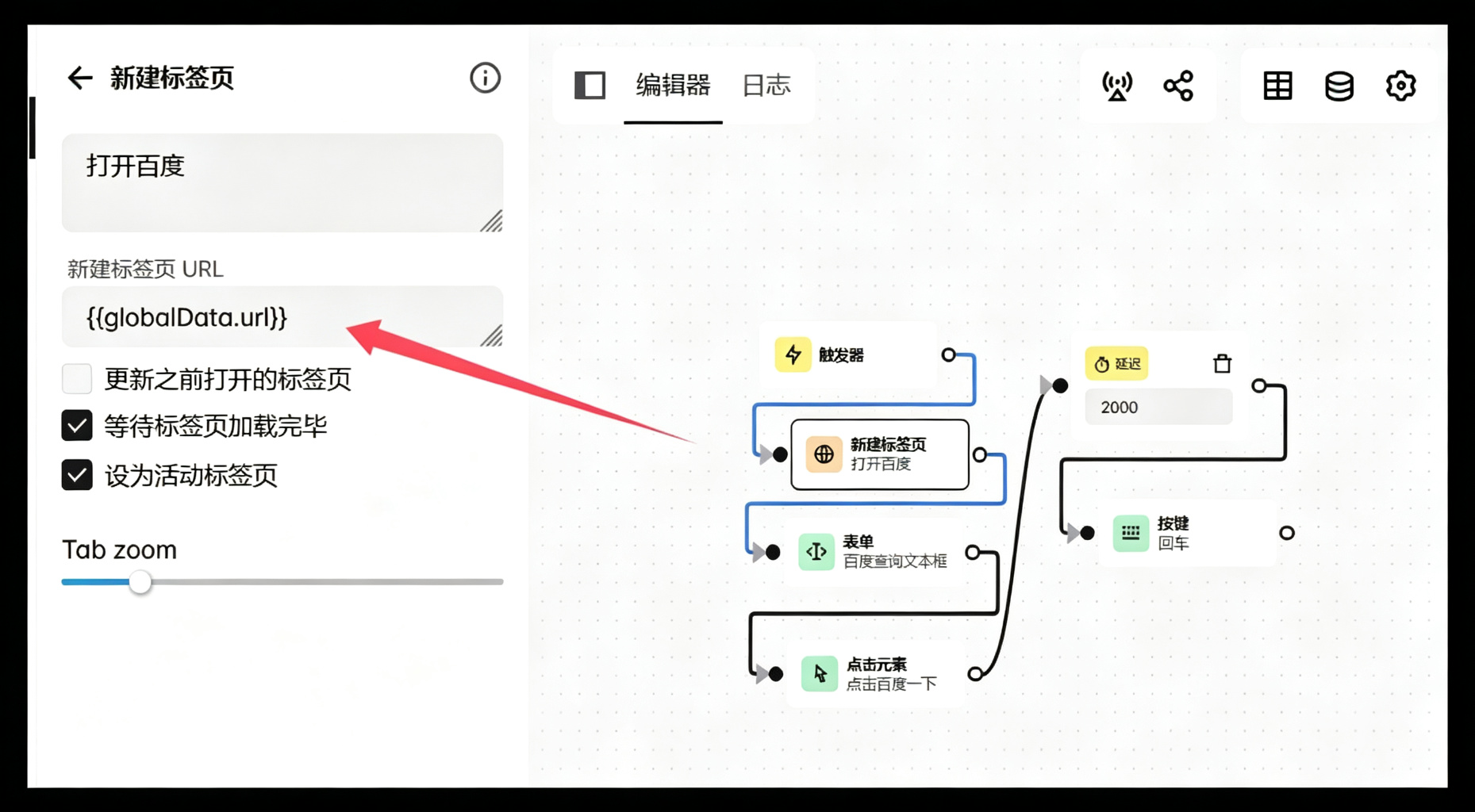
5.5.4 示例
生成订单号:
1
2
3
4
5
6
7
8
9
10
11
12
13
14
15
16
17
18
19
20
21
22
23
24
25
26
|
const now = new Date();
function padZero(num) {
return num.toString().padStart(2, '0');
}
const year = now.getFullYear();
const month = padZero(now.getMonth() + 1);
const day = padZero(now.getDate());
const hour = padZero(now.getHours());
const minute = padZero(now.getMinutes());
const second = padZero(now.getSeconds());
const soVal = `JY${year}${month}${day}${hour}${minute}${second}`;
automaSetVariable("so", soVal);
console.log("so:", soVal)
automaNextBlock();
|
使用:
生成手机号和车牌号:
1
2
3
4
5
6
7
8
9
10
11
12
13
14
15
16
17
18
19
20
21
22
23
24
25
26
27
28
29
30
31
32
|
function padZero(num) {
return num.toString().padStart(2, '0');
}
const now = new Date();
const month = padZero(now.getMonth() + 1);
const day = padZero(now.getDate());
const hour = now.getHours().toString().charAt(0);
const ms = padZero(now.getMilliseconds()).slice(0, 3);
const phoneVal = `189${month}${day}${hour}${ms}`;
automaSetVariable("phone", phoneVal);
const letterPool = "ABCDEFGHJKLMNPQRSTUVWXYZ";
const numPool = "0123456789";
function randomChar(pool) {
return pool[Math.floor(Math.random() * pool.length)];
}
const plateSuffix = randomChar(letterPool) + randomChar(numPool) +
randomChar(letterPool) + randomChar(numPool) +
randomChar(letterPool) + randomChar(numPool);
const plateVal = `粤B${plateSuffix}`;
automaSetVariable("plate", plateVal);
console.log("手机号phone:", phoneVal);
console.log("车牌plate:", plateVal);
automaNextBlock();
|
使用:
5.6 使用剪贴板组件
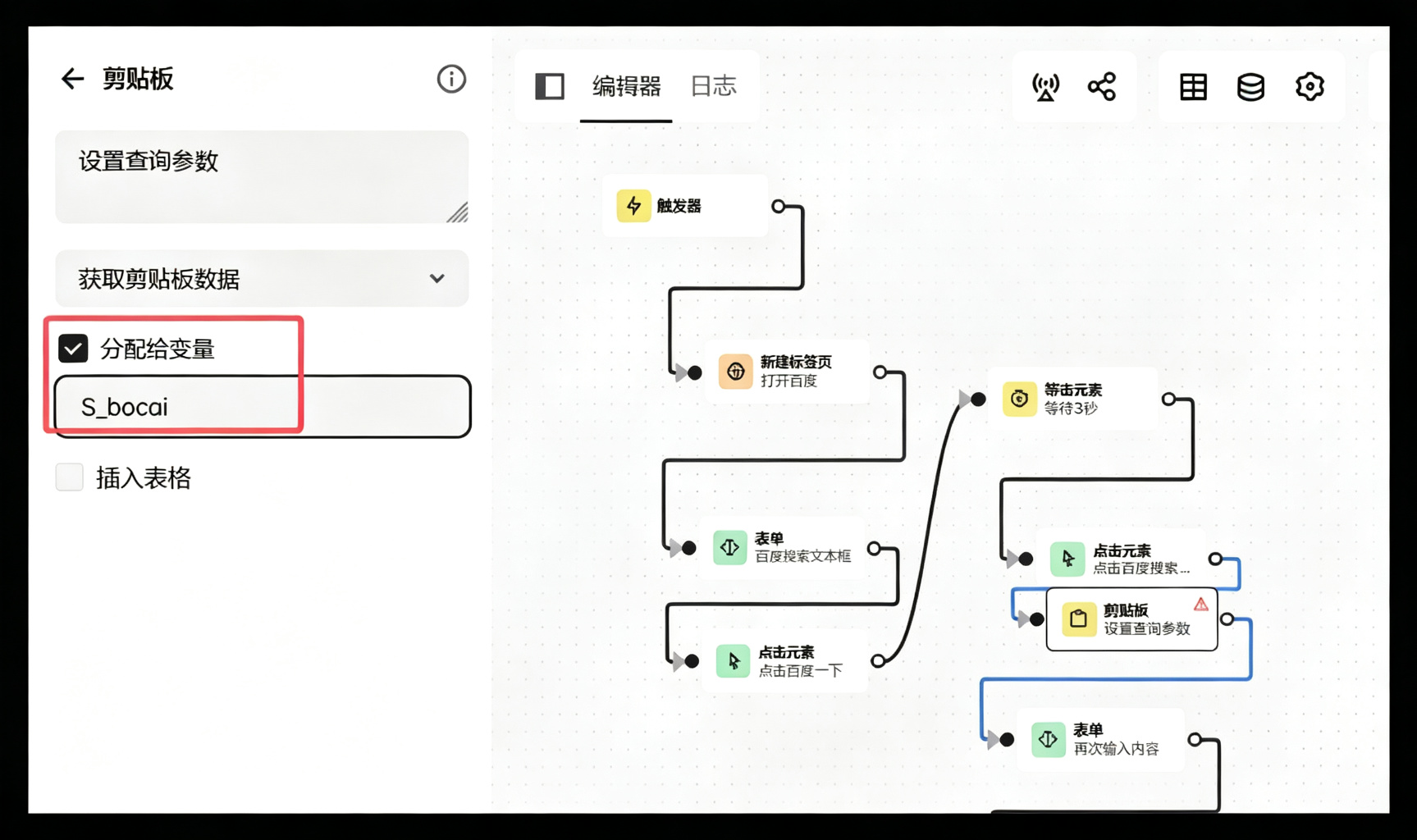
注意:从剪贴板获取参数,你得先右击复制一些内容到剪贴板
5.6.1 使用剪贴板组件
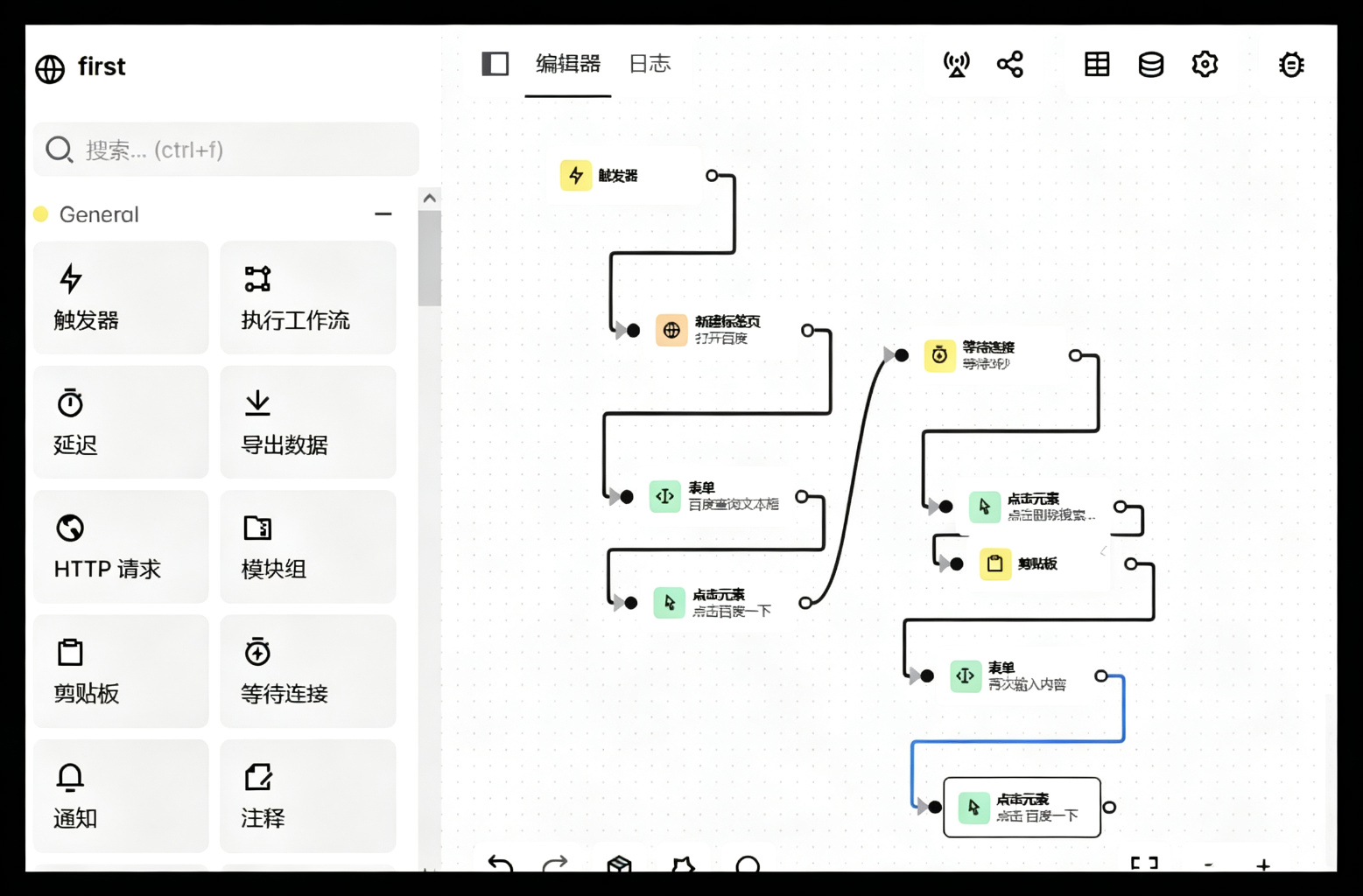
5.6.2 设置参数
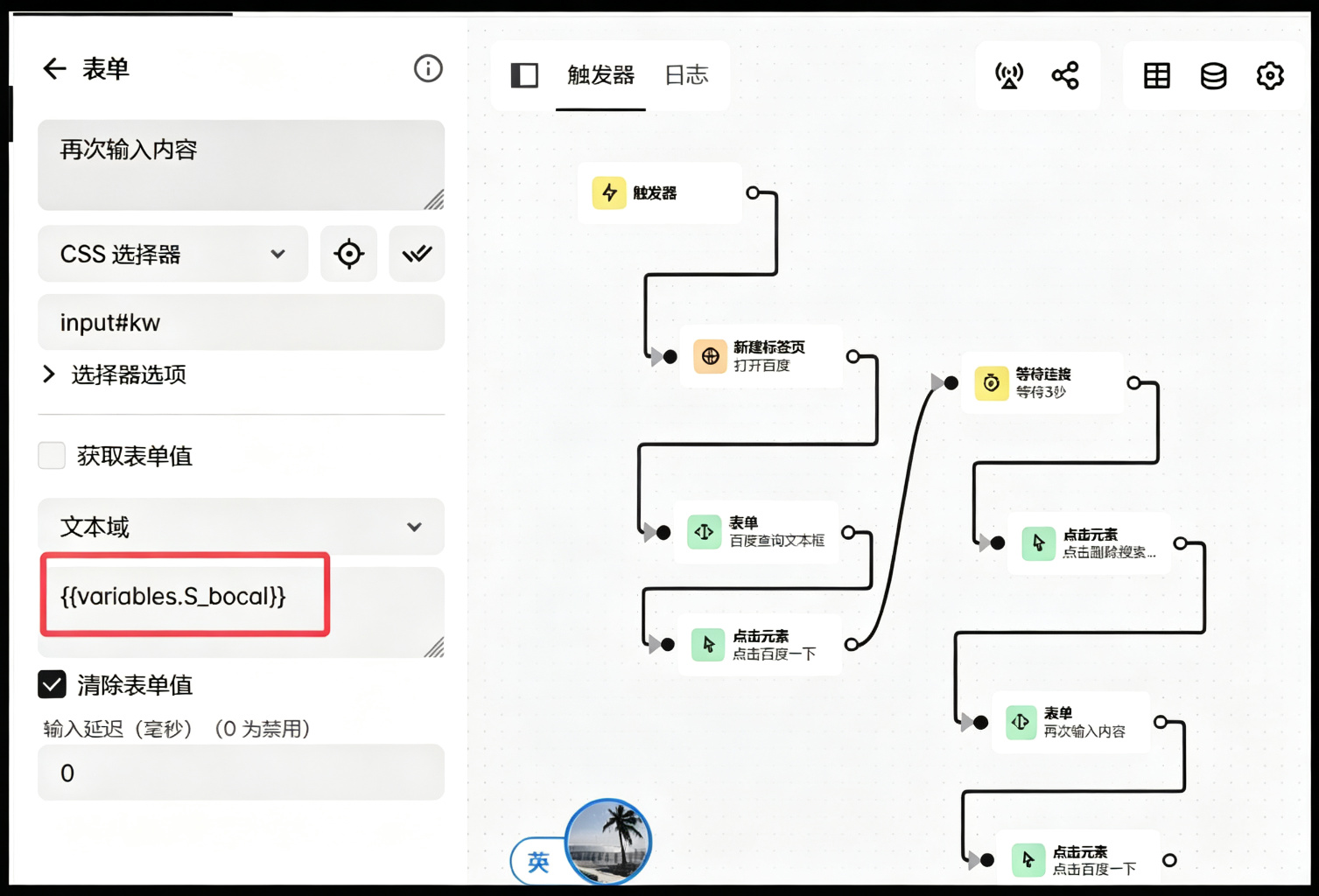
5.6.3 调用参数
在下一流程调用参数
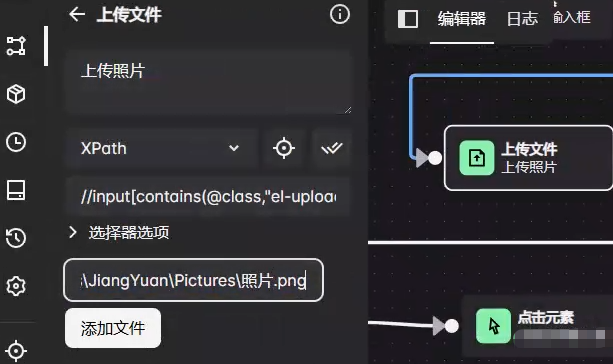
5.7 上传图片
XPath 需要选到 el-upload__input and type=file:(以element组件为例)
1
| //input[contains(@class,"el-upload__input") and @type="file"]
|
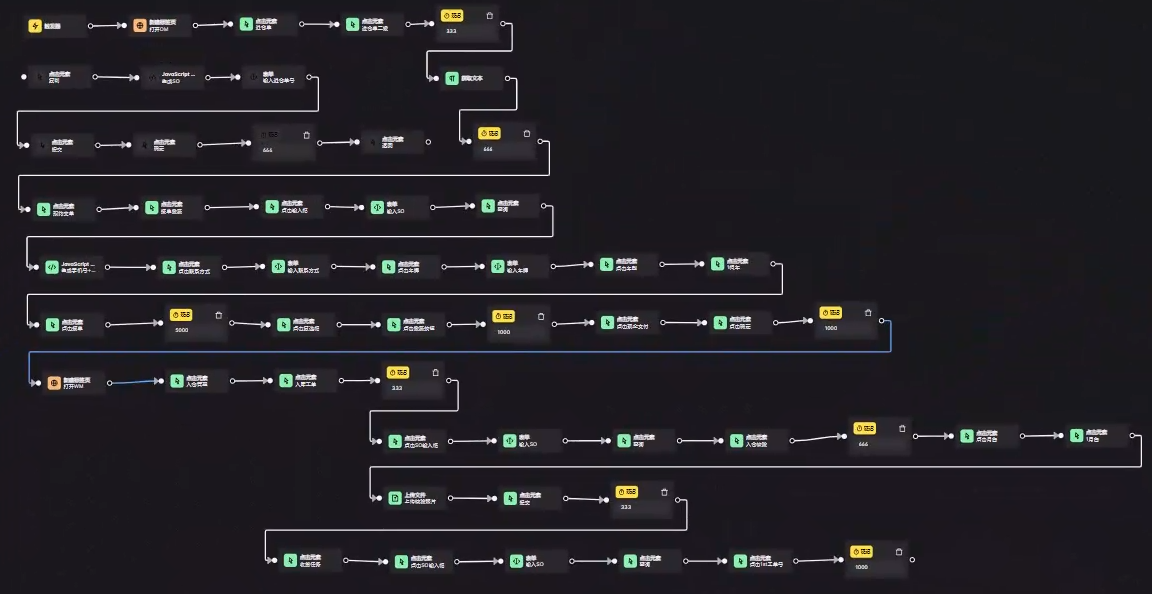
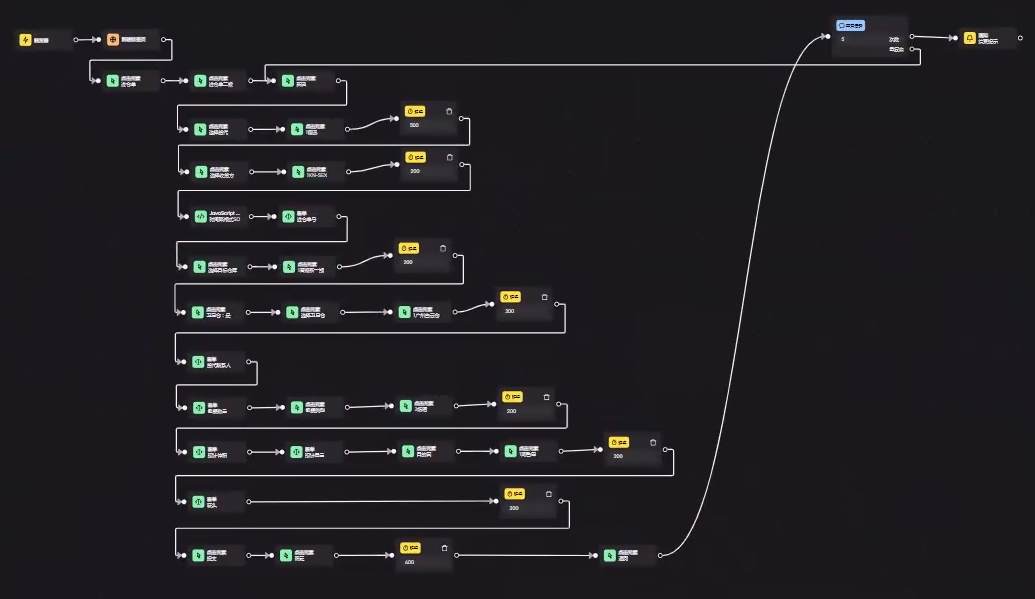
六、真实案例
截图:
带循环的:
附:XPath 语法
1 认识 XPath(10 分钟入门)
1.1 XPath 是什么?
XPath(XML Path Language)是一种在 XML/HTML 文档中查找信息的语言。你可以把它理解为:文件系统中用路径找文件,XPath 就是在文档树中用路径找节点。
想象一棵树:
1
2
3
4
5
6
7
8
9
10
11
| 文档 (根)
├── html
│ ├── head
│ │ └── title → "我的网页"
│ └── body
│ ├── h1 → "欢迎"
│ ├── div
│ │ ├── p → "第一段"
│ │ └── p → "第二段"
│ └── div
│ └── a → "点击这里"
|
XPath 就是告诉你怎么从根走到某个具体的叶子节点。
1.2 为什么要学它?
| 场景 |
用途 |
| 网页爬虫 |
Python 的 Scrapy、lxml 用 XPath 提取数据 |
| 浏览器调试 |
Chrome DevTools 的 $x() 函数 |
| Selenium 自动化 |
定位网页元素 |
| XML 配置解析 |
解析 Android 布局、pom.xml 等 |
| API 数据处理 |
从 XML 格式的响应中提取字段 |
1.3 两个核心概念先记住
1
2
| 节点(Node) → 文档树中的每一个"东西"(元素、属性、文本……)
路径(Path) → 从一个位置到达目标节点的"路线"
|
2 XPath 基础语法
2.1 节点类型
以这段 XML 为例(后面全部基于这个文档讲解):
1
2
3
4
5
6
7
8
9
10
11
12
13
14
15
16
17
18
19
20
21
22
23
24
25
26
27
28
29
30
31
| <?xml version="1.0" encoding="UTF-8"?>
<bookstore>
<book category="COOKING">
<title lang="en">Everyday Italian</title>
<author>Giada De Laurentiis</author>
<year>2005</year>
<price>30.00</price>
</book>
<book category="CHILDREN">
<title lang="en">Harry Potter</title>
<author>J K. Rowling</author>
<year>2005</year>
<price>29.99</price>
</book>
<book category="WEB">
<title lang="en">XQuery Kick Start</title>
<author>James McGovern</author>
<author>Per Bothner</author>
<author>Kurt Cagle</author>
<author>James Linn</author>
<author>Vaidyanathan Nagarajan</author>
<year>2003</year>
<price>49.99</price>
</book>
<book category="WEB">
<title lang="en">Learning XML</title>
<author>Erik T. Ray</author>
<year>2003</year>
<price>39.95</price>
</book>
</bookstore>
|
XPath 中有 7 种节点类型:
| 节点类型 |
说明 |
示例 |
| 元素(Element) |
XML 标签 |
<book>、<title> |
| 属性(Attribute) |
元素上的属性 |
category="COOKING" |
| 文本(Text) |
标签内的文字 |
Everyday Italian |
| 根节点(Root) |
整个文档的根 |
<bookstore> |
| 命名空间 |
命名空间声明 |
— |
| 处理指令 |
<?...?> |
<?xml ...?> |
| 注释 |
<!-- ... --> |
— |
节点之间的关系(家族关系比喻):
1
2
3
4
5
6
| bookstore ← 是 book 的 父节点(parent)
└── book ← 是 bookstore 的 子节点(child)
├── title ← title 和 author 是 兄弟节点(sibling)
├── author ←
├── year
└── price
|
- **父(Parent)**:直接上层节点
- **子(Child)**:直接下层节点
- **兄弟(Sibling)**:同一父节点下的同级节点
- **祖先(Ancestor)**:父、父的父、父的父的父……
- **后代(Descendant)**:子、子的子、子的子的子……
2.2 选择节点 — 基础路径表达式
这是 XPath 的核心,就像写文件路径一样:
| 表达式 |
含义 |
类比文件系统 |
nodename |
选择当前节点下所有该名称的子节点 |
ls 子目录 |
/ |
从根节点开始(绝对路径) |
/home/user |
// |
从任意位置匹配(相对路径) |
在整个硬盘中搜索 |
. |
选择当前节点 |
. (当前目录) |
.. |
选择父节点 |
.. (上级目录) |
@ |
选择属性 |
— |
实战演示:
1
2
3
4
5
6
| bookstore → 选择 bookstore 元素(根元素)
/bookstore → 从根开始,选择 bookstore(绝对路径)
bookstore/book → 选择 bookstore 下所有 book 子元素
//book → 选择文档中所有 book 元素(不论在哪里)
bookstore//book → 选择 bookstore 下所有后代中的 book
//@lang → 选择所有名为 lang 的属性
|
用图来理解 / 和 // 的区别:
1
2
3
4
5
6
7
| / → 精确定位,必须严格从根节点开始匹配
/bookstore/book/title ✓
/bookstore/title ✗ (title不是bookstore的直接子节点)
// → 模糊搜索,跳过中间层级
//title ✓ (找到文档中所有title)
/bookstore//title ✓ (bookstore下面所有的title)
|
2.3 谓语(Predicates) — 用 [] 做筛选
谓语就是过滤条件,放在方括号 [] 中,用来在多个匹配结果中精确挑选:
1
2
3
4
5
6
7
8
9
10
11
| /bookstore/book[1] → 第一个 book 元素
/bookstore/book[last()] → 最后一个 book 元素
/bookstore/book[last()-1] → 倒数第二个 book
/bookstore/book[position()<3] → 前两个 book
//book[@category] → 所有带 category 属性的 book
//book[@category='WEB'] → category 属性等于 "WEB" 的 book
//book[price>35] → price 子元素大于 35 的 book
//book[price>35 and price<50] → 两个条件同时满足
//book[price>35 or price<30] → 满足任一条件
//book[not(@category='COOKING')] → category 不等于 COOKING 的
//book[year=2005 and @category='CHILDREN'] → 组合条件
|
关键:谓语中的位置是从 1 开始的(不是 0)。
2.4 通配符
| 通配符 |
含义 |
示例 |
* |
匹配任意元素节点 |
/bookstore/* → bookstore 下所有子元素 |
@* |
匹配任意属性节点 |
//book[@*] → 所有带任意属性的 book |
node() |
匹配任意类型的节点 |
//book/node() → book 下所有子节点(含文本) |
1
2
3
| //* → 选择文档中所有元素
/*/* → 选择根元素下所有二级子元素
//book[@*] → 选择有任意属性的 book 元素
|
3 XPath 轴(Axes) — 进阶核心
轴是 XPath 中最强大也最容易混淆的部分。轴定义了相对于当前节点的”方向和范围”。
3.1 全部 13 个轴
以当前节点为参照:
| 轴名称 |
方向 |
含义 |
简写 |
ancestor |
↑ 向上 |
所有祖先(父、祖父……直到根) |
— |
ancestor-or-self |
↑ |
所有祖先 + 自身 |
— |
parent |
↑ 一级 |
直接父节点 |
.. |
child |
↓ 一级 |
直接子节点 |
默认,可省略 |
descendant |
↓ 向下 |
所有后代(子、孙……) |
— |
descendant-or-self |
↓ |
所有后代 + 自身 |
// 隐含此意 |
following |
↓→ 后面 |
文档中在当前节点之后的所有节点 |
— |
preceding |
↑← 前面 |
文档中在当前节点之前的所有节点 |
— |
following-sibling |
→ 右 |
当前节点之后的所有兄弟节点 |
— |
preceding-sibling |
← 左 |
当前节点之前的所有兄弟节点 |
— |
self |
· 自身 |
当前节点本身 |
. |
attribute |
属性 |
当前节点的所有属性 |
@ |
namespace |
— |
命名空间节点 |
— |
3.2 语法格式
3.3 实战演示
1
2
3
4
5
6
7
8
9
10
11
12
13
14
| child::book → 当前节点的 book 子节点(等同于 book)
child::* → 当前节点的所有子元素
child::text() → 当前节点的所有文本子节点
attribute::lang → 当前节点的 lang 属性(等同于 @lang)
attribute::* → 当前节点的所有属性
ancestor::bookstore → 当前节点的所有 bookstore 祖先
descendant::title → 当前节点下所有 title 后代
following-sibling::book → 当前节点后面的 book 兄弟
preceding-sibling::title → 当前节点前面的 title 兄弟
//book/ancestor::bookstore → 所有 book 的 bookstore 祖先
//title/parent::book → 所有 title 的父节点如果是 book
//book/following-sibling::book → 每个 book 之后的兄弟 book
|
3.4 图解轴的视觉方向
假设当前节点是第三个 <book>(XQuery Kick Start):
1
2
3
4
5
6
7
8
9
10
11
12
| bookstore ← ancestor, ancestor-or-self
│
┌──────┼──────┐
│ │ │
book1 book2 [book3] ← self
←preceding- ↑ -following→
sibling parent sibling
│
┌────┬─────┼─────┬──────┐
title author year price ← child
↓
descendant
|
4 XPath 函数库
XPath 拥有非常丰富的内置函数,按类型分为以下几类:
4.1 字符串函数
1
2
3
4
5
6
7
8
9
10
11
12
13
14
15
16
17
18
19
20
21
22
23
24
25
26
| string-length(//book[1]/title)
-- 返回第一个 book 的 title 字符串长度
contains(//book[1]/title, "Italian")
-- true: title 中包含 "Italian"
starts-with(//book[1]/title, "Every")
-- true: title 以 "Every" 开头
substring("Everyday Italian", 1, 5)
-- "Every"(位置从1开始,截取5个字符)
substring-before("30.00", ".")
-- "30"(取 "." 之前的部分)
substring-after("30.00", ".")
-- "00"
normalize-space(" Hello World ")
-- "Hello World"(去除首尾空格,中间多个空格合并为一个)
translate("Hello", "elo", "ELO")
-- "HELLO"(字符级替换:e→E, l→L, o→O)
concat(//book[1]/author, " - ", //book[1]/year)
-- "Giada De Laurentiis - 2005"
|
4.2 数值函数
1
2
3
4
5
6
7
8
9
10
| sum(//book/price)
-- 所有 book price 之和
count(//book)
-- book 元素的总数 → 4
floor(3.7) → 3
ceiling(3.2) → 4
round(3.5) → 4
number("30") → 30(字符串转数字)
|
4.3 布尔函数
1
2
3
4
5
6
| boolean(//book) → true(节点集非空)
not(true()) → false
true() / false() → 布尔字面值
lang("en")
-- 如果当前节点或祖先的 lang 属性为 "en",返回 true
|
4.4 节点函数
1
2
3
4
5
6
7
8
9
| name(//book[1]) → "book"(节点名称)
local-name(//book[1]) → "book"(不含命名空间前缀)
namespace-uri(//book[1]) → 命名空间 URI
count(//book/author) → 所有 author 节点的数量
string(//book[1]/price) → "30.00"(节点的字符串值)
position() → 当前节点在上下文中的位置
last() → 上下文节点集的大小
|
4.5 常见组合用法
1
2
3
4
5
6
7
8
9
10
11
12
13
14
| -- 查找 title 中包含 "XML" 的 book
//book[contains(title, "XML")]
-- 查找 author 文本以 "J" 开头的 book
//book[starts-with(author, "J")]
-- 查找价格高于平均值的 book(XPath 1.0 中需要用技巧)
//book[price > sum(//book/price) div count(//book)]
-- 获取 title 的文本长度大于 15 的 book
//book[string-length(title) > 15]
-- 拼接输出:"书名 - 作者"
concat(//book[1]/title, " - ", //book[1]/author)
|
5 XPath 运算符大全
5.1 运算符分类表
| 类别 |
运算符 |
示例 |
| 算术 |
+ - * div mod |
price + 10、10 div 3、10 mod 3 |
| 比较 |
= != < > <= >= |
price > 30 |
| 逻辑 |
and or |
price > 30 and price < 50 |
| 集合 |
| |
//book | //cd(合并两个节点集) |
注意: XPath 用 div 代替 / 做除法(因为 / 是路径分隔符),用 mod 取余。
5.2 运算符优先级
1
2
3
4
5
6
7
8
| 最高: 圆括号 ()
路径步长 [] 和 ::
算术: * div mod
+ -
比较: < <= > >=
= !=
逻辑: and
最低: or
|
6 XPath 2.0 / 3.0 进阶特性
基础掌握后,了解这些进阶特性可以大幅提升效率。
6.1 XPath 2.0 新特性
1
2
3
4
5
6
7
8
9
10
11
12
13
14
15
16
17
18
19
20
| -- 正则表达式匹配
//book[matches(title, "^X.*")]
-- 条件表达式
//book/(if (price > 40) then title else author)
-- "for" 表达式
for $b in //book return $b/title
-- 类型判断
//book[price castable as xs:decimal]
-- 序列操作
(1, 2, 3, 4, 5)[position() > 2] → (3, 4, 5)
-- distinct-values 去重
distinct-values(//book/@category) → ("COOKING", "CHILDREN", "WEB")
-- 字符串连接(XPath 2.0 新增 || 运算符)
//book[1]/title || " by " || //book[1]/author
|
6.2 XPath 3.0 / 3.1 新特性
1
2
3
4
5
6
7
8
9
10
11
| -- 箭头运算符 → 管道式处理
//book/string() => string-join(", ")
-- 字面量映射 (map)
map { "a": 1, "b": 2 }
-- Lambda 表达式
function($x) { $x * $x }
-- 字符串构造
`Hello {name}!` (类似模板字符串)
|
7 实战模式与常见场景
7.1 HTML 网页提取(爬虫常用)
1
2
3
4
5
6
7
8
9
10
11
12
| <div class="product-list">
<div class="item" data-id="101">
<h3>iPhone 15</h3>
<span class="price">¥7999</span>
<a href="/detail/101">查看详情</a>
</div>
<div class="item" data-id="102">
<h3>MacBook Pro</h3>
<span class="price">¥14999</span>
<a href="/detail/102">查看详情</a>
</div>
</div>
|
1
2
3
4
5
6
7
8
9
10
11
12
13
14
| -- 提取所有商品名
//div[@class="item"]/h3/text() → "iPhone 15", "MacBook Pro"
-- 提取所有价格
//span[@class="price"]/text() → "¥7999", "¥14999"
-- 提取所有链接的 href
//div[@class="item"]/a/@href → "/detail/101", "/detail/102"
-- 提取 data-id 属性
//div[@class="item"]/@data-id → "101", "102"
-- 选择包含 data-id 且大于 101 的元素
//div[@class="item"][@data-id > 101]/h3/text() → "MacBook Pro"
|
7.2 处理带命名空间的 XML
1
2
3
4
5
| <feed xmlns="http://www.w3.org/2005/Atom">
<entry>
<title>示例标题</title>
</entry>
</feed>
|
1
2
3
| -- 在大多数工具中,需要注册命名空间前缀
-- 例如在 lxml (Python) 中:
-- root.xpath('//ns:entry/ns:title', namespaces={'ns': 'http://www.w3.org/2005/Atom'})
|
7.3 Selenium 自动化中的常用模式
1
2
3
4
5
6
7
8
9
10
11
12
13
14
15
16
17
| -- 通过文本内容定位按钮
//button[text()="登录"]
-- 通过部分文本定位
//button[contains(text(), "登")]
-- 通过属性定位输入框
//input[@type="email" and @name="username"]
-- 定位某个父元素下第一个子元素
(//div[@class="list"])[1]
-- 模糊匹配 class(class 包含多个值时)
//div[contains(@class, "active")]
-- 定位可见的元素
//button[not(contains(@style, "display: none"))]
|
7.4 处理表格数据
1
2
3
4
5
6
7
8
9
10
11
| <table id="scores">
<tr>
<th>姓名</th><th>语文</th><th>数学</th>
</tr>
<tr>
<td>张三</td><td>90</td><td>85</td>
</tr>
<tr>
<td>李四</td><td>78</td><td>95</td>
</tr>
</table>
|
1
2
3
4
5
6
7
8
9
| -- 获取所有学生姓名
//table[@id="scores"]/tr[position()>1]/td[1]/text()
-- 获取数学成绩大于 90 的学生姓名
//table[@id="scores"]/tr[td[3] > 90]/td[1]/text()
-- → "李四"
-- 获取所有行的第二个单元格
//table[@id="scores"]//tr/td[2]/text()
|
8 调试技巧与最佳实践
8.1 在浏览器中调试 XPath
打开 Chrome DevTools(F12),在 Console 中输入:
1
2
3
4
5
6
7
8
9
|
$x('//h1')
$x('//h1').length
$x('//h1')[0].textContent
$x('你的XPath表达式')
|
8.2 Python 中使用 XPath
1
2
3
4
5
6
7
8
9
10
11
12
13
14
15
16
| from lxml import etree
html = '<div><p>Hello</p><p>World</p></div>'
tree = etree.HTML(html)
texts = tree.xpath('//p/text()')
tree.xpath('//a/@href')
tree.xpath('//p[1]/text()')
tree.xpath('//p[contains(text(), "He")]/text()')
|
8.3 常见错误与排查
| 问题 |
原因 |
解决 |
返回空列表 [] |
路径写错或文档结构不符 |
用 $x() 在浏览器中逐步缩短路径定位 |
| 返回太多结果 |
条件不够精确 |
加更多谓语 [] 条件 |
contains(@class, "x") 误匹配 |
"box" 也会匹配 "x" |
用更精确的匹配,如 starts-with 或完整值 |
| 命名空间问题 |
XML 有默认命名空间 |
注册命名空间前缀再查询 |
| 位置从 0 开始 |
习惯性写 [0] |
XPath 位置从 1 开始,写 [1] |
8.4 最佳实践速查
1
2
3
4
5
6
7
8
9
| ✅ 优先用相对路径 // 而不是绝对路径 /(更健壮)
✅ 优先用 @id 等唯一属性定位(最稳定)
✅ 组合多个条件缩小范围(减少误匹配)
✅ 避免依赖文档顺序(position 会随内容变化)
✅ 定期验证 XPath(网页结构可能更新)
❌ 避免过长的绝对路径(一改就废)
❌ 避免用 text() 精确匹配易变的文本
❌ 避免在循环中大量使用 //(性能差)
|
9 速查表
1
2
3
4
5
6
7
8
9
10
11
12
13
14
15
16
17
18
19
20
21
22
23
24
25
26
27
28
29
30
31
32
33
34
35
36
37
38
39
40
41
42
43
44
45
46
47
48
49
50
51
52
53
54
55
56
57
58
59
60
61
62
| ╔══════════════════════════════════════════════════════════╗
║ XPath 速查表 ║
╠══════════════════════════════════════════════════════════╣
║ ║
║ 路径基础 ║
║ ──────── ║
║ / 绝对路径(从根开始) ║
║
║ . 当前节点 ║
║ .. 父节点 ║
║ @ 属性 ║
║ * 任意元素 ║
║ @* 任意属性 ║
║ node() 任意节点 ║
║ ║
║ 谓语 ║
║ ──── ║
║ [1] 第一个 ║
║ [last()] 最后一个 ║
║ [position()<3] 前两个 ║
║ [@attr] 有该属性的 ║
║ [@attr='v'] 属性等于某个值 ║
║ [n>5] 数值条件 ║
║ [A and B] 且 ║
║ [A or B] 或 ║
║ [not(X)] 非 ║
║ ║
║ 常用轴 ║
║ ──── ║
║ child:: 子节点(默认) ║
║ parent:: 父节点(..) ║
║ ancestor:: 所有祖先 ║
║ descendant:: 所有后代 ║
║ following-sibling:: 后续兄弟 ║
║ preceding-sibling:: 前续兄弟 ║
║ self:: 自身(.) ║
║ attribute:: 属性(@) ║
║ ║
║ 常用函数 ║
║ ──── ║
║ contains(s,sub) 包含子串 ║
║ starts-with(s,pre) 以…开头 ║
║ string-length(s) 字符串长度 ║
║ concat(a,b,...) 拼接 ║
║ normalize-space(s) 去空白 ║
║ substring(s,n,len) 截取 ║
║ count(nodes) 计数 ║
║ sum(nodes) 求和 ║
║ position() 当前位置 ║
║ last() 总数 ║
║ name() 节点名称 ║
║ text() 文本内容 ║
║ ║
║ 运算符 ║
║ ──── ║
║ + - * 加减乘 ║
║ div mod 除 取余 ║
║ = != < > <= >= 比较 ║
║ and or 逻辑 ║
║ | 合并节点集 ║
║ ║
╚══════════════════════════════════════════════════════════╝
|